

If you plugged your Windows 11 laptop in but is just isn’t charging, it might seem like all hope is lost and the laptop is dead — especially if it has no charge. However, we don’t need to jump to such pessimistic conclusion just yet. There are a few things that might fix it, and they’re well worth trying before giving up on it.
Here’s how to get your laptop charging again.
Clean the port
If you feel like the charger isn’t plugging all the way into the charge port, whether that’s a USB-C connection or more traditional barrel connector, have a look inside with a flashlight. It’s possible some debris or detritus has become lodged in there. If there is, turn the laptop off and remove the blockage with a non-conductive implement. Then try plugging the charger back in again to see if that fixed the issue.
If you want to make sure that no dirt is preventing charging, you can also clean the metallic contacts inside the charge port with a cotton swab soaked in a little isopropyl alcohol.
Change the charge cable (and charger)
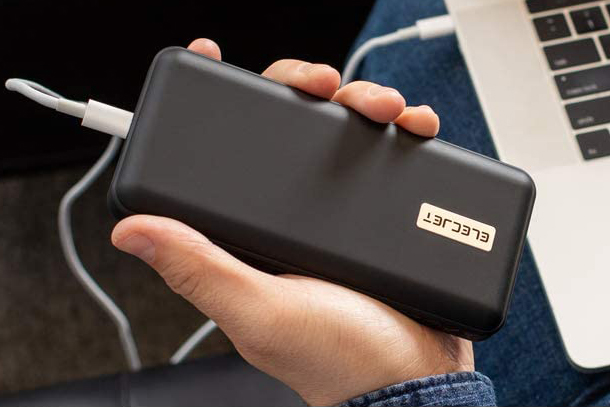
If you can, try using a different laptop charger and charge cable. That’s a lot easier if you’re using a USB-C charger, as you can swap out the one you’re using for a power bank or smartphone charger. Although if that works, the charge speed will be terrible, but it’s still a good way to check if your charger or charge cable is at fault.
If you’re using a more traditional barrel power connector for the laptop, you may be out of luck unless you know someone with the same laptop you can borrow a charger from. Don’t go around plugging in random chargers that physically fit — that could damage the laptop (further).

Reinstall your battery drivers
Did you know that your battery has its own drivers? While they shouldn’t run into problems, sometimes a Windows update or some other software change can cause a problem with them. Reinstalling them can fix a number of issues, including not charging.
Step 1: Search for “Device manager” in Windows search and select the corresponding result.
Step 2: Look down the list of devices for “Batteries” and select the arrow next to it.
Step 3: Right-click on each item and select Uninstall to uninstall your battery drivers. Don’t worry, they’ll be reinstalled when you reboot your laptop.
Step 4: Shut down the laptop, and if it’s plugged in, remove the power cable. Press and hold the power button for 30 seconds.
Step 5: Plug everything back in again and boot up the laptop. It should now charge as you expect it to.
Run Windows update
It’s a general fix but it can work on a lot of things. Run Windows update to see if any updates fix the bug in your system. Reboot after they’ve installed and try charging your laptop again to see if that fixed it.
System restore
If you can’t get your laptop charging but you’re pretty sure changing something is what caused the issue, you can try restoring your laptop to a previous state. Run system restore and roll back to a date before you started having the charging issue.
For more tips, follow our system restore point guide.
Factory reset
If no matter what you do you can’t get the laptop to charge properly and it still has some power, you can try a factory reset. This turns the laptop back to how it was when you first turned it on. If a software bug has caused this charging problem, a factory reset should fix it.
Follow our guide on how to factory reset a laptop here.
Editors’ Recommendations