

The iPhone contacts feature is so great it is practically a crutch at times. Can you even remember your closest family member’s phone number at this point? If not, you could be in big trouble if your contacts go missing or get deleted. Luckily, there are several methods to recover your old contacts via your iPhone and other devices. We’ll guide you through each technique so you can get back to functioning as normal quickly.
iCloud makes it easy to restore your contacts on the best iPhones. Here’s how to restore contacts on an iPhone from iCloud using iOS.
To avoid losing your data and contacts, check out our guide on how to backup an iPhone and how to use iCloud.
Recover contacts using iCloud on your iPhone
If you’ve lost or deleted a contact by mistake, don’t panic. Contacts are set to sync with iCloud by default. You can go to Settings and turn them off and on to sync to your iPhone again.
Step 1: Go to Settings > [your name] > iCloud.
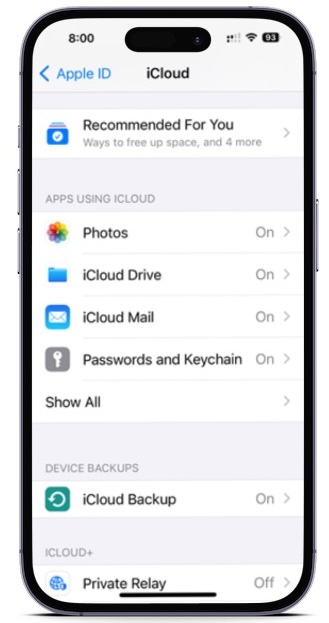
Step 2: Turn Contacts off and select Keep on My iPhone.
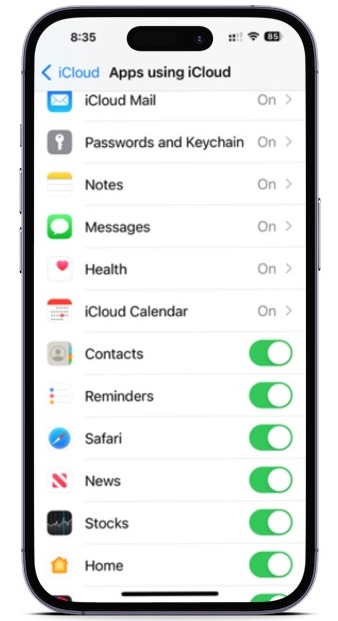
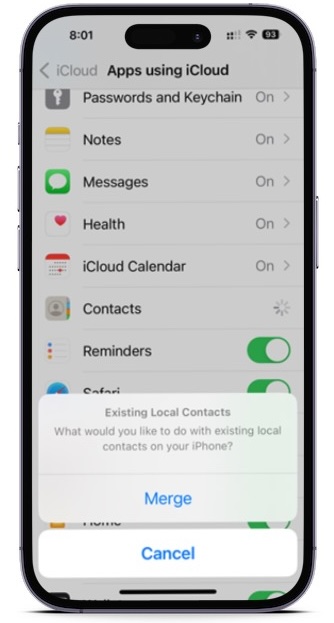
Step 3: Turn Contacts on and select Merge. Wait a little while, and you should see the deleted contacts back on your iPhone.
Recover contacts using iCloud.com
This is another trusted method for retrieving lost contact information — as well as other things like Reminders and Calendar events — and it comes directly from Apple. All you need is a computer, your Apple ID and password, and a bit of time.
Step 1: Pull up iCloud.com and use your Apple ID and password to log in.
Step 2: When you’ve signed in, go down and select the Data Recovery button.
Step 3: Go down to the Restore Contacts.
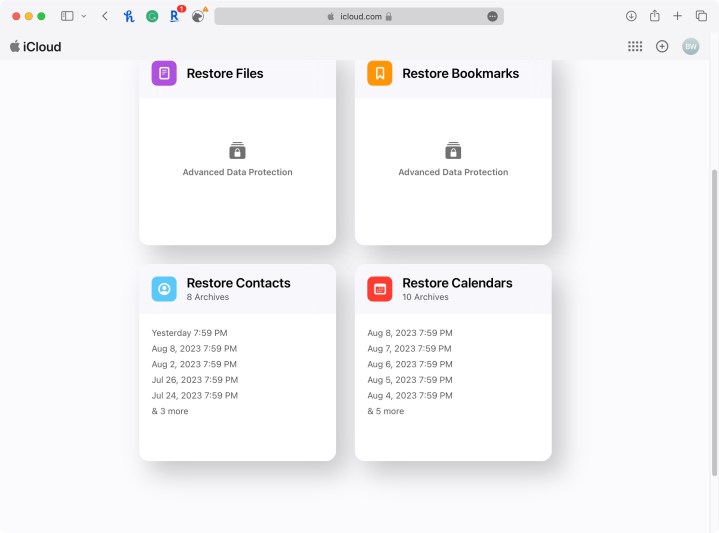
Step 4: You’ll find a list of archives you’ve created in the past. Using their dates, locate an archive that should contain your full contacts list and hit Restore.
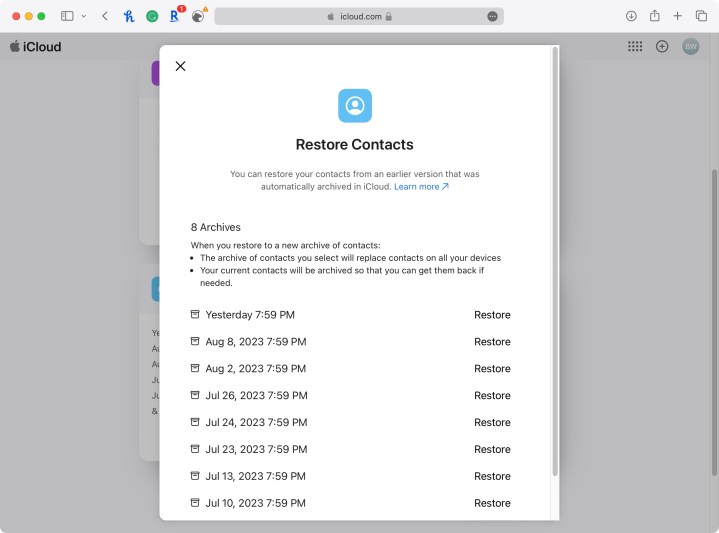
Step 5: Hit Restore once more to confirm and start the restoration. Afterward, you’ll get an email at the address linked to your Apple ID.
More techniques for restoring iPhone contacts
Here are some more things you can try:
- If the above techniques don’t work, you can also try to restore your phone from an iTunes backup, which will also have contact data.
- If you still have your old iPhone and haven’t changed many contacts since then, you can port them over or add important ones.
- Consider reaching out on Facebook or to another mutual friend to get contact info again. Not remembering a friend or contact’s info is not as embarrassing as it might seem.
What about new contacts?
Most of the above techniques will update and replace all of your contacts on any iPhone, rather than merely adding any that are missing. So, assuming you’ve added new contacts since the last backup, you will lose those new contacts. The good news is that your iPhone will automatically backup your new contacts before it completes this restore, so you will be able to retrieve them later.
You can retrieve your new contacts by following the first three steps above. When you do, make sure you select the archive made on the same day you restored your phone. Of course, if you accidentally restore with the wrong archive, no worries. You can use the same process if you accidentally select an incorrect archive to restore your contacts.
Editors’ Recommendations