

If you’re a huge music fan, you’ve probably combed through the many playlists, artists, and albums of your Spotify or Apple Music subscription. But what about all the indie artists of the world? Some music-streaming platforms are better than others at celebrating the
‘unsung gem’ acts, but one of the most reliable forums for new, off-the-grid tunes is SoundCloud.
Founded in 2007, SoundCloud has always prioritized music that’s a bit under the radar. With over 320 million tracks in its library, the platform will even let you download a majority of its songs and albums.
Offline downloads for the entire SoundCloud library are only accessible with a $10 per month SoundCloud Go+ subscription, but we’ll go over a couple of other ways to download tunes for free.
The official way to download songs from SoundCloud
SoundCloud offers its artists the option to make their tracks downloadable to those with a SoundCloud account, free or otherwise. The feature isn’t without its limitations, unless you’re paying for the service, in which you can download full albums from big artists.
Step 1: To download an artist-sanctioned song from SoundCloud, if you’re using a browser, first make sure you’re logged into your SoundCloud account. Next, simply hit the button marked Download found under the song’s soundwave.
Step 2: You can also can find the Download option in the dropdown menu labelled More. If it’s missing, it’s because it hasn’t been marked available for download by the creator.
Step 3: If you want to download songs from SoundCloud to a mobile device with the SoundCloud app, currently the only way to do this is with a $5 per month SoundCloud Go or a $10 per month SoundCloud Go+ account that you can get at soundcloud.com/go.
Step 4: Members of these services can download full albums of playlists to their mobile devices for offline listening. Simply tap the Download icon (the little down arrow) next to the track or playlist you want.
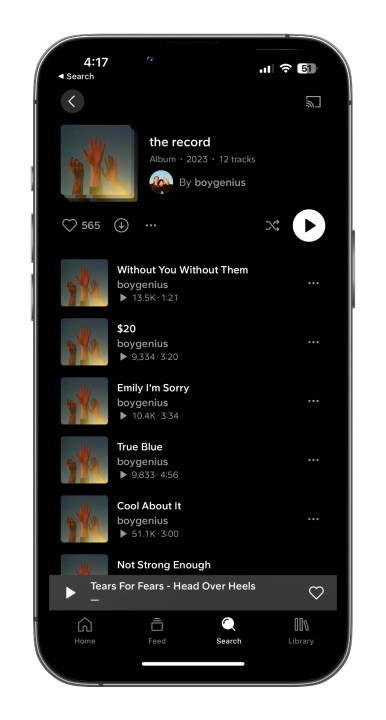
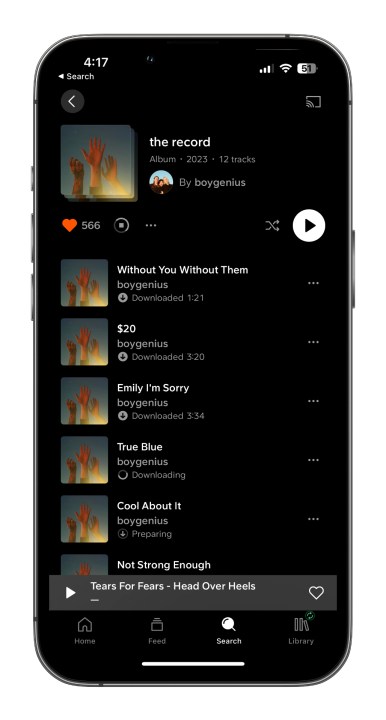
Step 5: You can also download your whole Likes and playlist library for offline listening too, by going to Settings > Downloads, and then turning on Download automatically.Here you can also set the download quality, set it to download over Wi-Fi only, and also remove all your downloads.
The unofficial way to download music from SoundCloud
Not all tracks on Soundcloud have download buttons, unfortunately. But there is another way to save songs if you can’t do it locally from SoundCloud. This method involves running the URL through an online extractor. The extractor tool lets you retrieve the audio file from SoundCloud’s server.
Before we dive into the specifics, keep in mind that piracy is illegal, and you should only use this guide for freely offered music. We do not intend for this tool to aid illicit acts of any kind. We are only sharing this process in the interest of helping honest and law-abiding citizens to download their favorite free-to-listen music for offline use.
With that out of the way, here’s what you need to do:
Step 1: Find a track you want to download from SoundCloud. Copy the URL from the address bar at the top of your browser.
Step 2: Head over to the KlickAud website.
Step 3: Paste the URL and hit the Download button.
Lastly, be sure to save the file either on your computer or on an external device.
Next steps
Compiling your entire music collection into a single library on your computer is just the first step in the modern listener’s musical experience. The next crucial step is being able to access your music collection while you’re on the go. One option is to load your tunes onto a plug-and-play storage device for your vehicle. Many people go with this option since the devices easily connect to your computer for a single file transfer. But if you want to have your music with you wherever you go, transferring it to your smartphone is the way to go.
We also have a handy guide on how to convert your vinyl record collection to digital files, too.
Editors’ Recommendations