
Chuwi CoreBook Air
MSRP $779.00
“A reliable budget laptop in times of an affordability crisis.”
Pros
- Beautiful 2.8K 120Hz display
- Dual Thunderbolt 4 ports
- Premium metalliuc build
- Reliable performance
- Camera with physical shutter
Cons
- Memory is non-upgradable
- Speakers are weak
- Slow storage
- Fans get noisy
Quick verdict
The situation out there is pretty grim for electronics shoppers. Finding a modestly priced laptop (or even a phone) without cutting serious corners is getting increasingly difficult, thanks to AI sending shockwaves across the entire supply chain. Intel is trying hard with its Project Firefly to finally put decent budget laptops on the shelves, but the endeavor is yet to reach a meaningful scale. Enter Chuwi, from China, with its CoreBook Air and an Intel Lunar Lake processor at its heart. If raw peformance is all you need for the cash you plonk, this is arguably the best pound-for-pound value you can get in the market right now. For a relatively obscure underdog with barely any splashy presence in the Western markets, that’s a huge win.
I’ve reviewed enough cheap laptops to walk into one like the Chuwi CoreBook Air braced for the catch, the corner that got cut to hit the price. After nearly five weeks with it, I’m still looking for the big one. This is a remarkably compelling budget ultraportable that genuinely rethinks what $750 should get you. It runs Intel’s new Core Ultra 5 226V Lunar Lake chip, which pairs efficiency with more capability than I expected. The aspect that truly stopped me short out of the box is the display, which is a lovely14-inch 2.8K IPS panel with a fluid 120Hz refresh rate. It’s the kind of display perk that you simply don’t see at this price. Chuwi has wrapped it all up in a premium 9mm-thin anodized aluminum chassis. Needless to say, the whole machine feels far more expensive than what its asking price suggests.
It shines at the connectivity aspect, too, right down to dual Thunderbolt 4 ports with eGPU support. There are compromises, of course. The RAM is hard-capped at 16GB, and the downward-firing speakers are underwhelming. But with Windows 11 Pro included, a proper set of hardware privacy switches, and thermal management that actually holds up, the value here is hard to argue with. This is CHUWI stepping out of its usual bargain-basement lane and into territory normally owned by the big legacy brands, and for the most part it earns the promotion. For students, casual gamers, and everyday content creators who want a premium feel on a budget, the CoreBook Air is an exceptionally strong contender that delivers where it counts.
Chuwi CoreBook Air specs: What’s inside this budget machine?
| Operating System | Windows 11 Pro |
| Display | 14-inch 2.8K (2880×1800) IPS Display 120Hz Refresh Rate 16:10 Aspect Ratio |
| CPU | Intel Core Ultra 5 226V Processor 8 Cores, 8 Threads Up to 4.5 GHz Up to 25W TDP TSMC N3B 3nm Process |
| GPU | Intel Arc 130V GPU 1.85 GHz Max Dynamic Frequency |
| NPU | Intel AI Boost Up to 40 TOPS |
| Overall Peak TOPS (Int8) | Up to 97 TOPS (CPU + GPU + NPU) |
| Memory | 16GB LPDDR5X 8533 MT/s RAM (Memory on Package) |
| Storage | 512GB PCIe 3.0 SSD (1× M.2 2280 SSD Slot, Expandable up to PCIe 4.0×4) |
| Battery & Charging | 55 Wh Lithium-Polymer Battery 65W USB-C PD Power Adapter |
| I/O Ports | 2× Thunderbolt 4 Ports (40 Gbps data, PD charging, video output, and eGPU ready) 1× USB 3.2 Gen 2 Type-A Port (10 Gbps Data) 1× USB 3.2 Gen 1 Type-A Port (5 Gbps Data) 1× USB 2.0 Type-A Port (480 Mbps Data) 1× HDMI 2.0 Port (Supports up to 4K@60Hz) 1× 3.5mm Audio Jack |
| Wireless Connectivity | Wi-Fi 6E, Bluetooth 5.3 |
| Webcam | 2 MP RGB Camera with Privacy Shutter |
| Size | 312.9 × 222.5 × 16.8 mm |
| Weight | Approx. 1.2 kg |
Chuwi CoreBook Air design and build: Ready to defy expectations
CHUWI has made real strides here toward a premium look without the premium cost, and it shows the moment you pick it up. In the box, you get a compact 65-watt adapter, and that’s it. The body is a CNC-machined, sandblasted anodized aluminum alloy finished in silver that looks pretty clean and genuinely high-end rather than an imitation of one. At around 1.2 kilograms and just 9 millimeters at its thinnest point, it slips into a bag without a thought, which is exactly what I want from something billed as an ultraportable.
I usually carry my laptop in hand instead of a bag, and this one, thankfully, didn’t give me an arm ache. There’s a whiff of MacBook Air in the silhouette, and I don’t think that’s by accident. Chuwi is clearly aiming this machine at people cross-shopping Apple’s charming and all-metal MacBook Neo, but want something that doesn’t cut too many functional corners.
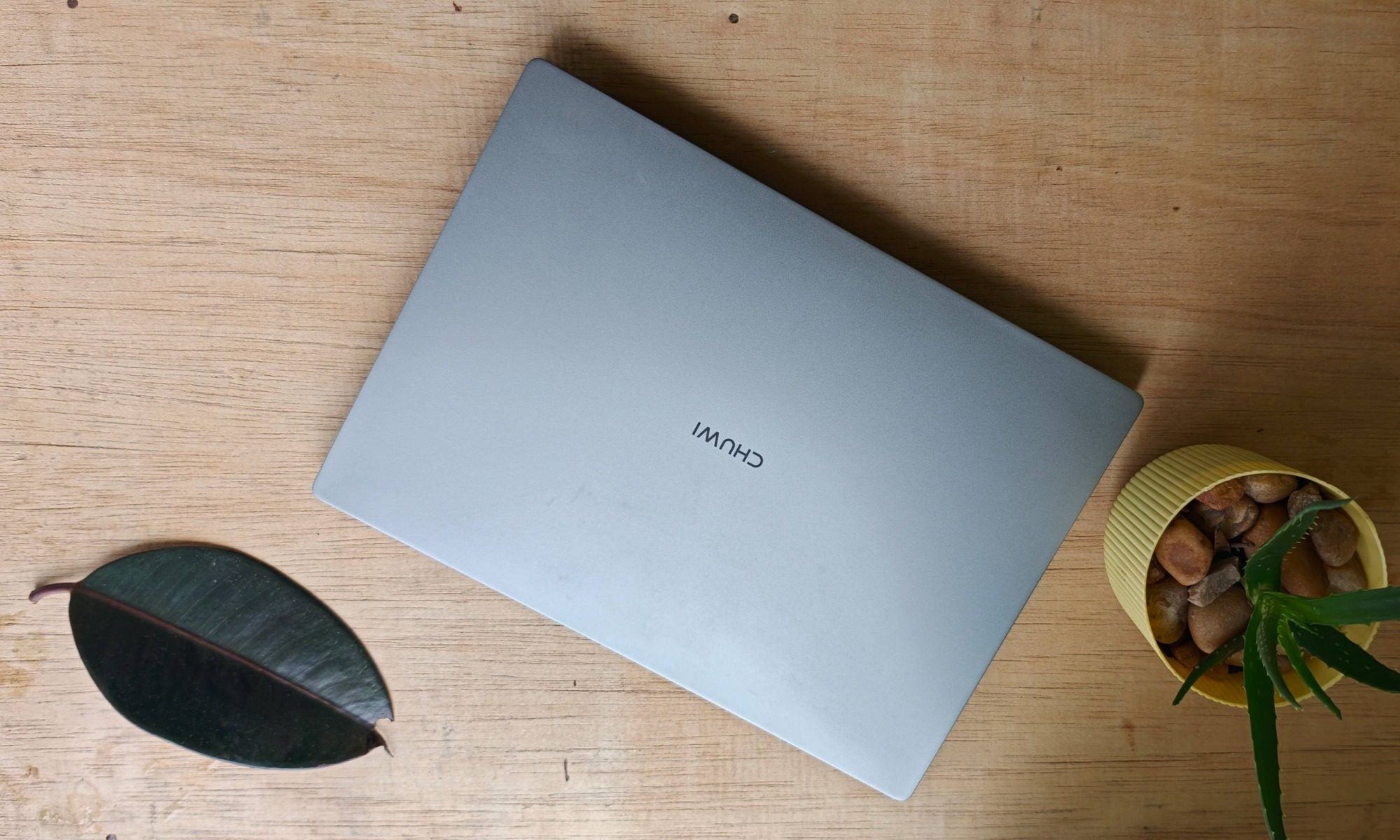
The engineering here impressed me more than I expected. The one-hand opening test passed cleanly, which is my quick tell for a well-tuned hinge. I can report that the hinge mechanism on the CoreBook Air one is smooth and stable. It holds the display firmly at any angle and swings back to nearly 180 degrees (nearly, not fully), so I could flatten it out on the couch or set it up at a desk without the screen bouncing.
There’s a tiny amount of flex in the display and the keyboard deck if you press hard, but that’s par for the course on anything this thin. Thankfully, the aluminum construction keeps the machine feeling solid and durable overall. This is not a laptop that creaks or groans when you pick it up by a corner, which is more than I can say for a lot of plastic machines that demand a similar premium.
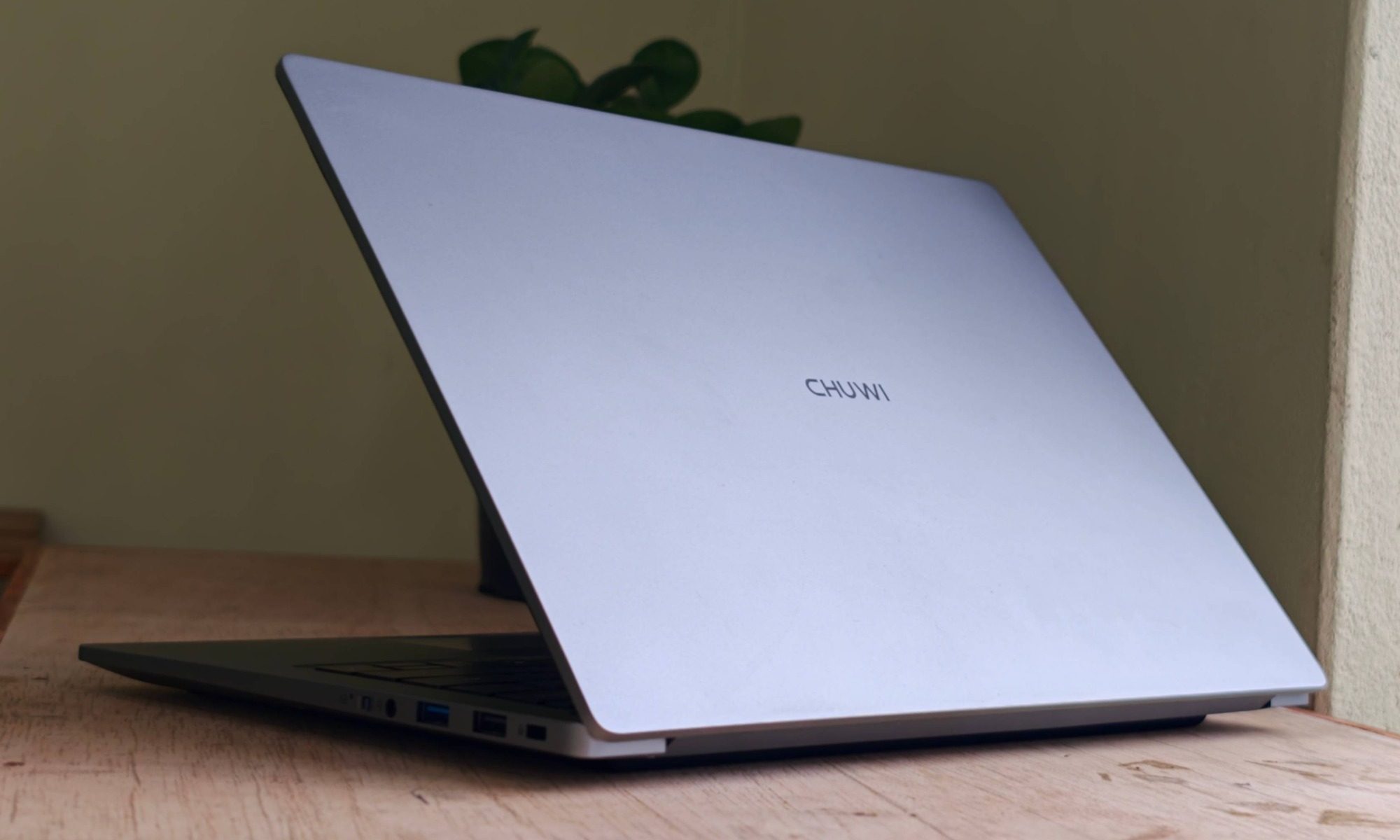
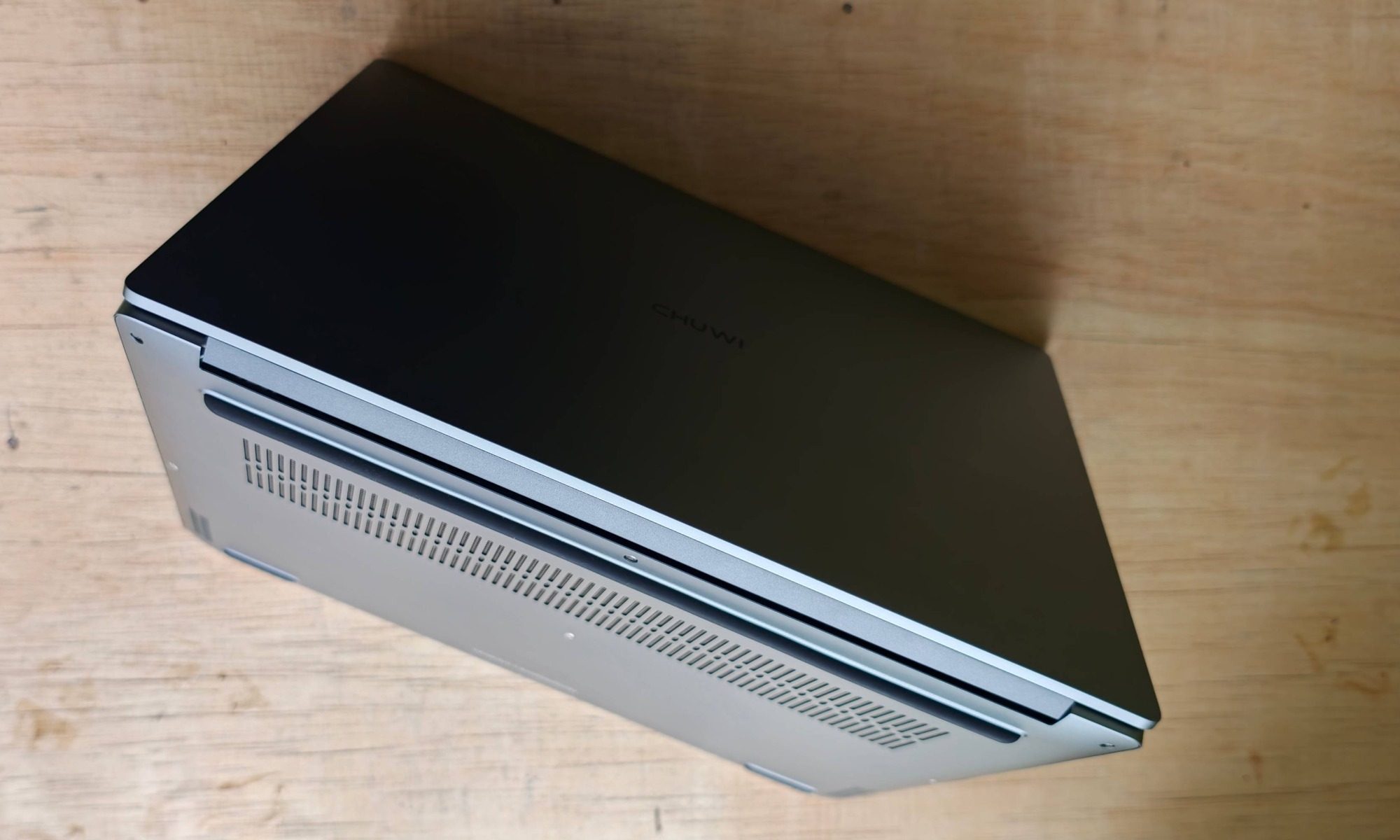
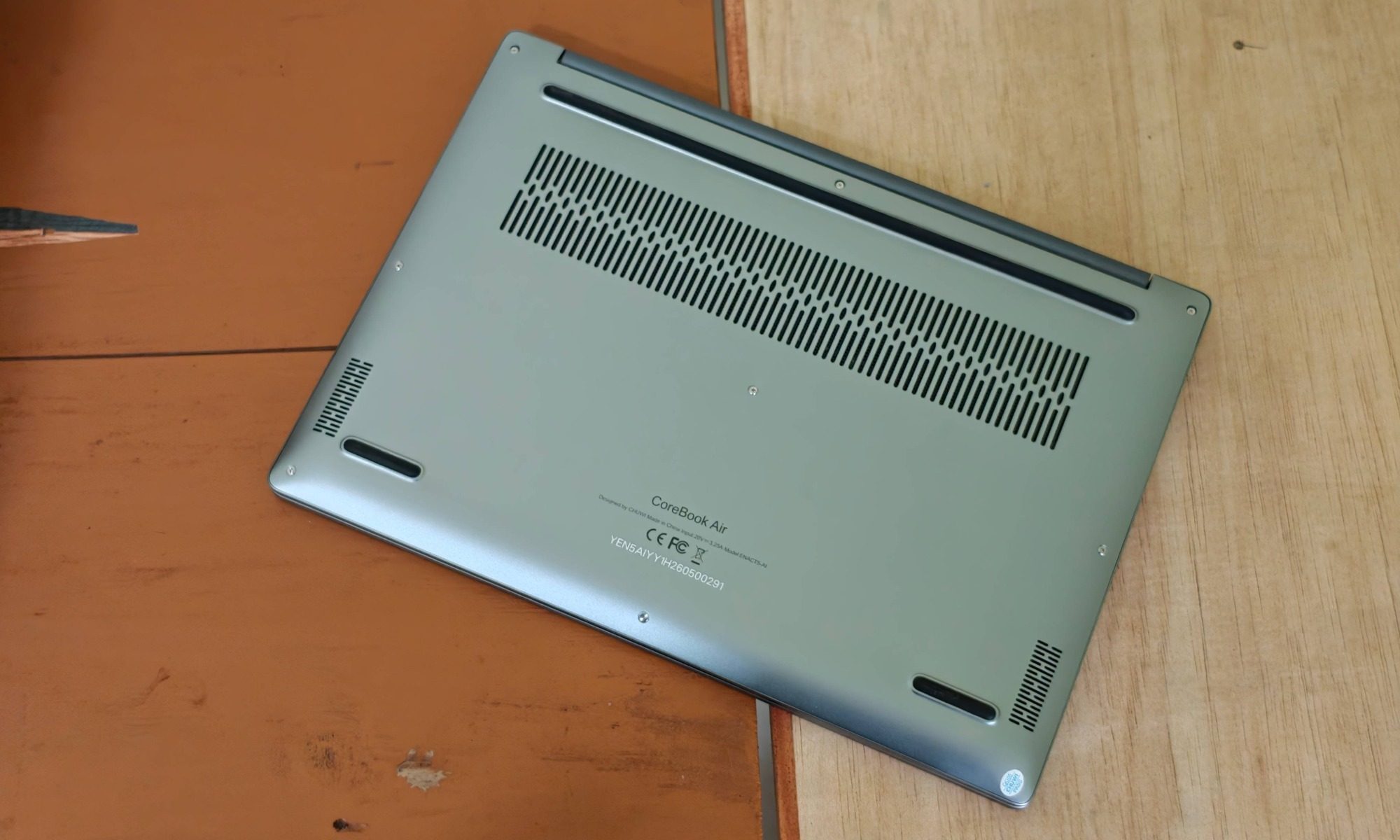
As you flip it over, you’ll find a large air intake grill on the bottom, hot air exhaust vents at the back, and rubber feet that lift the device enough for proper airflow, with two additional grills on the sides for the stereo speakers. There’s no fingerprint reader, which is a minor security omission I’d have liked filled, especially since the rest of the machine takes privacy and security seriously. The round power button even has a recess, and I confused it for a legitimate fingerprint sensing button. Overall, the build quality firmly plants Chuwi’s laptop in the premium tier. The fit and finish held up to a couple of weeks of being opened, closed, tossed in bags, and generally lived with.
Chuwi CoreBook Air display: An unlikely show-stopper for the price bracket
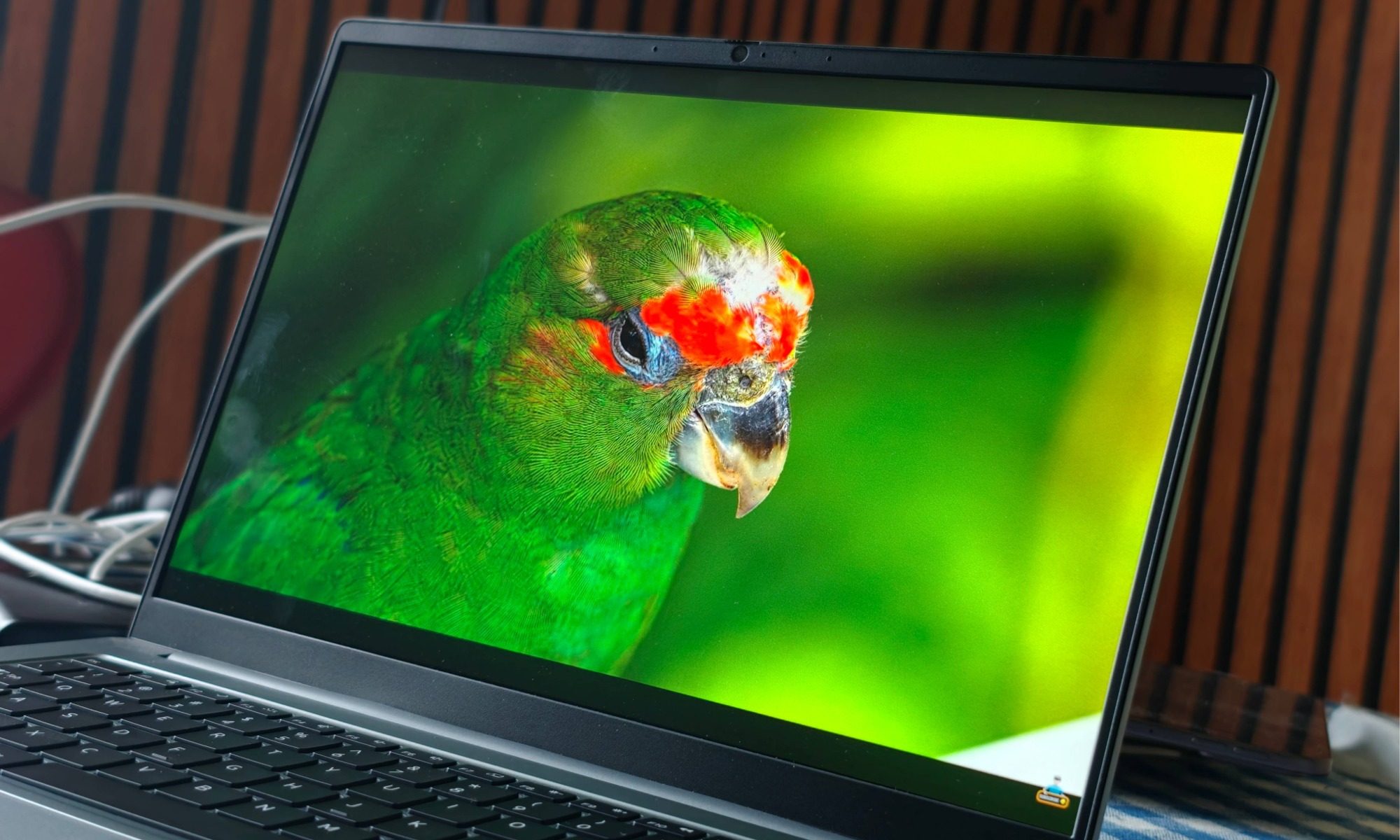
The screen is easily one of the CoreBook Air’s biggest draws, and I don’t say that lightly. It’s a 14-inch panel at a native 2880 x 1800-pixel resolution, which works out to that 2.8K figure Chuwi keeps advertising. All those pixels are served in a comfortable 16:10 format with slim bezels that give you plenty of room to work. Most importantly, it runs at a smooth 120Hz refresh rate.
That sizeable jump from the vanilla 60Hz refresh rate is immediately obvious in daily use. System animations look fluid, and everything feels more responsive, especially scrolling through long documents or web pages where a 60Hz panel would feel comparatively sluggish. That taller 16:10 ratio is a quiet win for productivity too, as you get more vertical space for spreadsheets, code, and long web pages than a 16:9 panel would hand you. I have an M5 MacBook Air on my desk, and every time I go back to its 60Hz display, the $1,299 bill I paid for it really stings.
It handles both media and creative work well. There’s 100% sRGB coverage, which gave me sharp, clean image quality that held up for fine photo-editing adjustments. It doesn’t claim wide Adobe RGB coverage for high-end professional grading, and I wouldn’t push it there for color-critical work, but for daily use and hobbyist editing, the colors look vibrant and accurate. The anti-glare finish is highly effective too, killing off almost all the distracting reflections I’d normally fight, and the panel gets bright enough to stay clearly visible outdoors, which is not something I can say for many budget screens.
Whether I was scrutinizing timelines in DaVinci Resolve or just watching a movie in bed, this display is a massive win for a machine at this price, and it’s the single feature I’d point to first when someone asks why this laptop is worth a look. I handed the machine over to a friend who predominantly works on an iPad Pro with an OLED screen. After playing around for a couple of hours within his Figma projects, he was also pretty impressed by the screen’s visual quality and fluidity for the price.
Chuwi CoreBook Air keyboard and trackpad

Chuwi, fortunately, didn’t give a cold shoulder to the input experience. Typing and navigation on the CoreBook Air are more refined than the price suggests. The keyboard is full-size with two-level backlighting, which is a welcome touch that I didn’t expect to find here at all. The MacBook Neo, for examples, costs $700 and skips on a backlit keyboard. The keys on Chuwi’s laptop have a good amount of travel at roughly 1.4 millimeters and they deliver a clean, subtle click that made long typing sessions enjoyable without turning loud or mushy. I wrote a good chunk of this review on the CoreBook Air, and my hands were happy to keep going.
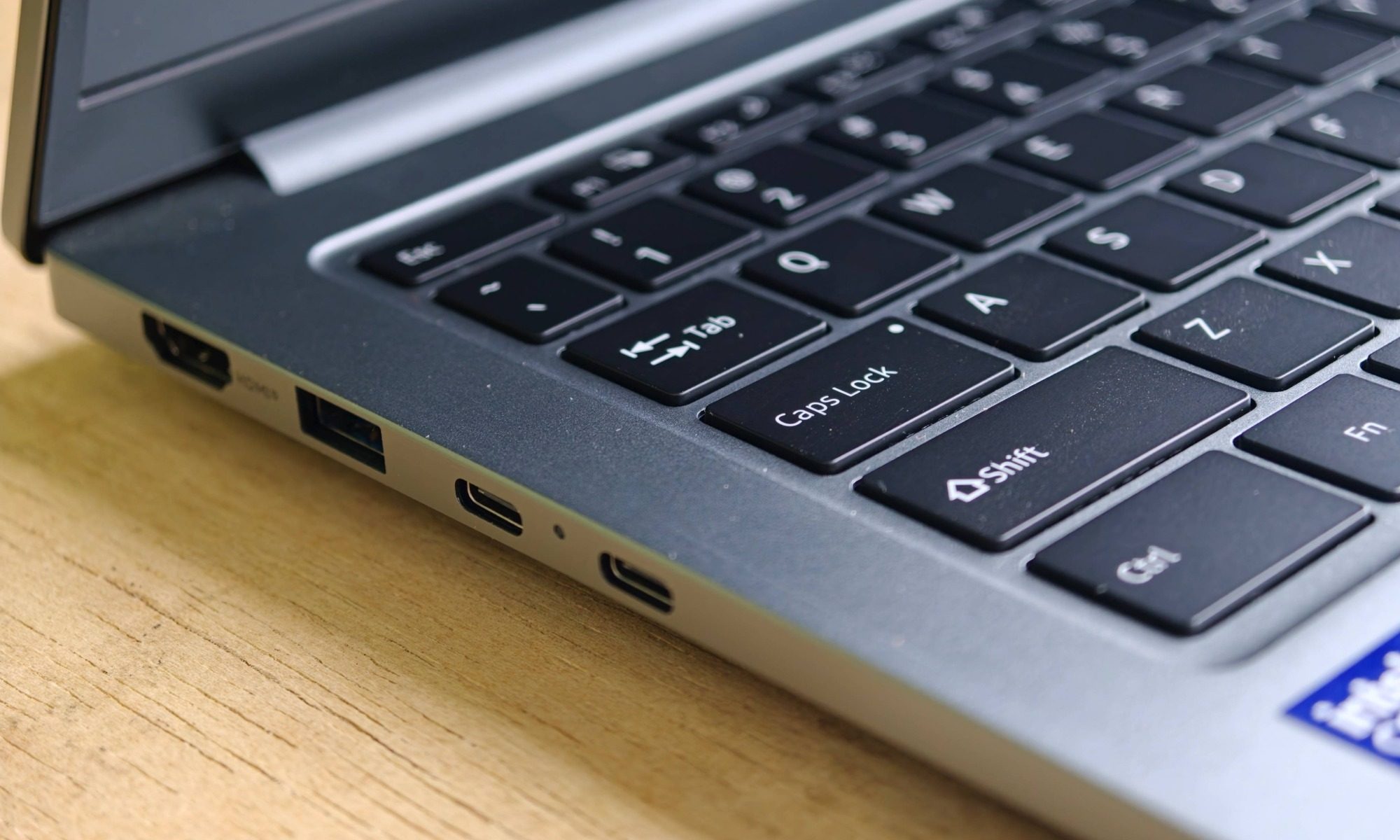
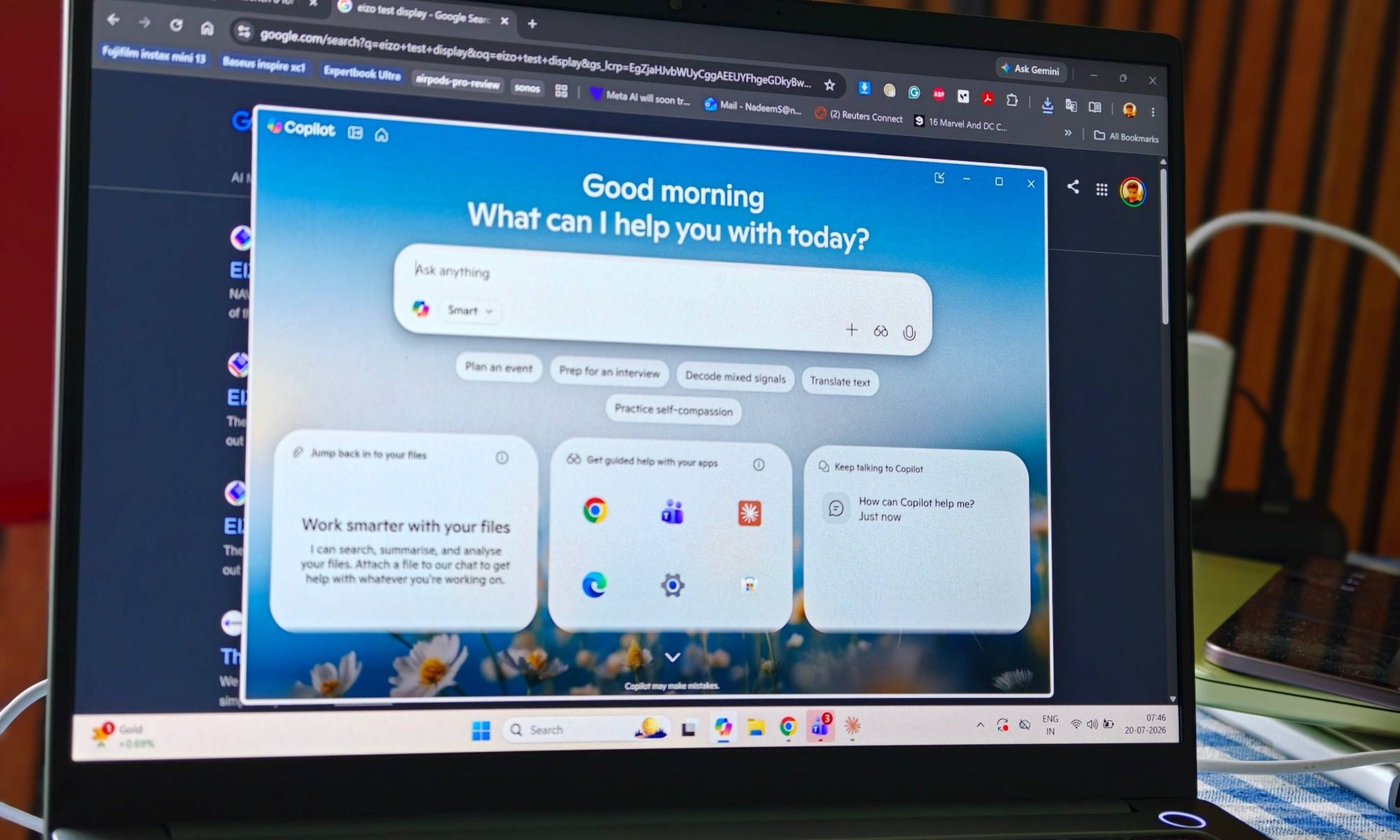
I just wish the upward feedback was a tad more pronounced, but that’s something most laptops struggle with, especially in this price bracket. Since this is a Copilot+ PC, there’s a dedicated AI button on the deck to quickly access Windows 11’s latest AI features, including Copilot and the local, on-device tricks such as Recall that are enabled by the powerful onboard NPU. The layout is generally well-spaced, though it uses half-size up and down arrow keys that took me a little while to stop fumbling, particularly when I was moving line to line in a document or scrubbing through a video timeline.
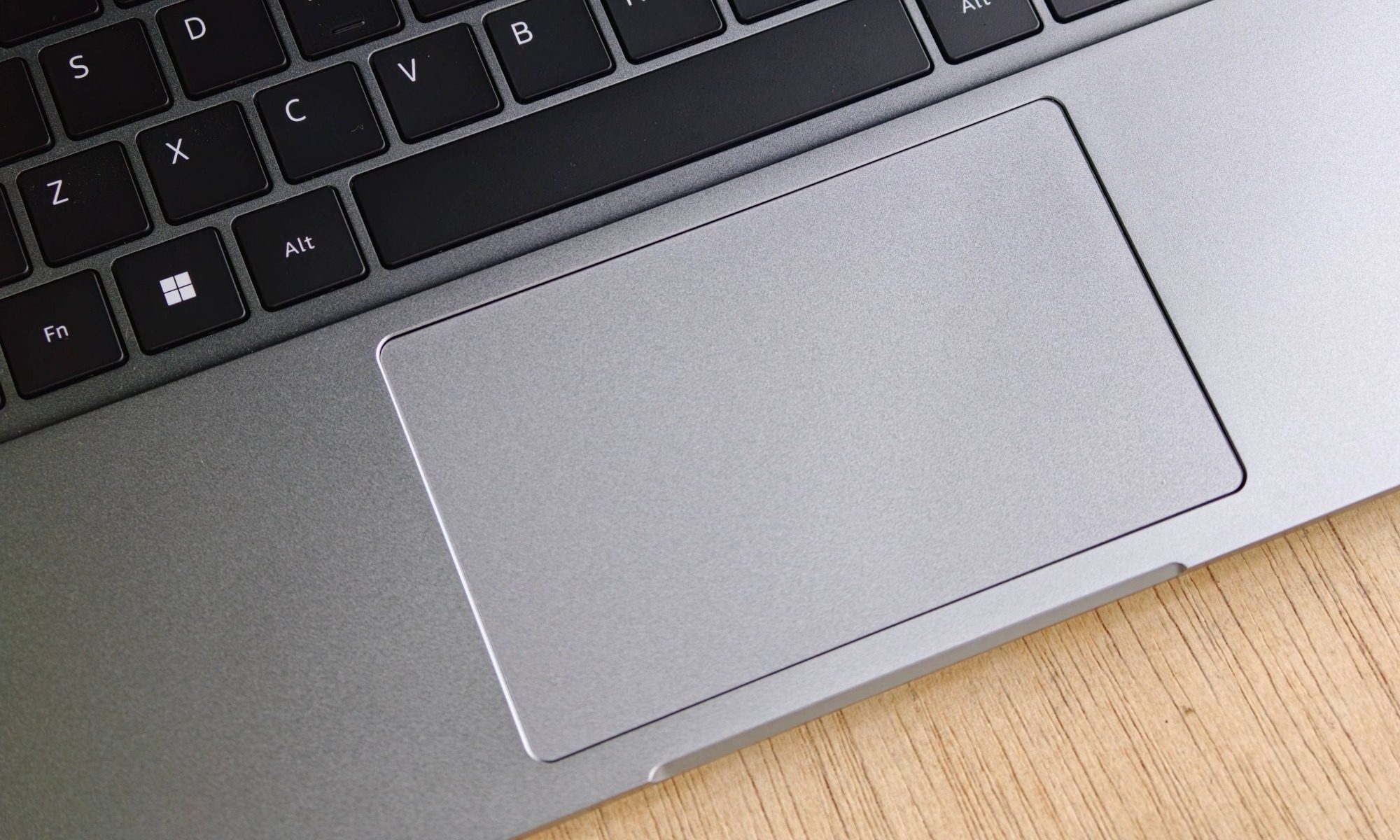
Below the keyboard sits a notably large touchpad with a smooth, glossy surface. It’s sufficiently responsive, offers accurate tracking, and provides a solid tactile feedback. Multi-touch gestures worked flawlessly throughout my testing, which was a relief. My lone gripe is that the physical clicks are loud, which doesn’t quite pair well with the relatively quiet keyboard. In a silent room, the contrast between the button and trackpad inputs is noticeable. It’s somewhat jarring, and I instantly enabled tap-to-click instead of pressing the buttons to keep things quiet.
Chuwi CoreBook Air ports and camera
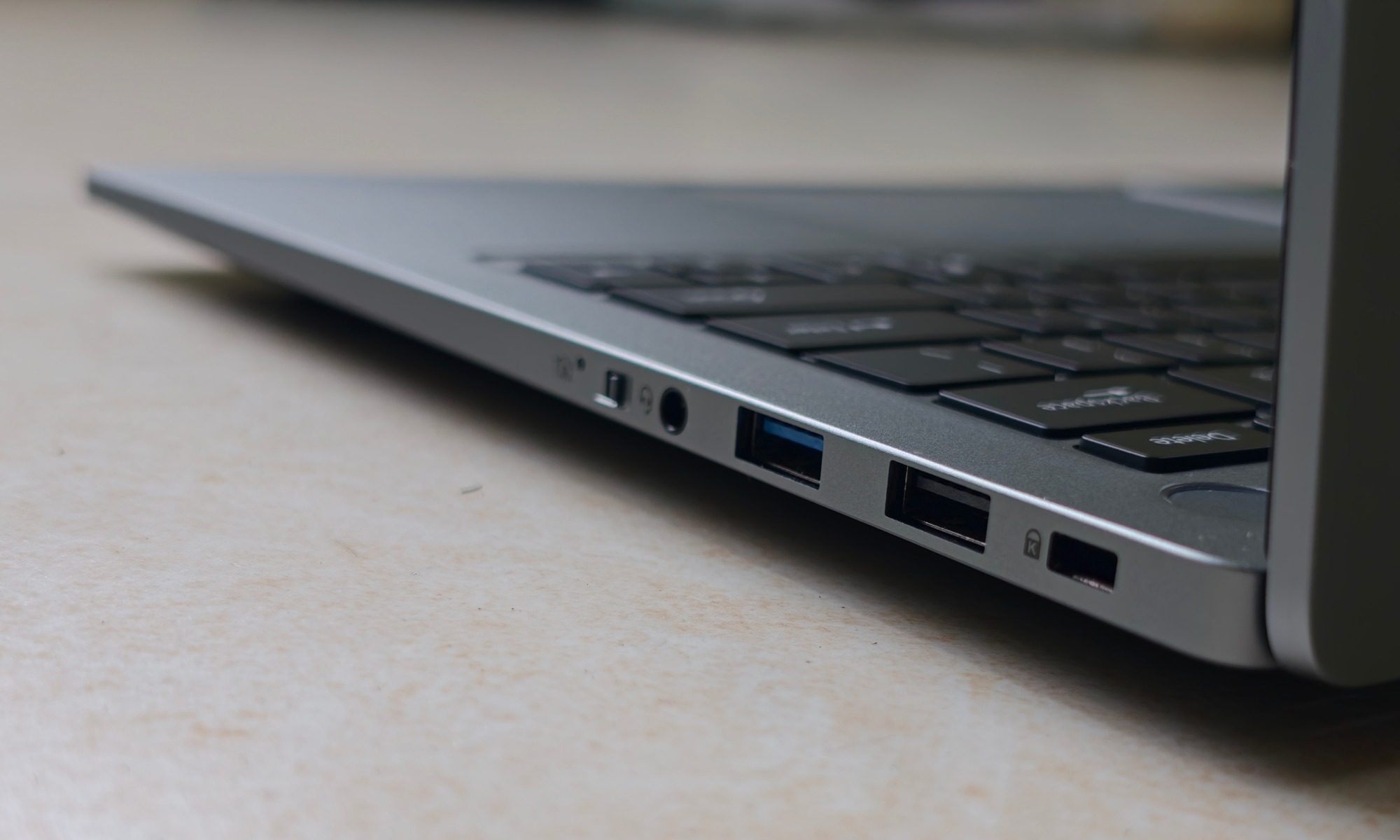
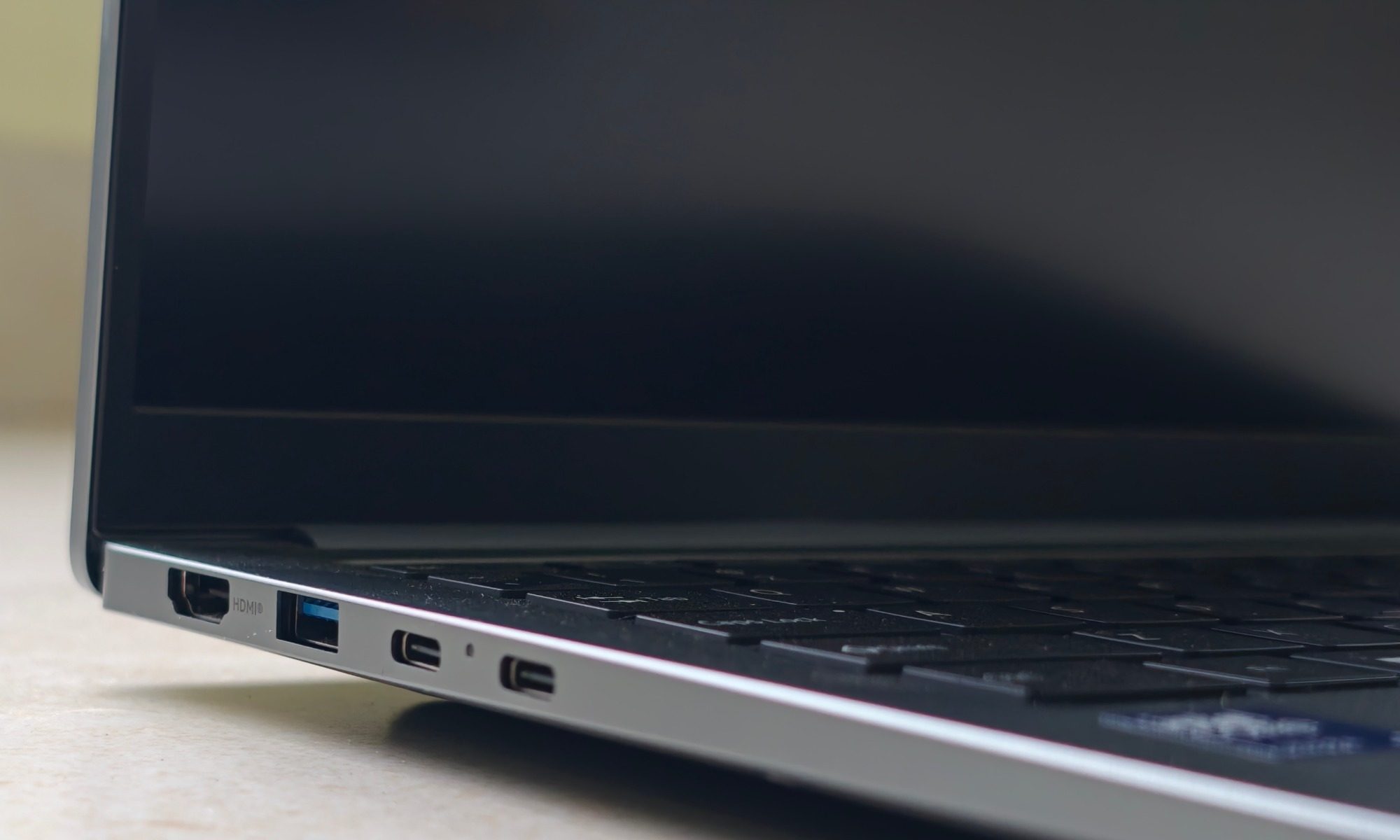
After the display, this is another area where the CoreBook Air shines. For a laptop this thin, the port selection is phenomenally generous, and it meant I could leave my usual bag of dongles at home. On the left you get a full-sized HDMI 2.0 port (good for 4K at 60Hz), a 10Gbps USB 3.2 Gen 2 Type-A port, and two fully featured USB-C Thunderbolt 4 ports. Those Thunderbolt 4 ports are the real story, as they also enable 40Gbps data transfers, 65-watt Power Delivery for charging, external monitor output, and eGPU support.
The latter means if you need extra graphics firepower, you can plug in an enclosure with something like an RTX 5000 series graphics card and turn this featherweight laptop into a capable gaming rig. This is a meaningful perk is at this price point and a big part of why I think the machine has legs for years to come. On the right edge, there’s a 3.5mm headphone jack with mic support, a USB 3.2 Gen 1 port, a USB 2.0 port, and a Kensington lock slot. That’s a full-sized HDMI, USB-A, and USB-C spread that shames plenty of pricier ultrabooks that make you stuff a dongle in your bag.
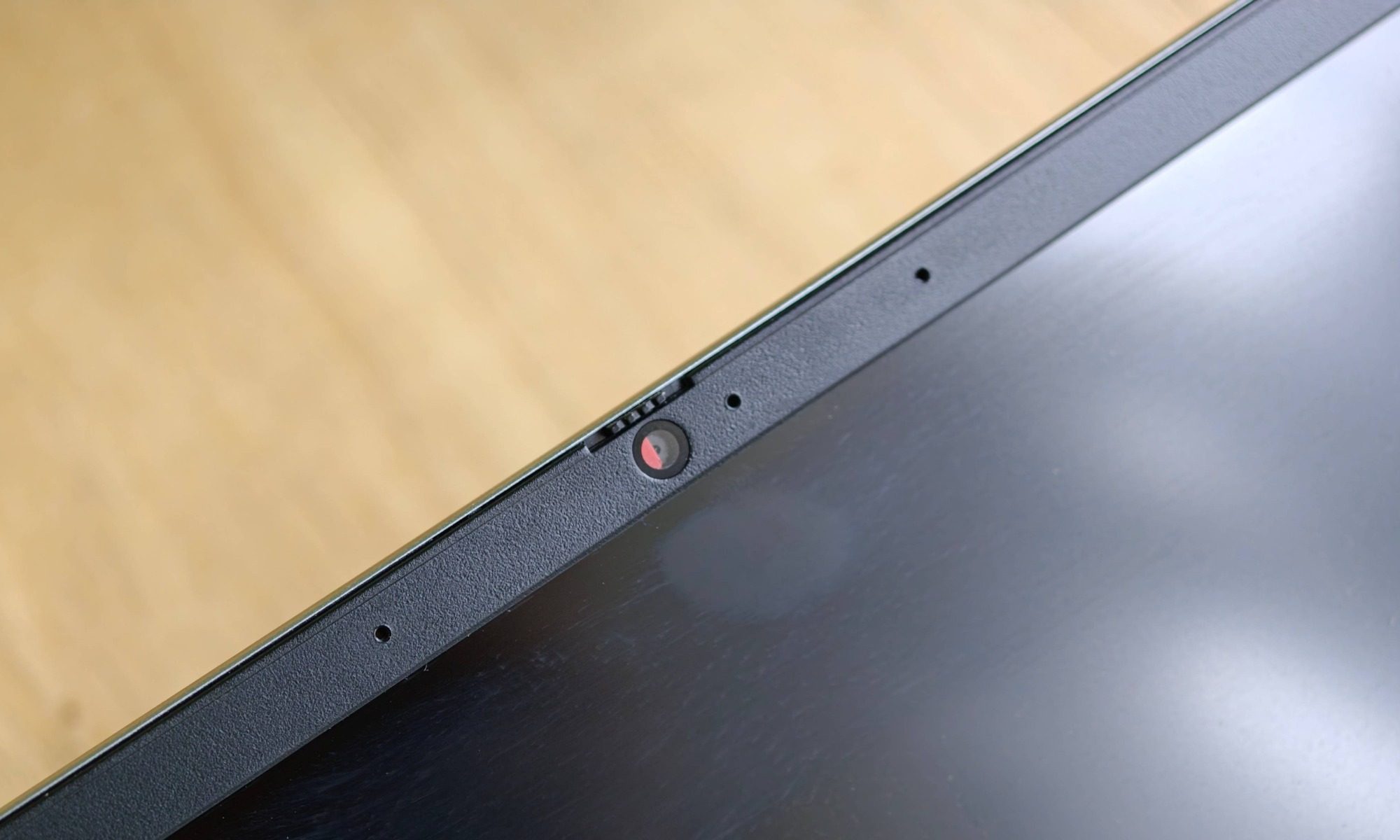
Another surprise sits atop the display. There’s a dedicated hardware switch that physically cuts both the camera and microphone, and the webcam adds a physical privacy shutter you can slide across the lens on top of that. That is essentially two extra layers of physical privacy guardrails on a decidedly budget-centric laptop. The camera itself is a 2-megapixel Full HD 1080p unit running at 30fps. It is reasonably sharp for calls and meetings, though it gets a little grainy indoors.
For audio output, the Chuwi laptop relies on downward-firing stereo speakers, and this is where I land closer to the skeptical camp. They’re fine, loud enough and clear enough with some depth for movies and games, but they’re nothing above average. I wish the speaker assembly was a tad louder, and less tinny. Comparatively, the MacBook Neo’s side-firing speakers sound better with more depth and a wider soundstage. Because they fire downward, the sound also changes character depending on the surface you’re on. A desk surface bounces it back up nicely, while a soft couch or duvet muffles it. It’s the one area where the budget status of this laptop shows through. Simply put, if audio matters to you, plan on a pair of headphones or a small Bluetooth speaker.
Chuwi CoreBook Air performance: A solid workhorse
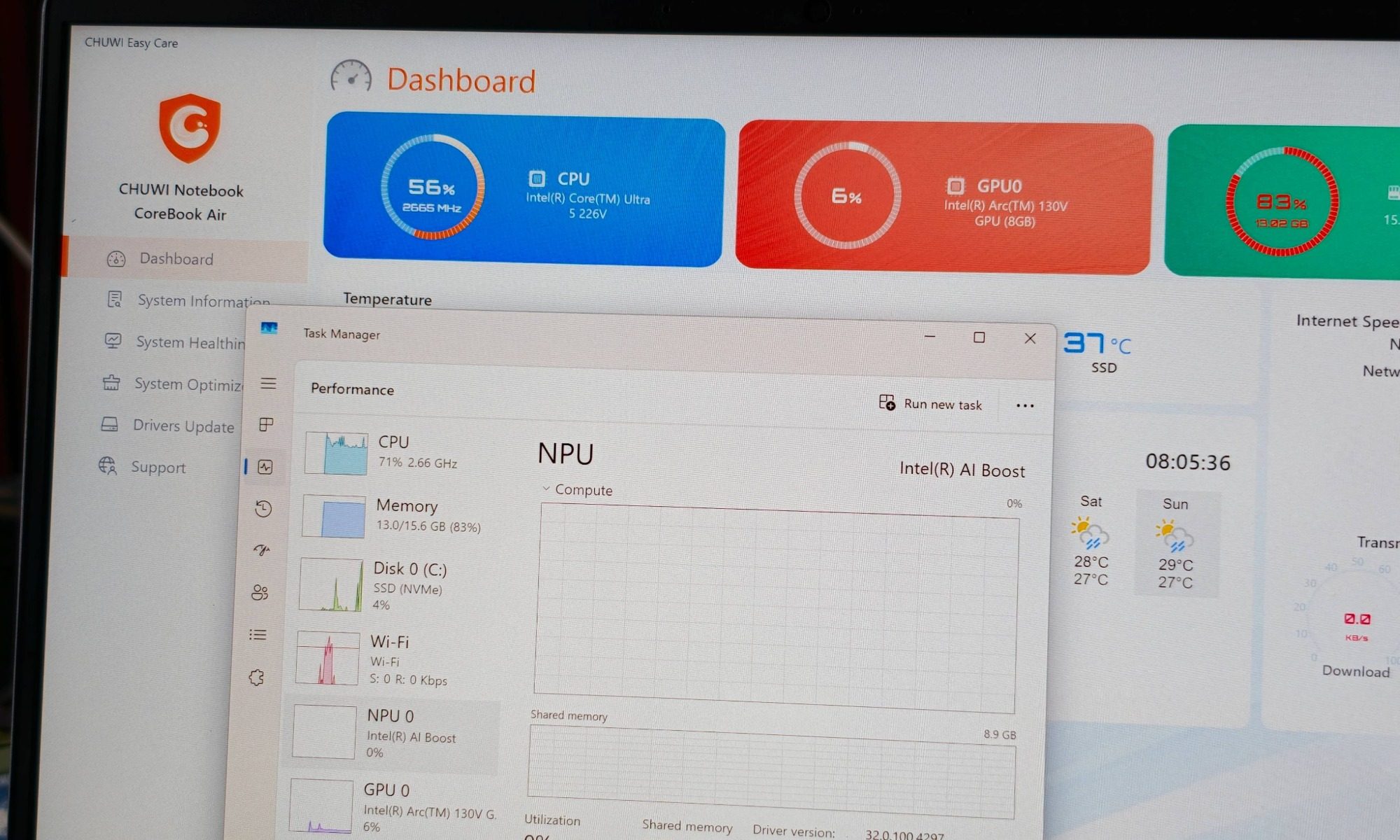
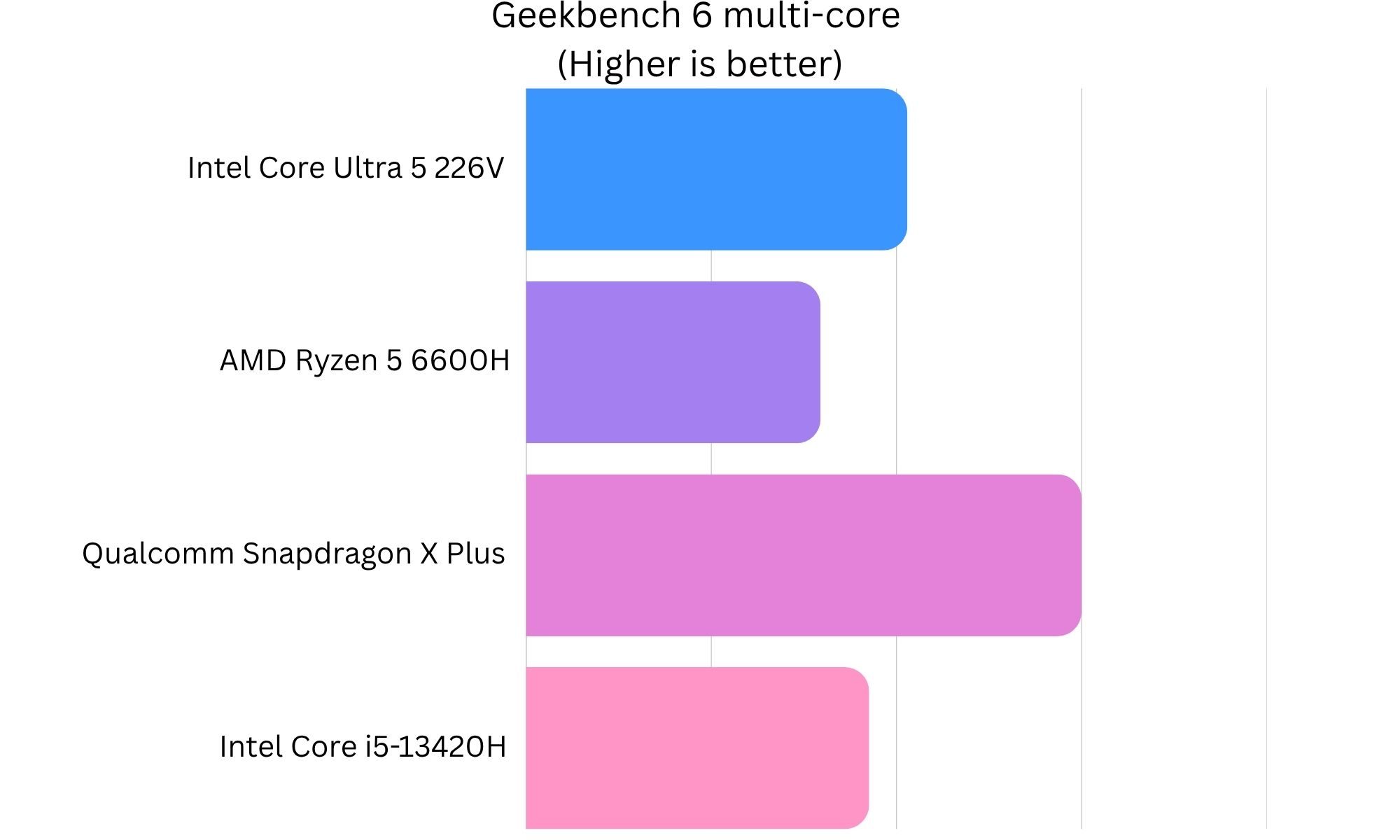
The CoreBook Air falls in the league of Copilot+ machines, which means it meets a certain threshold for memory and neural chip capability. This is a threshold you should look for in every PC as a future-proof measure, even if you’re not too psyched about AI-related workflows. Inside Chuwi’s laptop is the efficient Intel Core Ultra 5 226V “Lunar Lake” silicon, an octa-core chip with four performance cores and four low-power efficiency cores, eight total threads, and a 4.5GHz peak turbo frequency. Intel says it delivers 28% higher multi-core performance than older i5 chips, alongside meaningful efficiency gains. In practice, the CoreBook Air felt every bit as quick as its Copilot+ badge would suggest.
It also packs an Intel AI Boost NPU that anchors a headline 97 peak TOPS of total AI performance, roughly 40 TOPS solely from the NPU, and powerful Xe cores on the Arc graphics engine, it clears any productivity task you throw at it with ease. I won’t lean too heavily on it for video editing chores, but as long as you stay in the 1080p range, this laptop can do a fine job. It came as a pleasant surprise seeing this laptop handle Figma workflows without stuttering. Apple’s A18 Pro came to a halt at the same chore one too many times. Unfortunately, memory is strictly capped at 16GB of LPDDR5X. It’s not a cost-cutting measure by Chuwi.
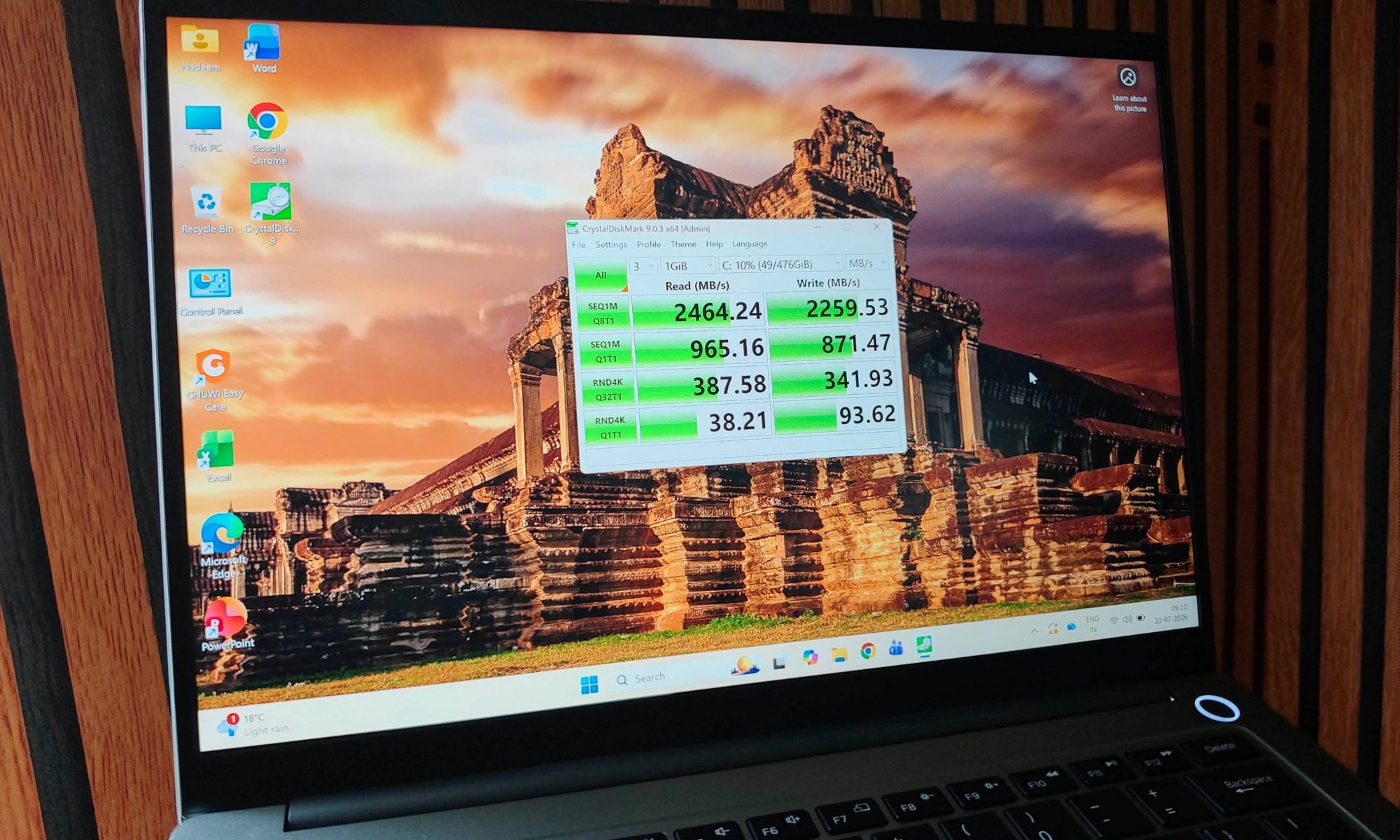
Instead, the limit is set in stone by Intel’s chipset architecture, which packages the memory on-die, so CHUWI couldn’t have offered a 32GB version without stepping up to a pricier Ultra 7 chip. For most tasks, the onboard 16GB of memory is fine, but it’s a real constraint for heavier professional work. On the storage front, you get a 512GB NVMe SSD, and this is where Chuwi did some budget trimming. The laptop ships with a PCIe 3.0 drive that tops out around 2500 MB/s for sequential read and write speeds. The saving grace is that the M.2 slot supports PCIe 4.0, so you can drop in a faster drive and double or triple those speeds yourself. Thankfully, opening the rear shell for repair and upgrades is refreshingly easy.
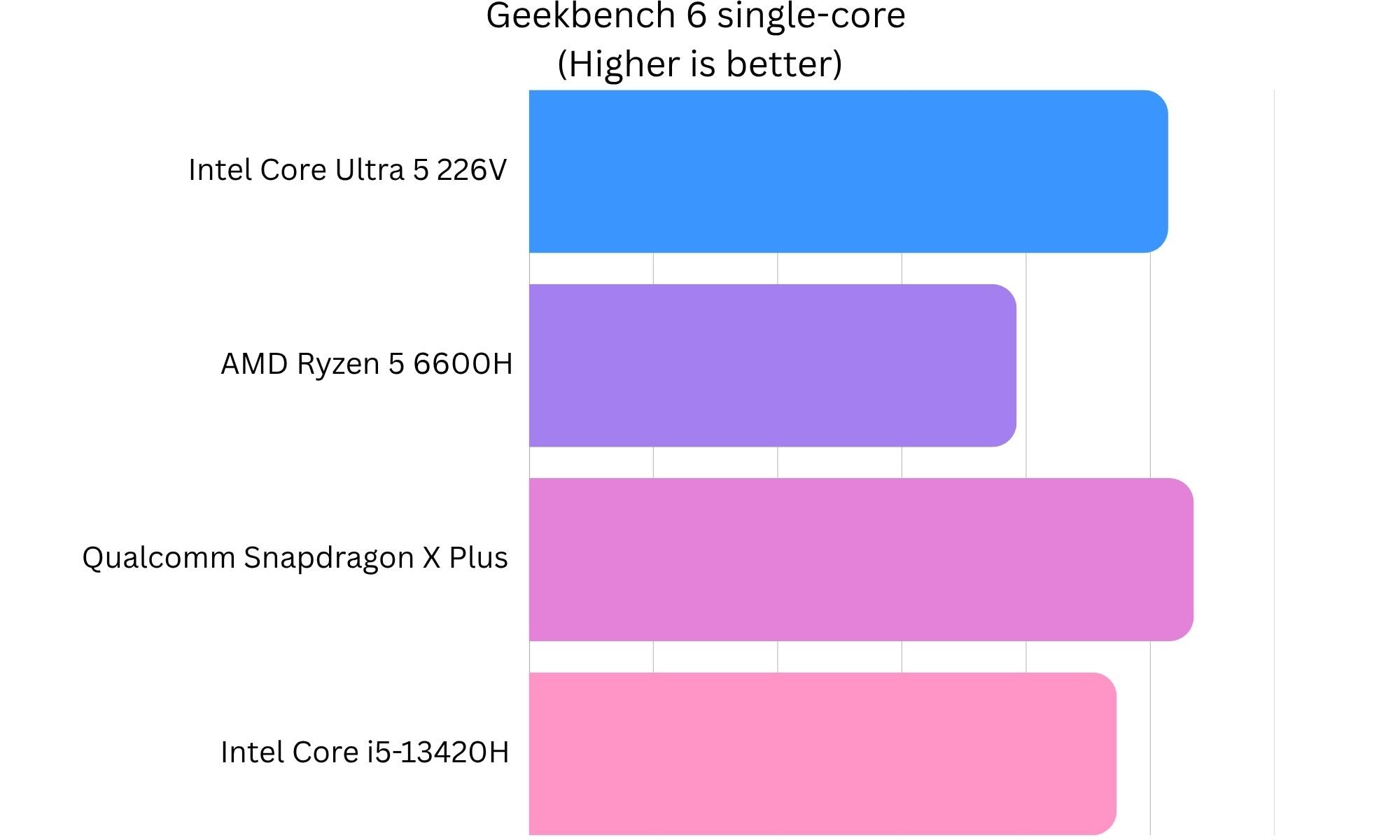
In everyday use, the Chuwi laptop feels snappy and responsive. Office tasks, document editing, spreadsheets, and web browsing all run exceptionally fast, and I never once caught it hesitating on the sort of multi-tab, multi-app juggling that fills a normal workday. Benchmarks are respectable for a low-power chip, clearing 2,500 in single-core and over 10,000 in multi-core. Those aren’t workstation numbers, and they’re not meant to be, but they’re exactly where a thin-and-light on a 25-watt-chip should land.
Content creators won’t be let down by this machine. The Intel Arc 130V graphics, with eight Xe cores and a rated GPU throughput up to 53 TOPS, handled DaVinci Resolve and CapCut smoothly, letting me stack multiple effects and layers without losing smooth timeline scrubbing. It’s pretty capable at basic 4K video editing, too. In Adobe Premiere Pro, a 2-minute 4K video took 1 minute and 24 seconds. The numbers in CapCut were even better. For quick social edits and short-form work, that’s more than fast enough to stay out of your way.
Gaming is where it got surprising for a non-gaming laptop. North of full-HD resolution on low settings, Counter-Strike ran remarkably well, and that 120Hz panel makes the whole experience feel more fluid and responsive. The CoreBook Air even ran Grand Theft Auto 5 at full-HD on high settings at a very playable 45-50fps range. Merely a year, I would not even attempt to run that game on a slim laptop with integrated Intel graphics. The peak temperature that I recorded was 83 degrees. Of course, you’re not playing the newest AAA blockbusters at max settings on this machine, but well-optimized and older titles will run just fine.
In three runs of the 3DMark Time Spy benchmark, the Chuwi laptop averaged around 3,600 points. That’s roughly a 30% improvement over the AMD Ryzen AI 7 350 and nearly a 40% gain over the Intel Core Ultra 5 125H. In case your concern is graphics performance, the numbers fall in the same ballpark as the 16-core Intel Core Ultra 9 386H processor without the Arc graphics. For those seeking even better raw graphics output, the Intel Core Ultra X7 Processor 358H is a logical step up courtesy of its more powerful Arc B390 GPU and nearly double the number of Xe graphics cores. However, such machines, such as the Asus ExpertBook Ultra, cost nearly three to four times as much.
Thermals are handled pretty well, and CHUWI leaned on a dual-fan cooling design to get there. It set a 25-watt power limit on the processor to keep things cool, and even under intensive testing, the heat build-up stayed well within a comfortable range. Under light loads, the fans are practically silent, but if you push the machine in performance mode, the fans get noisy. It’s a trade-off I can take, especially for a thin and light laptop, as long as it doesn’t lead to aggressive performance throttling. It’s a conservative tuning that barters a little peak performance for a machine that stays cool and quiet in the situations most people actually use it for on a day-to-day basis.
On the software side, the CoreBook Air ships with Windows 11 Pro, which lets you skip the tedious mandatory online setup the Home edition forces on you. It includes fully licensed Microsoft Office apps (Word, Excel, PowerPoint) out of the box, which adds real, quantifiable value most laptops make you pay extra for. On the connectivity front, you get Wi-Fi 6E and Bluetooth 5.3 standards handling the job. It’s not the latest that the industry has to offer, but the choices made by Chuwi won’t kneecap your computing chores either.
Chuwi CoreBook Air battery: A leap for the class
The CoreBook Air draws power from a 55-watt-hour battery, and thanks to the efficient Ultra 5 226V chip, the per-charge mileage turns out pretty impressive for your everyday PC chores. One figure I’d take with a grain of salt is the manufacturer’s claim of up to 15 hours of video playback. As usual, it’s the best-case, dim-screen, local file playback number. In real-world usage, which includes local playback (and increasingly, more internet-connected streaming content), the battery endurance figures drop closer to 12 hours. The latter is a more grounded number, but still a fairly solid number for a slim and light laptop.
Under light use, typing, browsing, and YouTube at 30% brightness, I got around seven to eight hours of charging efficiency, which comfortably carried me through most of a working day. As I pushed it harder by throwing in a bit of video editing and gaming, though, the mileage dropped sharply to around four to five hours. Naturally, that’s a trade-off you make when you pick a laptop with a compact chassis that is also light on the bulk figures.
For topping up the laptop, the included 65-watt adapter utilizes the Thunderbolt 4 ports. I am glad that there’s no proprietary barrel connector to deal with here. As far as top-up performance goes, I recorded the battery hitting close to 58% in under an hour. A full charge, starting from a depleted tank, takes roughly two hours. Being able to top up over the same USB-C cable that charges half my other devices is exactly the kind of quality-of-life detail that makes a laptop easy to live with. It’s not the fastest charging pace I have seen on a laptop, but the proverbial “sum of the parts” situation here is laudable for the amount you pay for this machine.
Should you buy?
The Intel-powered 2026 refresh of the Chuwi CoreBook Air is a reliable pick for anyone who wants a premium ultraportable laptop without nuking their bank account. Currently up for grabs at $750, the amount of value packed into this sleek aluminum chassis is staggering. Of course, this machine also pushes Chuwi into a higher price bracket than the company usually plays in, and now, it’s obviously competing with established names. But if you forget the badge and consider the strengths, it holds its own. If you’re a student, a business professional, or a social media manager whose day is web browsing, document editing, and light content creation, this laptop is practically tailor-made for you.
The combination of a sharp 2.8K 120Hz display and a comfortable backlit keyboard turned long working stretches into something I actually enjoyed rather than endured. Moreover, the bundled Windows 11 Pro license saves you plenty of money on software purchase and/or subscription. Content creators editing for YouTube, TikTok, or Instagram will find the Intel Arc 130V graphics reliable for smooth 4K scrubbing and fast renders. Casual gamers, like me, can run older or well-optimized modern titles without too much fuss. Furthermore, the two Thunderbolt 4 ports offer plenty of flexibility for future-proofing the machine with added graphics firepower.
I’d only steer away from this laptop if my workflow genuinely demands more than 16GB of RAM because the chipset limits the scope for memory expansion. For the vast majority of budget-conscious buyers who want a high-end build quality and a meaningful selection of computing must-haves, the CoreBook Air is a triumph and one of the easiest budget recommendations I’ve made in a while. Just be ready to deal with the import buying route and all the after-sales caveats that come with it.
Why not try
Asus Zenbook 14 OLED (2026) — For folks who prioritizes screen quality above anything elsee, this one is the right pick. It delivers a beautiful OLED displays (which is a rarity in this price bracket), tagging alongside a solid battery life, and similar Intel Core Ultra processing firepower. If you watch a lot of media or do color work, the panel alone may sway you, for a slightlly higher spend, that is.
Acer Swift Go 14 (2026) — This one is tailor-made for buyers who want the brand safety net. A staple of the budget ultraportable market, Acer’s machine pairs a high-resolution screen, solid heat management, and a robust port selection much like Chuwi’s laptop. All that, with the backing of a legacy brand’s warranty and support network. The fresh Acer Swift Air 14 could be worth a look for budget shoppers, too.
Lenovo IdeaPad 5 Pro 5 (14-inch) — Ideal for students and heavy typists, Lenovo’s offering is a fantastic productivity machine with robust cooling and best-in-class keyboard, which makes it a terrific pick for people who write all day. It also offers a decent selection of ports and has the. backing of an excellent aftewr-sales servicing network.
How I tested
I tested the Chuwi CoreBook Air as my solo Windows machine for over a month. I used it as a standalone laptop as well as in docked mode to power a 27-inch monitor. For testing, I migrated my entire workflow and apps using a cloud backup from a previous PC. For productivity, I heavily relied on Chrome across multiple windows (running WordPress, Canva, and analytics dashboards), Teams, Slack, Asana, and a couple of AI desktop apps to assist with software development.
For synthetic benchmarks, I ran the standard suite of tests, which includes Geekbench, 3DMark, Cinebench 2026, and CrystalDiskMark SSD speed test. To measure battery mileage across day-to-day usage, I ran the device in Balanced mode and brightness levels set to nearly 60%, and also ran a standard offline playback test that involves running a 1080p video clip on loop. I used the supplied power brick to measure the charging pace, and also relied on a generic USB-C charger to top up the battery when I was away from home.
Frequently Asked Questions (FAQs)
What processor options is the Chuwi CoreBook Air available in?
The laptop comes in a single configuration powered by Intel’s Intel Core Ultra 5 226V chip. A more affordable variant with AMD’s Ryzen chip is also up for grabs.
Does it allow upgrades?
Unfortunately, the RAM capacity maxes out at 16GB, and it’s not upgradable. You can upgrade the storage, however.
What’s the battery capacity and how long does it last?
The laptop comes equipped with a 55Wh battery, and it’s rated to offer a per-charge mileage of 15 hours.