
Daily Guardian UAEDaily Guardian UAE
  • Home
  • UAE
  • What’s On
  • Business
  • World
  • Entertainment
  • Lifestyle
  • Sports
  • Technology
  • Travel
  • Web Stories
  • More
    • Editor’s Picks
    • Press Release
What's On

Labor Day Gift Guide – Digital Trends

September 1, 2026

MUFG EMEA appoints Bénédicte de Giafferri as Head of Digital Infrastructure Coverage

September 1, 2026

Sonos 27 is opening your speakers to ChatGPT, custom agents, and a new in-house AI assistant

September 1, 2026

Emirates Gold Marked Emirati Women’s Day, Celebrating Women’s Growing Role in the UAE’s Gold Story

September 1, 2026

The Sonos Beam Ultra proves you don’t need a huge soundbar for Dolby Atmos

September 1, 2026
Facebook X (Twitter) Instagram
Finance Pro
Facebook X (Twitter) Instagram
Daily Guardian UAE
Subscribe
  • Home
  • UAE
  • What’s On
  • Business
  • World
  • Entertainment
  • Lifestyle
  • Sports
  • Technology
  • Travel
  • Web Stories
  • More
    • Editor’s Picks
    • Press Release
Daily Guardian UAEDaily Guardian UAE
Home » How to select multiple files on a Mac
Technology

How to select multiple files on a Mac

By dailyguardian.aeApril 15, 20242 Mins Read
Share
Facebook Twitter LinkedIn Pinterest Email

macOS is an intuitive and innovative operating system. Over the years, Apple has revamped and evolved its tried and true platform numerous times, but there are a number of core features that have been around since the beginning. One of these is the ability to select multiple files at once.

There’s a few different ways you’ll be able to execute this action, and we’re going to give you detailed instructions for each and every method.

Select one at a time

This is the best option if you’re looking to select a variety of files in a folder but you don’t necessarily want all of them. To select various files, the easiest way is to hold Cmd and click on the files you want. As long as you have the Command button held down, you can select as many files as you want. They’ll be highlighted in blue, so you can easily see which ones you’ve selected.
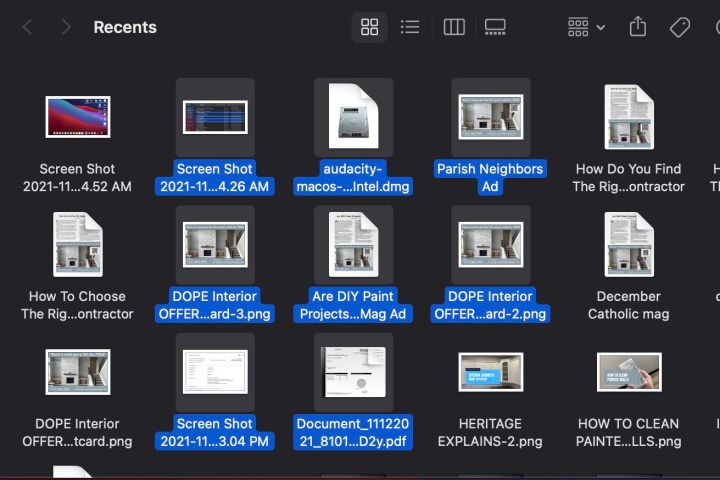
A screenshot of how to select multiple files on a Mac by clicking and dragging.

Click and drag

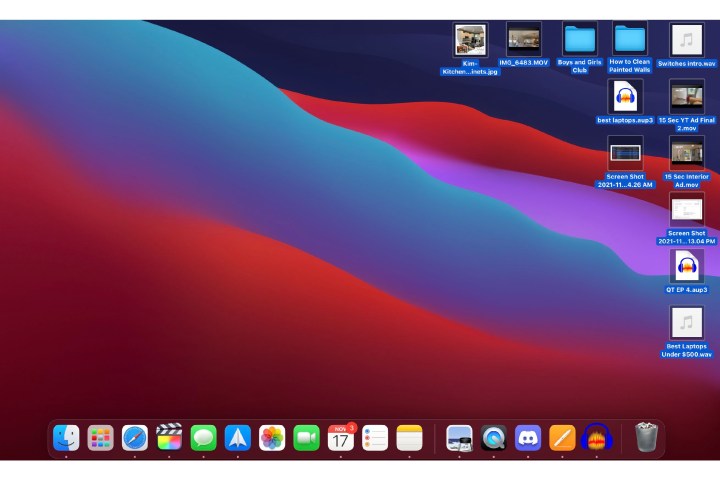
If you’re looking to grab a big group of files rather quickly, you can always click on an empty space and drag. This will create a box that you can resize as you drag. Just pull it over the files you want, and they will automatically be selected.

From here, you can click on the group and then drag and drop it into a different folder or mass-delete them. Whatever you want to do.
A screenshot of how to select all on Mac by clicking Command A.

Select all on Mac

If you’re looking to quickly grab all the files on your desktop or in finder, the best way is just to hit Cmd + A. This will select everything in that section, whether it’s two files or two hundred. This is great for quickly moving things around or deleting items en masse.
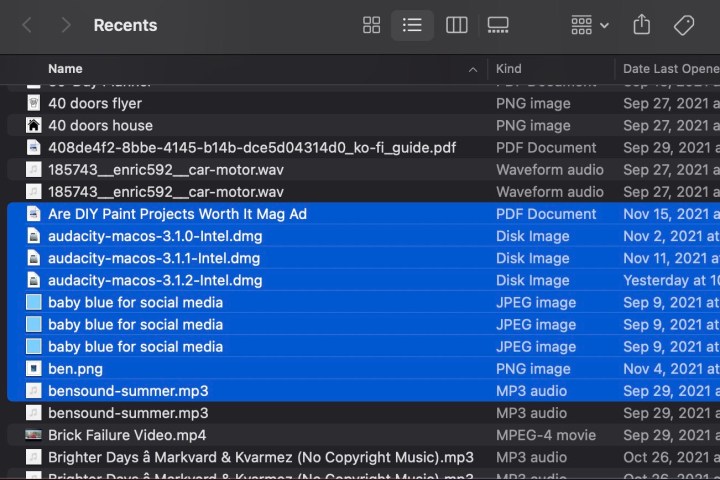
A screen of multiple files selected on a Mac.

First and last

If you are looking to select multiple files arranged top to bottom, you can easily grab the ones you want by clicking the first, then holding Shift and clicking the last one. This will select those files and everything in between them.

For more tips on the Mac, check out our tips and tricks guide. You can also read our review for the latest MacBook Pro and our comparison between the M2 MacBook Pro and the M3 model.

Editors’ Recommendations


Share. Facebook Twitter Pinterest LinkedIn Tumblr Email

Keep Reading

Labor Day Gift Guide – Digital Trends

Sonos 27 is opening your speakers to ChatGPT, custom agents, and a new in-house AI assistant

The Sonos Beam Ultra proves you don’t need a huge soundbar for Dolby Atmos

Nvidia’s DLSS 5 goes live with NBA 2K27 on September 3, and it looks a lot more convincing

Ultrahuman wants your sleep data to make its Ring better at personalizing health insights

These 6 Labor Day smart home deals solve real problems

The Galaxy Z Fold 8’s success is reportedly creating a major supply headache for Samsung

Meta brings one of the Ray-Ban Display’s most useful features to its standard smart glasses

I found 6 Labor Day phone deals actually worth buying

Editors Picks

MUFG EMEA appoints Bénédicte de Giafferri as Head of Digital Infrastructure Coverage

September 1, 2026

Sonos 27 is opening your speakers to ChatGPT, custom agents, and a new in-house AI assistant

September 1, 2026

Emirates Gold Marked Emirati Women’s Day, Celebrating Women’s Growing Role in the UAE’s Gold Story

September 1, 2026

The Sonos Beam Ultra proves you don’t need a huge soundbar for Dolby Atmos

September 1, 2026

Subscribe to News

Get the latest UAE news and updates directly to your inbox.

Latest Posts

Fujairah Tennis Club Bazaar: Shop Local, Support Small Businesses

September 1, 2026

Nvidia’s DLSS 5 goes live with NBA 2K27 on September 3, and it looks a lot more convincing

September 1, 2026

Qatar Airways Resumes Flights to Qassim, Taif, Tabuk, and Yanbu in Saudi Arabia

September 1, 2026
Facebook X (Twitter) Pinterest TikTok Instagram
© 2026 Daily Guardian UAE. All Rights Reserved.
  • Privacy Policy
  • Terms
  • Advertise
  • Contact

Type above and press Enter to search. Press Esc to cancel.