

Have you been dying to watch the latest hit shows on Apple TV+, like Severance, Ted Lasso, and Silo, but don’t have an Apple streaming device? Well, you’re in luck. A little-known trick lets you watch all your favorite Apple TV+ content on devices like Chromecast, Google TV, Google TV Streamer (4K), and even smart TVs with Cast.
It uses simple steps to let you cast Apple TV+ from your computer’s Chrome browser directly to your Chromecast or Google TV device. No Apple TV hardware is required.
Plus, if you have a newer Chromecast with a Google TV model or the Google TV Streamer, you can install the Apple TV app right on the device. This gives you the whole Apple TV+ experience, with advanced features like watchlists and personalized recommendations. Here’s how to watch Apple TV+ on your Chromecast or Google TV device.

How to watch Apple TV+ through a Chromecast
Before we gat all fancy, let’s start with how to cast Apple TV+ to a Chromecast device, such as a Chromecast or Chromecast Ultra HDMI-based dongle.
Step 1: The Apple TV app can’t be cast to Chromecast — not from a smartphone or a desktop computer app — but Apple TV+ can be cast to a Chromecast from the Chrome web browser on a computer. It doesn’t work from a Chrome browser on a smartphone, like an iPhone or Android device, unfortunately.
To do this, first connect the Chromecast dongle to the HDMI input you want to watch on, such as a TV, computer monitor, or even a projector.
Step 2: Make sure the Chromecast device is set up and connected to the same Wi-Fi network as the computer.
Step 3: In the Chrome browser, navigate to the Apple TV+ website and log in using your Apple ID account credentials.
Step 4: Next, find something you want to watch and play it — you might want to pause it while you carry out the next steps so you don’t miss anything.
Step 5: Now you’re going to want to “Cast” the program to your Chromecast, which can be done one of two ways. The first is to right mouse click in the browser and select Cast… from the menu. The second is to go to the three dots menu in the top-right corner and select Save and share and then Cast… (see the image below).
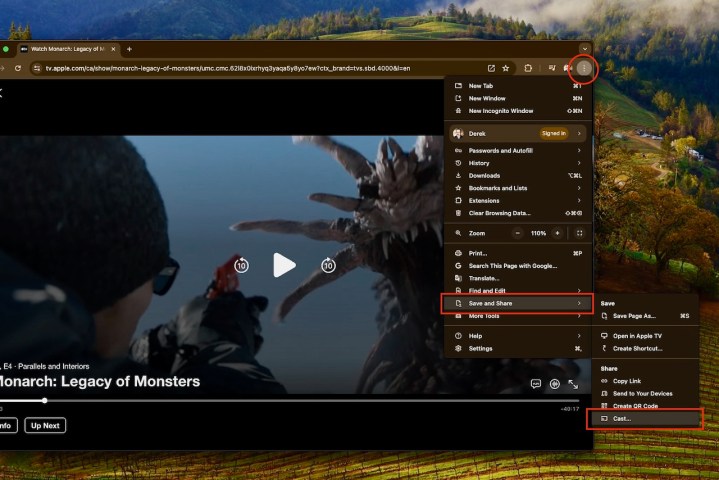
Step 6: You then see and Chromecast (or Cast) devices available to cast to. In our example below, “Abby’s Bedroom TV” has a Chromecast Ultra connected to it. Select the Chromecast device you want.
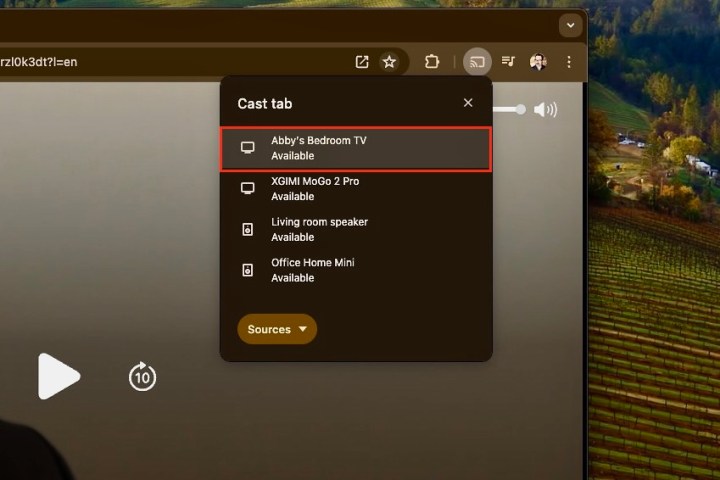
Step 7: The Apple TV+ content in the Chrome browser will appear on your Chromecast-connected device’s screen, and you will control the playback through the Chrome browser.
Step 8: It’s worth noting that this method will also work with devices like TVs and projectors (and even connected speakers) that have Google’s Cast feature baked in to them. If they are connected to your Wi-Fi network as well, you will see them and be able to select them from the device list in the Cast menu.
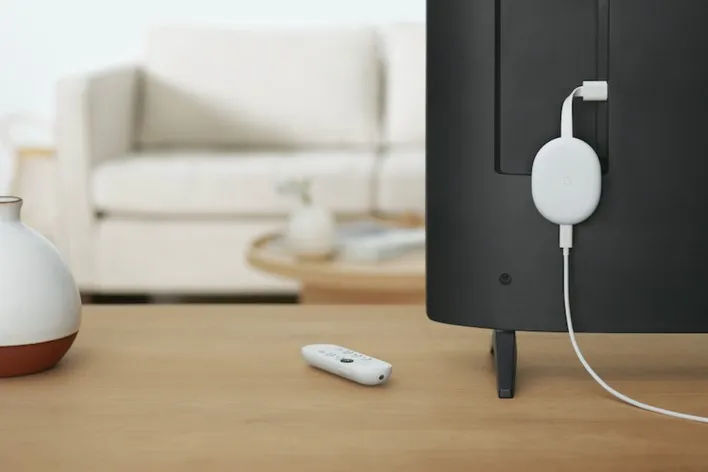
How to watch Apple TV+ on a Chromecast with Google TV or Google TV Streamer
Chromecast has come a long way since its earlier dongles that had to be controlled with the casting source device. Enter the Google Chromecast with Google TV and the new Google TV Streamer, which are among the best streaming devices you can buy that have the intuitive Google TV operating system built right into them. That means that, like Roku and tvOS and Amazon Fire TV operating systems, Google TV is a full-featured streaming platform that you can install streaming service apps like Netflix, Amazon Prime Video, Disney+ and, yes, Apple TV+ to.
The Google TV OS is available on a growing range of TVs, and, of course, is the backbone of the Chromecast with Google TV.
To watch Apple TV+ on a Chromecast with Google TV or Goole TV Streamer, all you have to do is add the app to the device.
How to install the Apple TV app on Chromecast with Google TV or Google TV Streamer
Step 1: If you haven’t already done so, head to the Apple TV+ website and sign up using your Apple account. Or, you can get it through your iPhone or other Apple device pretty easily too. It’s $10 per month, and you get a seven-day free trial when you begin. Apple generally offers at least a few free months if you buy a new Apple product like an iPhone, too.
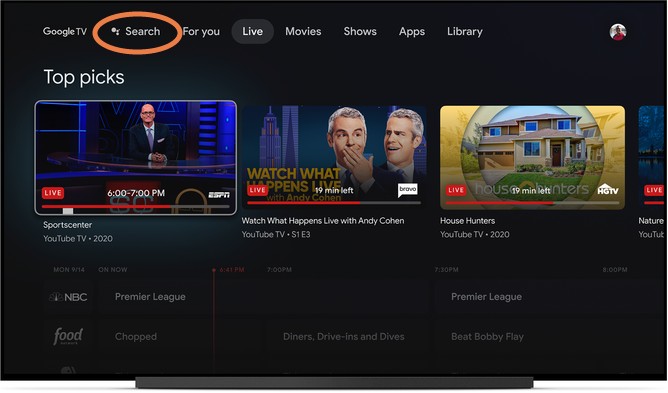
Step 2: Now, go get the Apple TV app. In the Chromecast with Google TV or Streamer’s menu, head to the Apps section and select Search for apps (depending on your version of Google TV), or just Search for Apple TV and it should give you results for the app in the Google Play Store.
Step 3: Install the app and open it when done. You’ll need to sign in with your Apple ID. That’s it. Alternatively, you can also install the Apple TV (or any other app, for that matter) on a smartphone or tablet through the Google Play Store and select your Chromecast with Google TV or Streamer when you install it there.
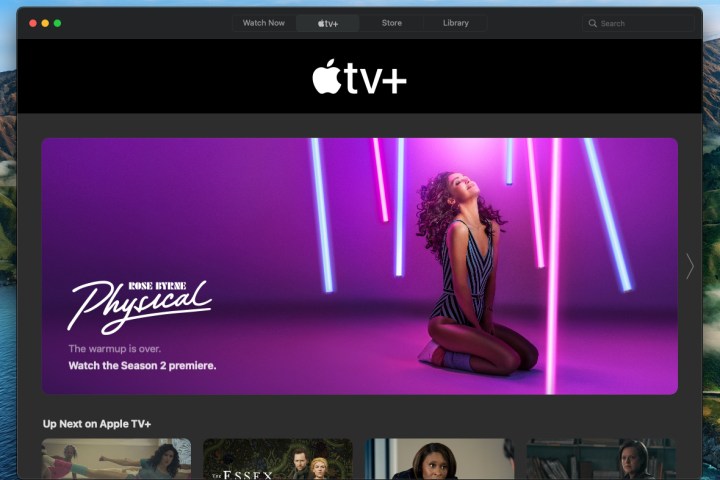
Start finding shows you want to watch
Step 1: You should now be able to use the app just as you would from an Apple device. Scout out the shows that you are interested in and you can add them to your Google TV Watchlist to view later.
Step 2: Note that Apple’s recommendations can span across several services, so you may see recommendations from Hulu, Prime Video, and others appear here — much like how Google TV itself works.
Additionally, your Apple Family Sharing plan will work with Google TV as well, allowing up to six people to log in with their Apple IDs and watch shows on their own, all-on-one subscription.

Use Google features to manage your Apple TV+ shows
A final note about watching Apple TV+ on a Chromecast — in addition to using Watchlist, you can also search and control playback with Google Assistant. You don’t lose any capabilities because you are watching Apple content!
Remember: to enjoy Apple TV+, you need a Apple TV+ subscription. It’s one of the best streaming services available.