
Apple added desktop widgets to Mac with macOS Sonoma back in 2023. I remember dragging a few onto my desktop on day one and moving them right off a few minutes later. The native widgets never fit into how I use my Mac. The look felt off, and honestly, there just weren’t enough of them to bother with.
Ever since, I have been searching for something that does for Mac what the widget apps like Widgetsmith did for iPhone. I wanted more options, and more importantly, I wanted widgets that actually looked like they belonged on a Mac desktop instead of feeling bolted on.
After trying a bunch of apps that promised this, I finally found one that delivers. The app is called BetterMacWidgets, and in this article, I will show you how it finally made me use widgets on my Mac’s desktop.
Widgets that live right on your desktop
Apple‘s desktop widgets are tied to whatever system apps happen to support them, and third-party options are still thin on the ground. BetterMacWidgets flips that around. It gives you access to more than 20 widgets, and you can drag them anywhere you like, snapping onto an invisible grid so your layout always stays neat.
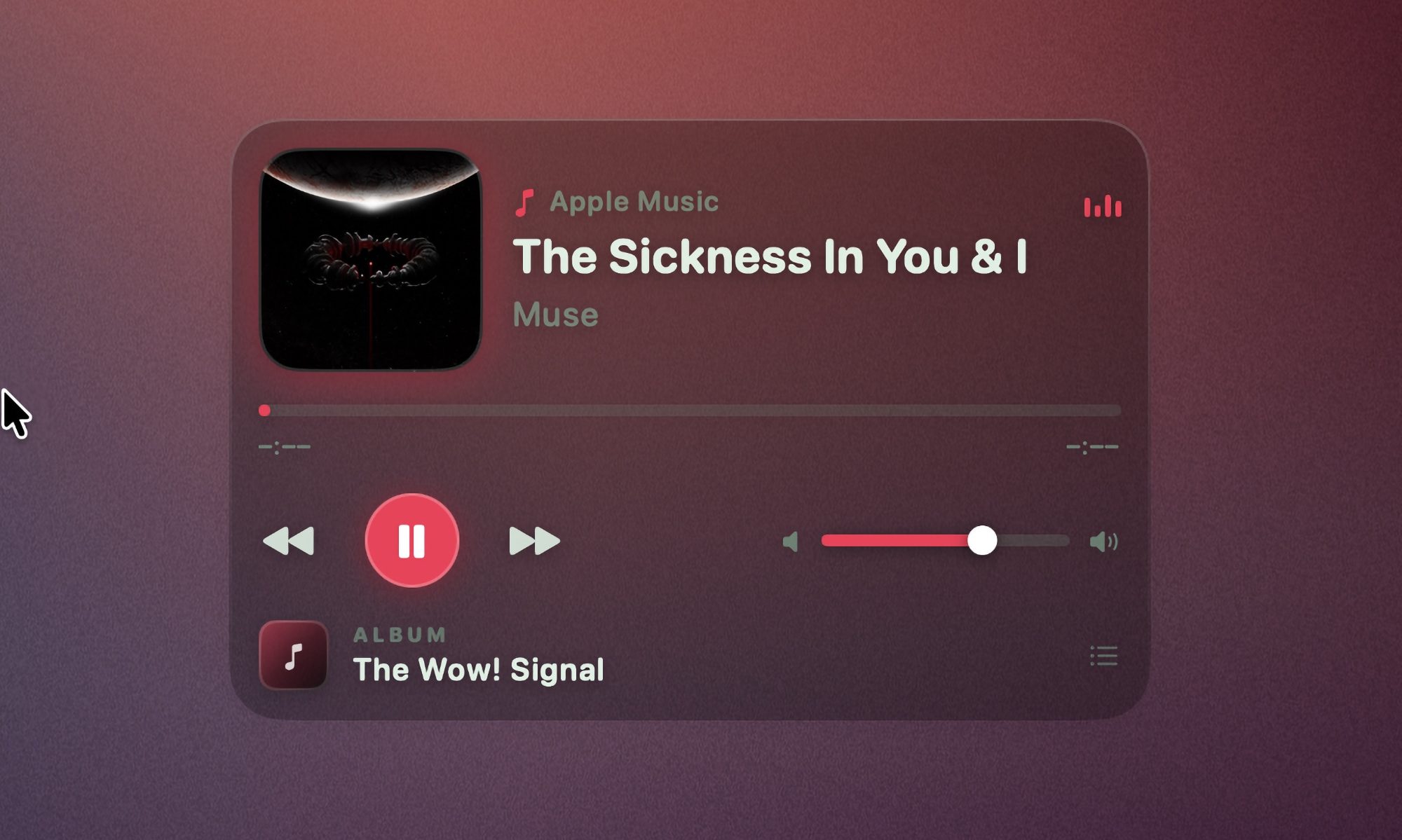
The app also lets you choose from up to six sizes depending on the widget, ranging from a small 1×1 square to a bigger 4×3 tile. I love the Now Playing widget. It shows artwork and title, and lets me play, pause, and skip tracks right from the tile. With this, I don’t ever have to hunt for music controls.
If you like keeping an eye on your Mac’s health, the System Stats widget gives you animated gauges for CPU, GPU, memory, and disk, along with a battery gauge that visibly sloshes while charging. And don’t worry about your Mac slowing down because of all this animation.
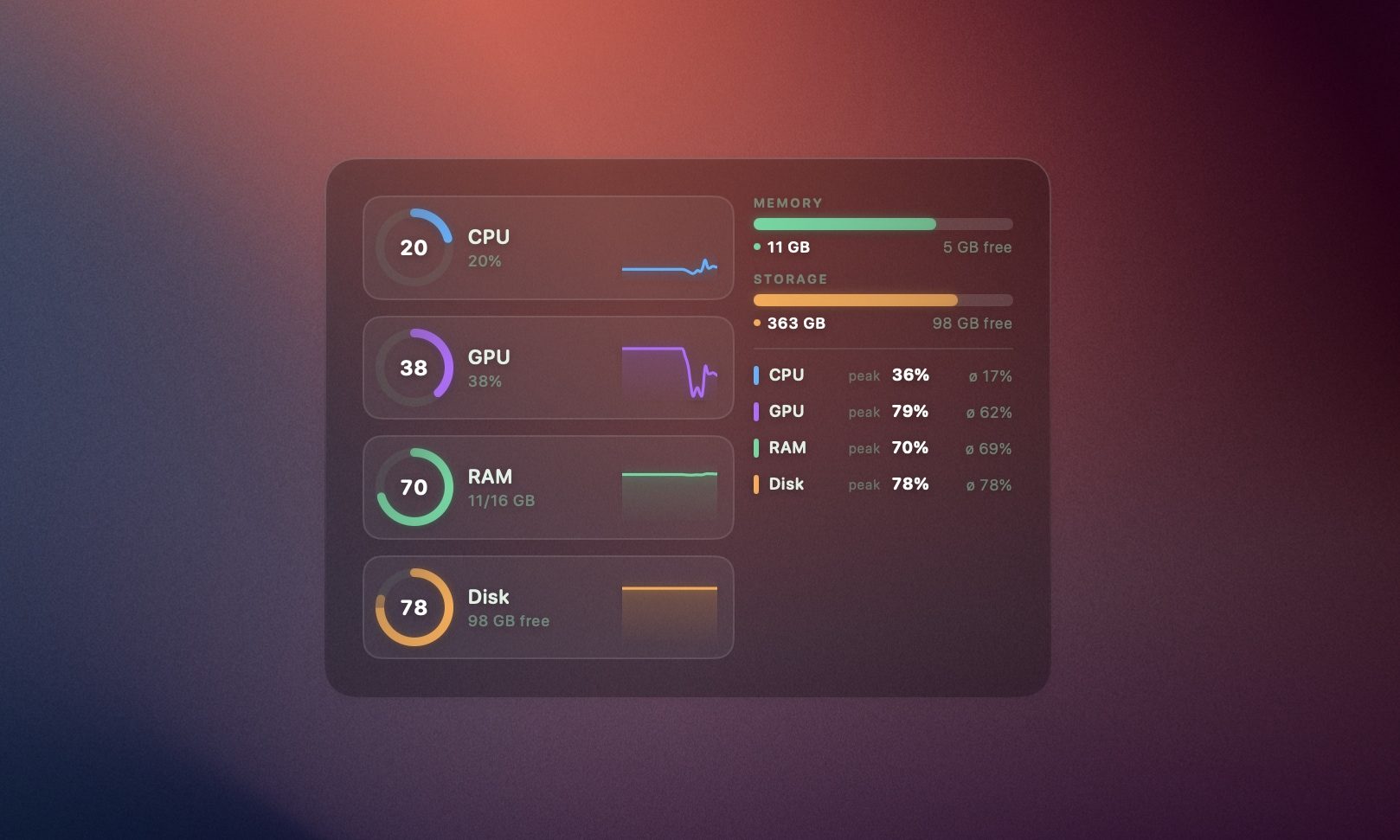
The widgets only animate while they are visible. If they are hidden behind an app’s window, they stop animating. If you still see an effect on the battery, you can turn off the animation all together.
Weather, Reminders, and more
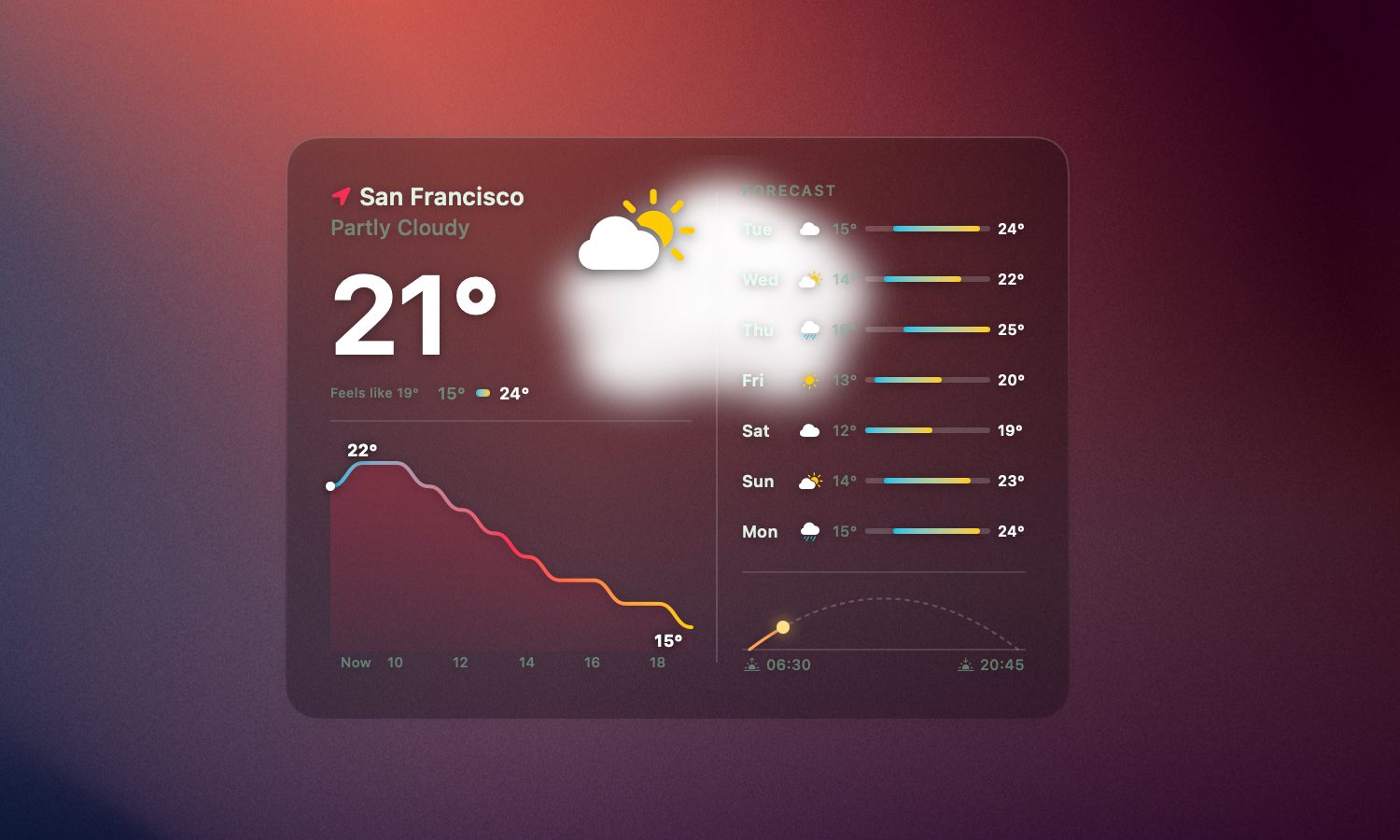
Weather widgets are common, but I appreciate how BetterMacWidgets display it. It pulls real forecast data from Open-Meteo, based on your precise location, your approximate location, or any city you want to type in manually. The best part of the widget is the live animation. Whether it’s sunny, raining, or snowing, the widget animate to reflect the same.
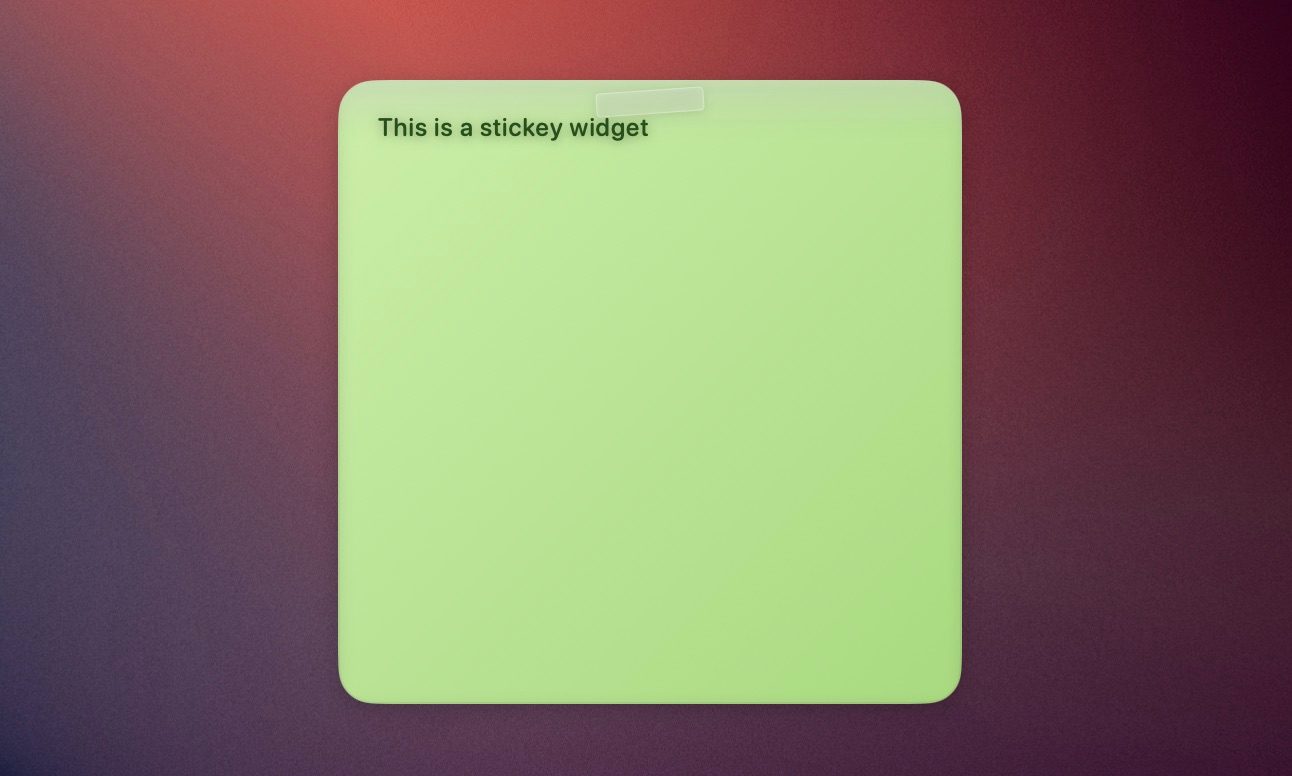
You also get a Reminders widget that syncs directly with Apple Reminders. You can check off a task directly from the widget, and it updates in the Reminders app. I pair it with the Sticky Note widget, and you have a simple productivity corner sitting right on your desktop.
For something more relaxed, there is a Photos widget that runs a slow Ken Burns-style slideshow using photos from any folder you choose. There’s also a Starfield widget that adds a starry sky on your desktop.
Stack widgets to save space
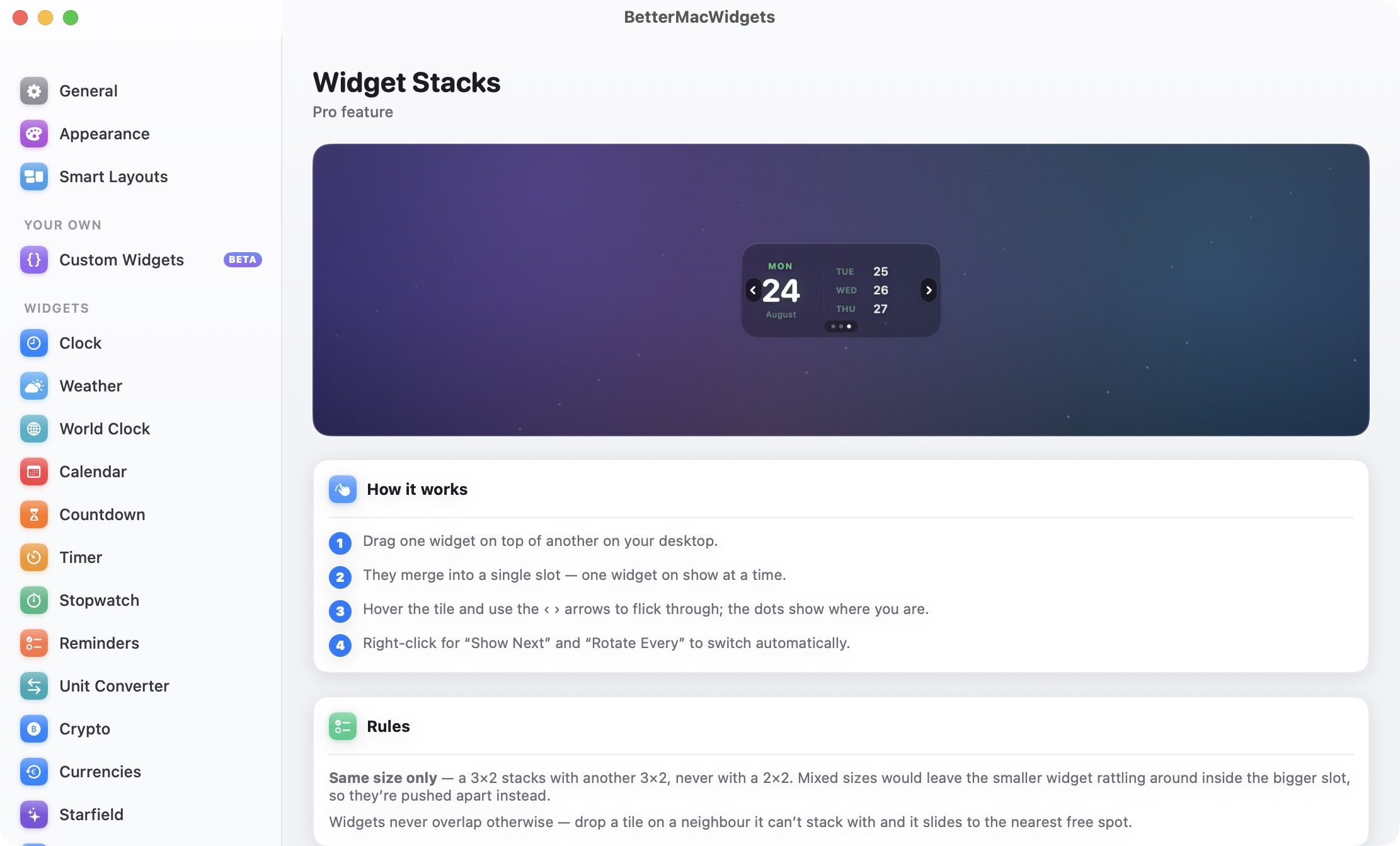
If you end up using too many widgets, Widget Stacks is there to manage your widget mania. Drag one widget on top of another widget of the same size, and they merge into a single slot. You can then flick through them using arrows when you hover over the tile, or set them to rotate automatically. Do note that stacking only works between widgets of the same size. A 3×2 widget will not stack with a 2×2 one. Instead, dropping one on the other will push them apart to the nearest open spot.
Make it look like your Mac
As I mentioned, the best part about BetterMacWidgets is the look of the widgets. It includes 20 built-in themes that change the accent color, glass tint, and font color. Three of them, Midnight, Graphite, and Ocean, are free, and the rest come with Pro.
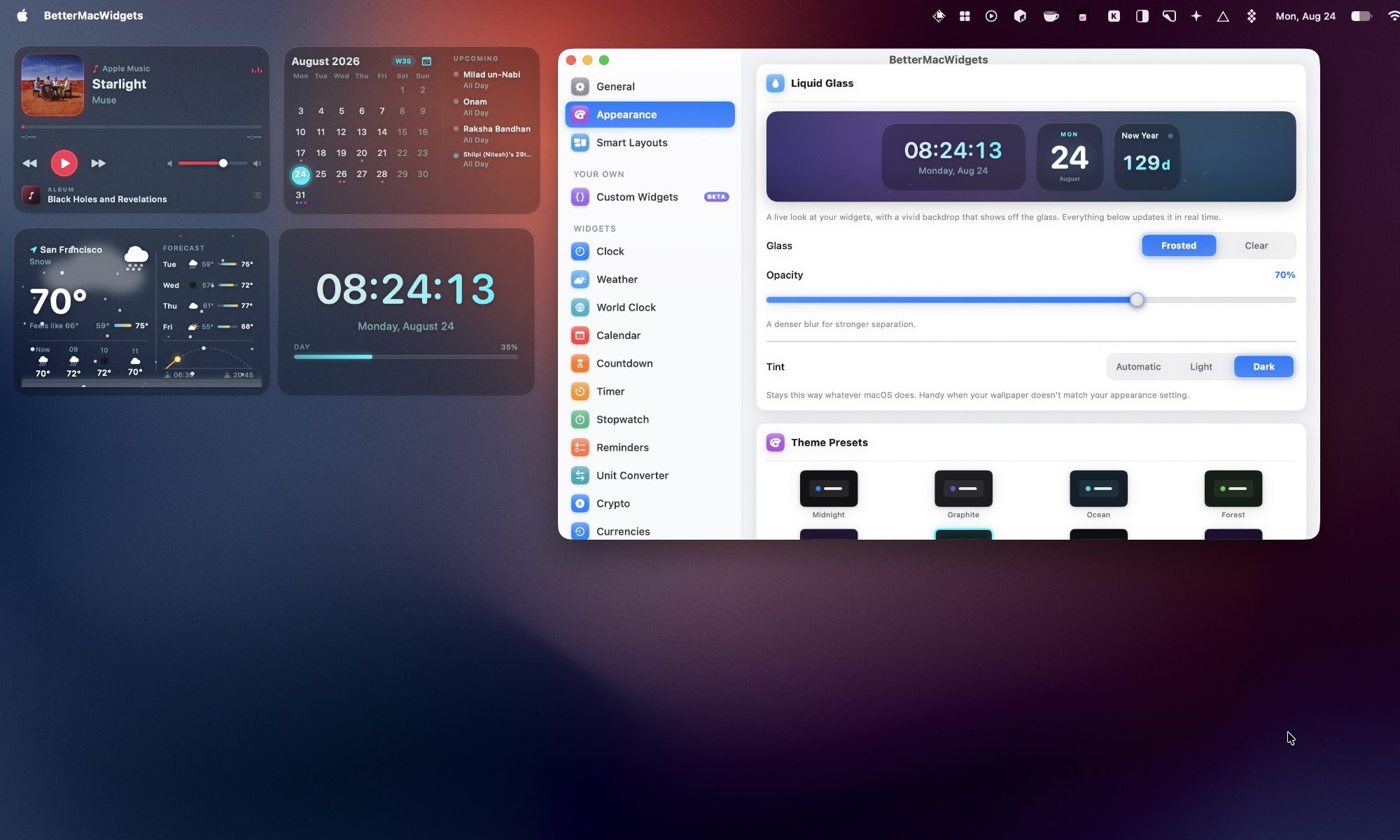
I can also customize how widgets look. The free Frosted look gives a translucent glass card with an adjustable opacity slider, allowing me to go from a barely there tint to a denser glass pane.
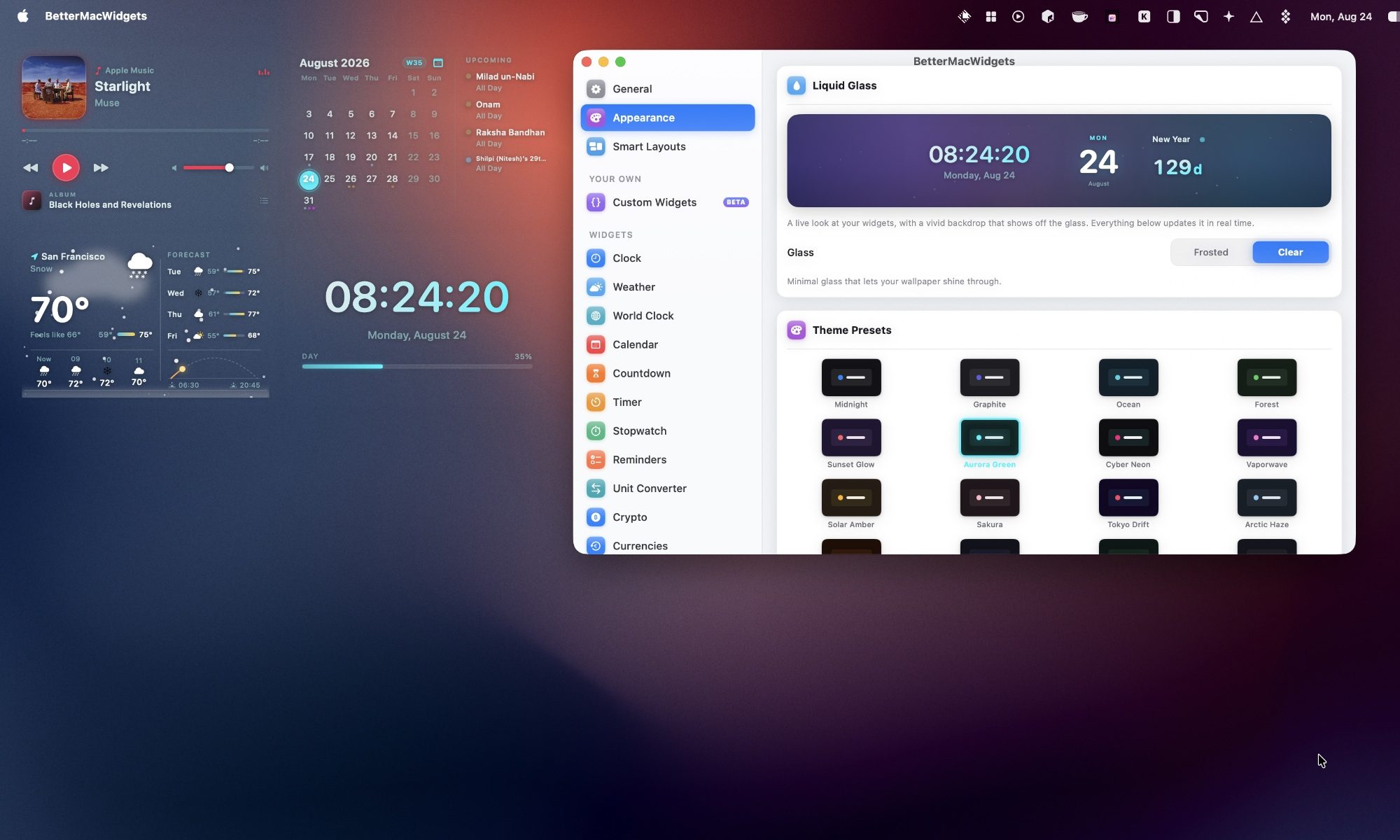
If you have Pro, the Clear look removes the tile background entirely, so only the widget’s content floats on your wallpaper with a soft shadow for legibility. It is the closest thing to a native Apple look I have seen on a third-party Mac widget.
Set up profiles for your day
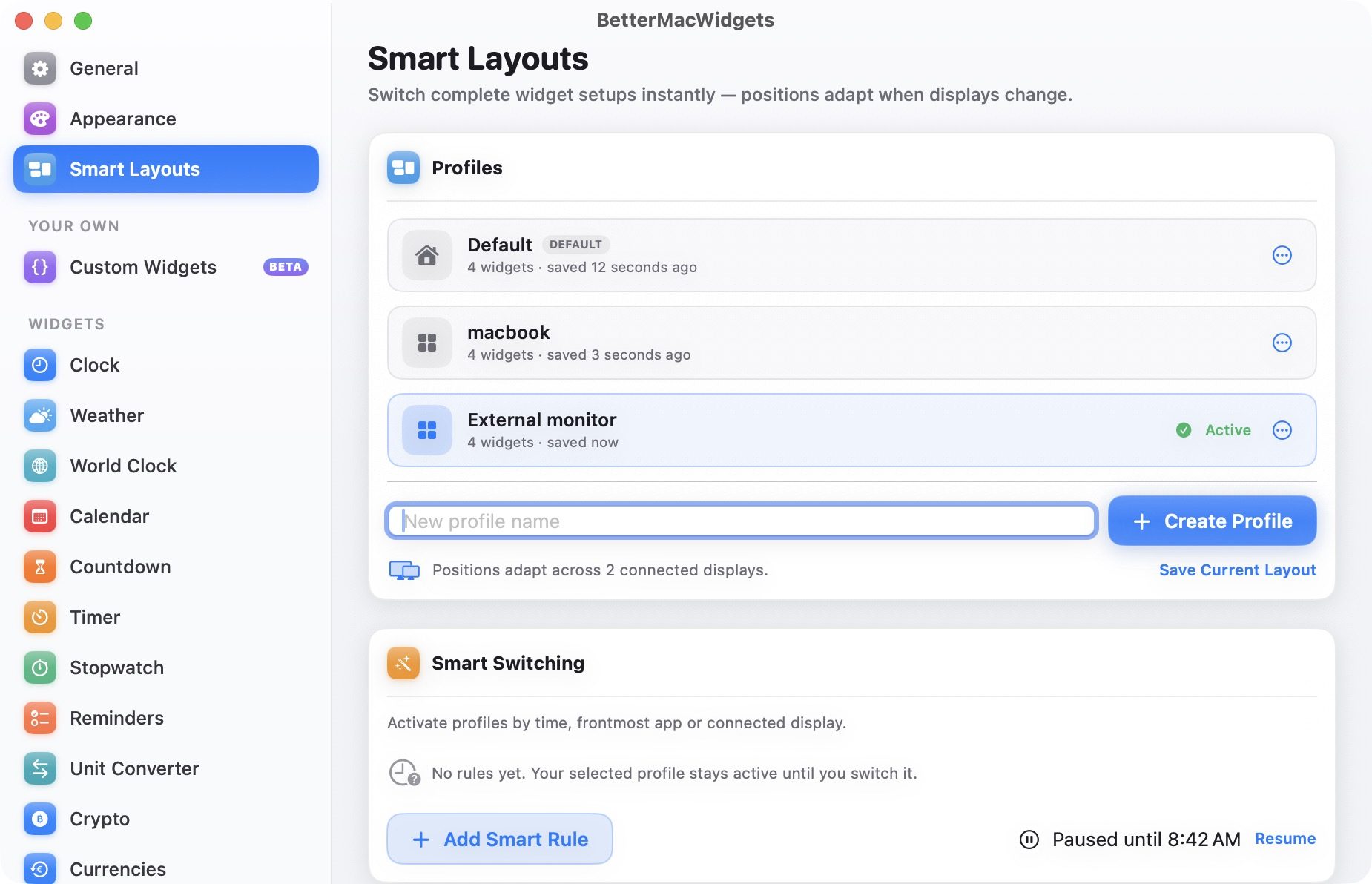
If you use multiple desktop setups, BetterMacWidgets lets you save named widget profiles that remember your widgets and their placement. I can create multiple widget setups, save them as profiles, and switch between them with a single click. There’s also a Smart Switching feature that can activate a profile automatically based on the time of day, the app in the foreground, or the display you are connected to.
Final thoughts
I have used a lot of widget apps on my Mac, and BetterMacWidgets is the first one that made me actually want to keep widgets on my desktop instead of hiding them away. Between the Now Playing widget, the System Stats gauges, and the Clear glass look, my desktop finally looks the way I wanted it to since Sonoma first brought widgets to the desktop two years ago.