
Your backpack is heavier than it needs to be. Multiple notebooks for all your classes, a stack of printed PDFs, and nothing that talks to anything else. The notes from week two are in a different notebook than the notes from week six, and you’d be lucky to find either one in December.
One device that you can use to read books and PDFs, take notes, and keep everything organized would fix this, and that’s exactly what e-readers with pen input support are built to do. And you don’t need to spend what you’d drop on textbooks for a semester to get one either. I’ve rounded up six worth buying this back-to-school season, and I’ll tell you exactly who each one is for.
reMarkable Paper Pure
| Pros | Cons |
| Distraction-free, no apps, browser, or notifications | No front light |
| 21ms pen response feels genuinely close to writing on paper | Black-and-white screen |
| Repairable design | Full functionality requires a $3.99/month Connect subscription |
| Syncs to Google Drive, OneDrive, and Dropbox | Doesn’t support Kindle books natively |
| Extensive writing toolkit |
The reMarkable Paper Pure strips away everything that makes a tablet distracting. No apps, no browser, no notifications buzzing when you’re trying to get through a reading assignment the night before class. At $399, you get a 10.3-inch mono screen with a textured matte finish and a 21ms pen response that feels close enough to writing on real paper that you’d forget you’re writing on glass.
The device can handle PDF and EPUB files natively, but Kindle files will need a quick conversion first. Notebooks can be filed into folders, so your notes are organized and easy to find, and there’s a one-tap option to turn your handwriting into clean typed text. You get a real toolkit too, with multiple pen types, layers, shape tools, and a library of templates covering everything from grid paper to weekly planners to get you started.
Storage sits at 32GB, which equates to around 75,000 pages, the battery lasts about three weeks, and you can easily sync your notes and files to Google Drive, OneDrive, or Dropbox, so exporting a notebook to write up a paper on your laptop takes seconds. On the downside, there’s no backlight, which means nighttime reading will require a lamp, and the screen is black-and-white, so this isn’t for you if you’re big on colorful annotations.
reMarkable has an optional $3.99 a month subscription that unlocks a few extras, like handwriting search, though it’s not something you have to pay for to access core features. The reMarkable Paper Pure is the perfect fit for students who want a reading and note-taking tool that doesn’t have any distracting features competing for their attention.
Kindle Scribe 11-inch
| Pros | Cons |
| Seamless access to your existing Kindle library | No cloud sync with Dropbox or Google Drive, notes only export as PDF over email |
| Ask This Book and Story So Far are useful AI reading tools | Closed ecosystem, no browser or third-party apps |
| Active Canvas lets you write directly in the margins | No drawing or shape tools, note-taking features are fairly basic |
| Thinner and lighter than the previous generation | Back-and-white screen and Colorsoft version costs significantly higher |
| Better performance than the older model with faster page turns |
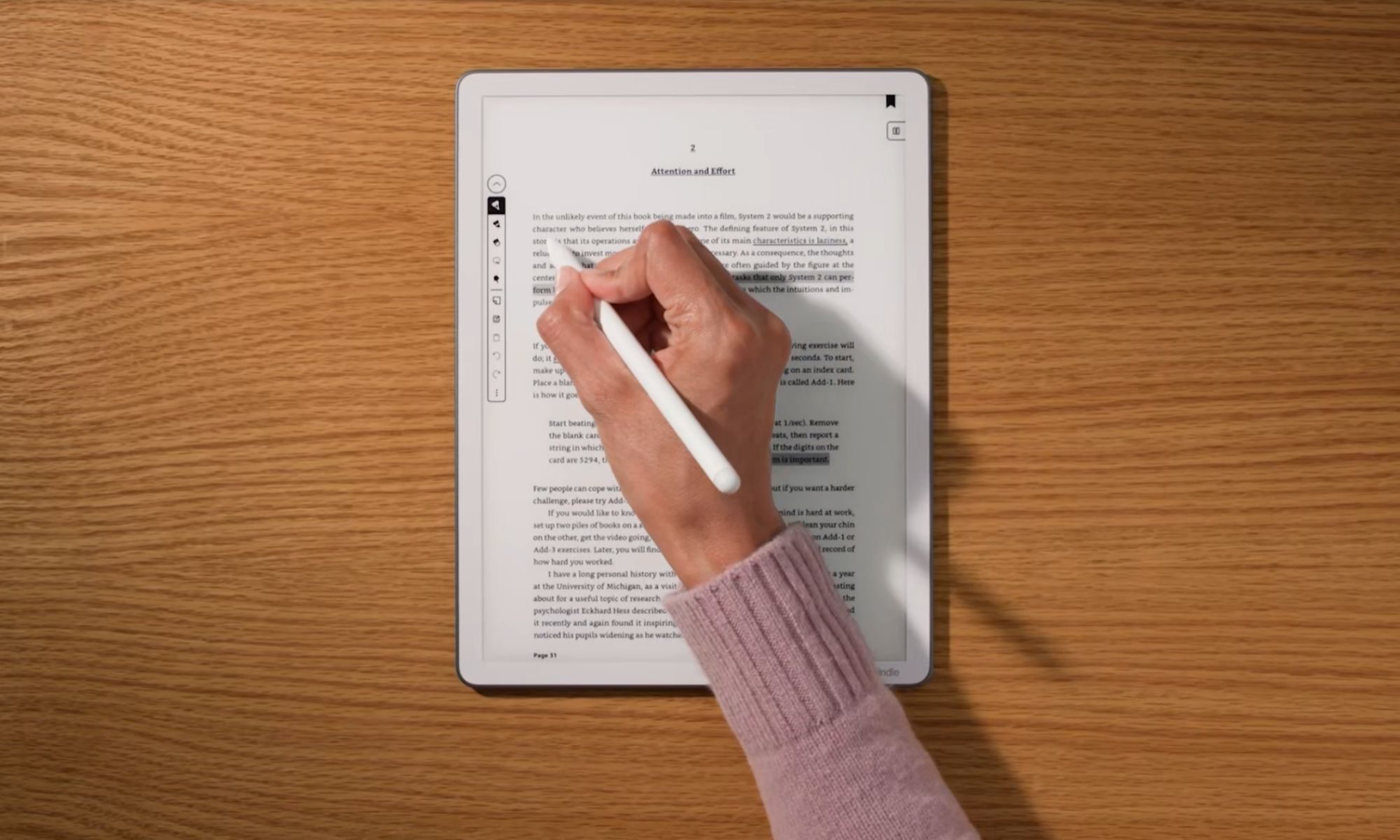
The Kindle Scribe makes sense if you already have a large library of Kindle books and want an e-reader that also lets you read your course material and take notes. For $499.99, you get the latest model that features an 11-inch, 300ppi screen with an auto-adjusting front light and a thinner and lighter build than the previous generation.
The Scribe’s real trick is its Ask This Book feature that lets you ask questions about whatever you’re reading and get an answer pulled straight from the text. The Story So Far feature is also pretty neat, making it easy to pick up a book after months without worrying about spoilers. For note-taking, the Active Canvas feature lets you write directly in the margin of a book, or you can take notes separately with the included pen and convert them into text and even generate a summary with a tap.
The base model gets you 32GB of storage, battery life is rated for three weeks with mixed reading and writing use, and a full recharge takes 2.5 hours over USB-C. Like the reMarkable Paper Pure, the Kindle Scribe’s display is black-and-white, but Amazon also offers the Kindle Scribe Colorsoft for those who color code their notes, though it’s quite a bit more expensive at $629.99 for the 32GB model.
If budget is tight, you can pick up the Kindle Scribe without Light for $429.99 instead or the older 10.2-inch Kindle Scribe, which is available for $399, but it comes with just 16GB of storage and features older display tech, a slower dual-core chip instead of a quad-core processor, and no AI features. Irrespective of which model you pick, know that the Scribe offers basic note-taking features, with no drawing or shape tools, and doesn’t support syncing notebooks with your preferred cloud storage service.
BOOX Tablet Go Color 7 Gen II
| Pros | Cons |
| Full Android with Google Play Store access | Stylus isn’t included, adds $50 to the cost |
| Most affordable out of the lot | Smaller 7-inch screen |
| 64GB of storage, expandable via microSD | Battery life is shorter than the other two |
| Physical page-turn buttons | |
| Color screen |
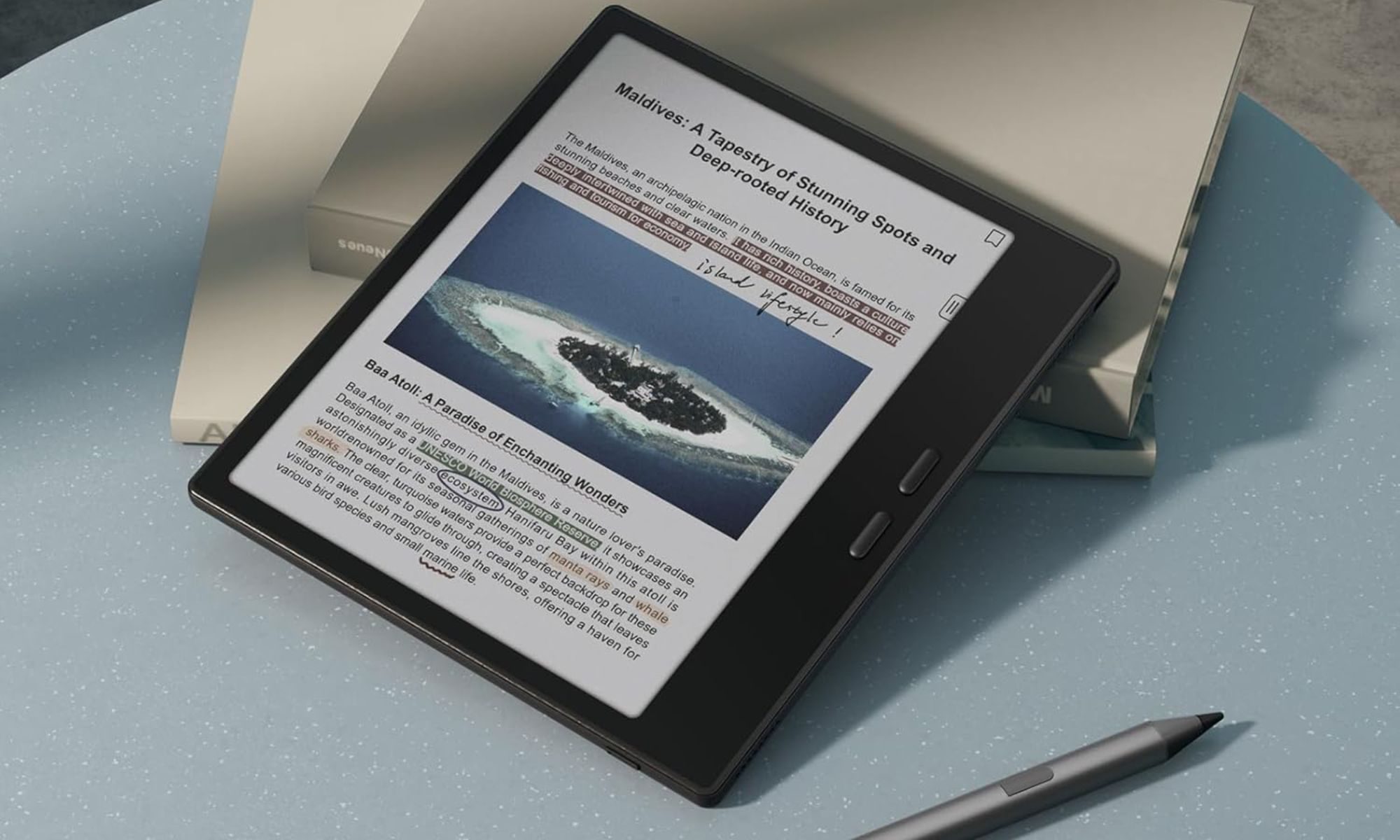
While the BOOX Tablet Go Color 7 Gen II isn’t the best e-reader on this list, it’s a great pick for those who value flexibility. Unlike the other two e-readers, it runs Android and lets you access your favorite apps, be it Libby for library books, the Kindle app for anything you’ve already bought from Amazon, or Readwise Reader for articles you want to come back to later.
It features a color e-ink screen, another thing you don’t get with the Paper Pure or Scribe, but it’s much smaller at 7 inches. At $289.99, the Go Color 7 is also the cheapest device on this list, though the stylus isn’t included and costs $50 extra. Even with it factored into the price, the e-reader will cost you $339.99, making it a great pick for students who want a compact device that doesn’t dig too deep into their back-to-school budget.
The Go Color 7 comes with twice the amount of storage as the other two at 64GB, which can be expanded further with a microSD card, support for over 26 digital formats, seamless syncing with cloud storage apps, physical buttons for easier page turns, a built-in front light, and a built-in speaker and microphone. While the BOOX has a lot going for it, it falls short in terms of battery life, with its 2,300mAh battery lasting between 3 and 7 days on a charge depending on your use.
The smaller display is great for reading and quick annotation, but it can also be limiting if you have to mark up a dense PDF and need to see the full page at once. But if you value the flexibility of being able to install the apps you already use more than the screen size and battery life, this one is for you.
Also worth a look
If the three options mentioned above don’t quite fit what you need, here are a few more options worth knowing about. Each solves a slightly different problem than the top three. None of them missed the cut because they’re bad, they just serve a different purpose.
- Kobo Elipsa 2E ($399.99): The Elipsa 2E lets you write directly on the page of any ebook, not just imported PDFs, similar to what the Kindle Scribe does with Active Canvas, though Kobo’s version extends to any book in your library, not just Kindle titles. Its 10.3-inch screen has an adjustable warm and cool front light, it features 32GB of storage, and battery life is rated at several weeks under normal use. The writing feel is a touch less precise than the reMarkable or the Kindle Scribe, better for quick annotations than writing essays. Worth it if marking up your reading materials matters more to you than pure note-taking.
- TCL Note A1 NXTPAPER ($599.99): TCL’s offering has a unique display that can switch between a paper-like matte mode and a full 16.7 million colors, so you get color and video when you want them without giving up the paper-like reading feel. It runs Android, so you get full app support, and packs 256GB of storage, which will be more than sufficient for your study materials, apps, media, and more. Since it uses an LCD panel, it won’t deliver the same battery life or reading comfort as the e-readers. But it’s still worth considering if you want a vibrant color display and app support alongside a paper-like feel.
- iPad 11-inch ($449): If you want one device that does everything, the entry-level 2025 iPad is also a viable choice. With a $79 Apple Pencil, it’s a decent pick for handwritten notes, though it lacks the pressure sensitivity, gestures, and haptic feedback of the Apple Pencil Pro, which only works with pricier models. The battery will last about 10 hours of active use, well short of any e-ink device. So you should buy it only if you want a tablet first and a notebook second.
Your notebooks and textbooks will last one semester. Buy one of these e-readers, and it’ll last you until you graduate, and maybe even longer if you take good care of it. That alone is enough to justify the upfront cost, but the real benefit of an e-reader is what you get day to day. Your reading materials and notes live in one place, searchable, not buried in a notebook you can’t find when finals roll around. Pick one based on whether you value a distraction-free experience, Kindle compatibility, or flexibility, and let it carry the load your backpack used to.