
The App Store is filled with premium task managers, and like Things 3, Todoist, and OmniFocus, despite buying and switching between several of them, I keep coming back to Apple Reminders.
Don’t get me wrong, I still use OmniFocus to manage my projects. But when it comes to daily tasks and quick capture, Apple Reminders still remains my go-to app. In this guide, I’ll walk you through the five biggest reasons why.
Siri makes capturing tasks effortless
One of the biggest reasons why I keep coming back to Apple Reminders is that Siri makes capturing tasks effortless. Whether I am doing a chore or on a walk, as soon as I remember something to do, I can simply say, “Hey Siri, add this to my reminder,” and it will do so.
With the iOS 27 beta update I am testing now, Siri AI has become even better. It now supports language processing, making it easy to add a date and time. Also, if I fumble during speaking or change my mind midway, Siri AI asks me to clarify it and adds the correct reminder.
It’s great for capturing quick tasks that pop into your mind, and it’s one of the reasons I never forget to capture them.
Smart reminders show up exactly when you need them
Apple Reminders has built-in location-based and message-based reminders, which ensure that these reminders show up exactly when I need them. For example, let’s say I want to tell my mom something next time I talk to her. I can add a reminder that will automatically appear when I am texting with her, so I remember to do that.
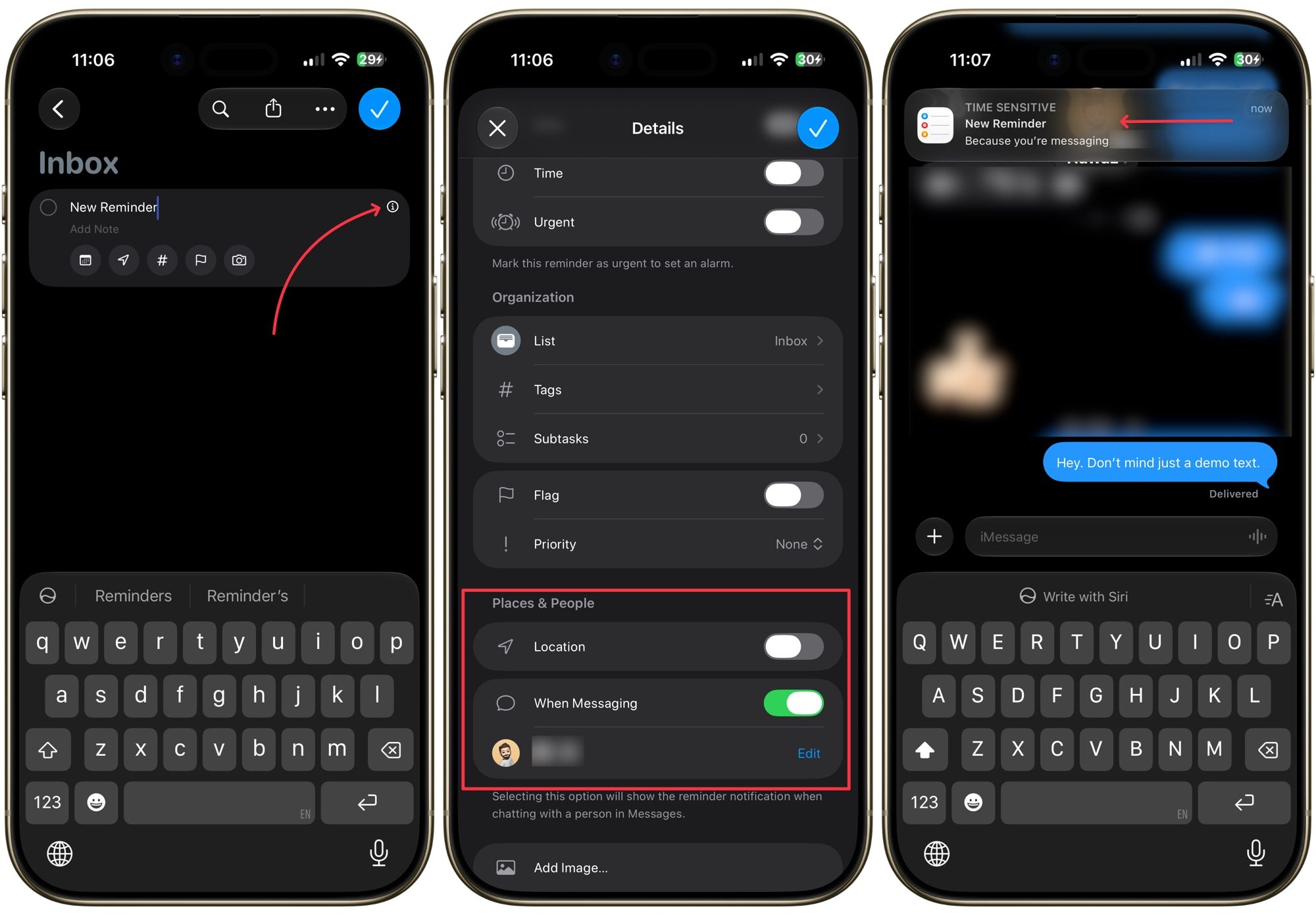
Similarly, location-based reminders ensure I never forget to buy something or pick up an important document when I arrive at a specific place. If you have never used this feature, I highly recommend that you do. You can find them by tapping the (i) button next to a reminder.
Turn grocery shopping into a collaborative effort
If you have a partner or a roommate, this feature will save you from the effort of calling and texting every time you go on a grocery run. To do this, simply create a grocery shopping list, tap the share button in the top-right corner, and share it with your partner.
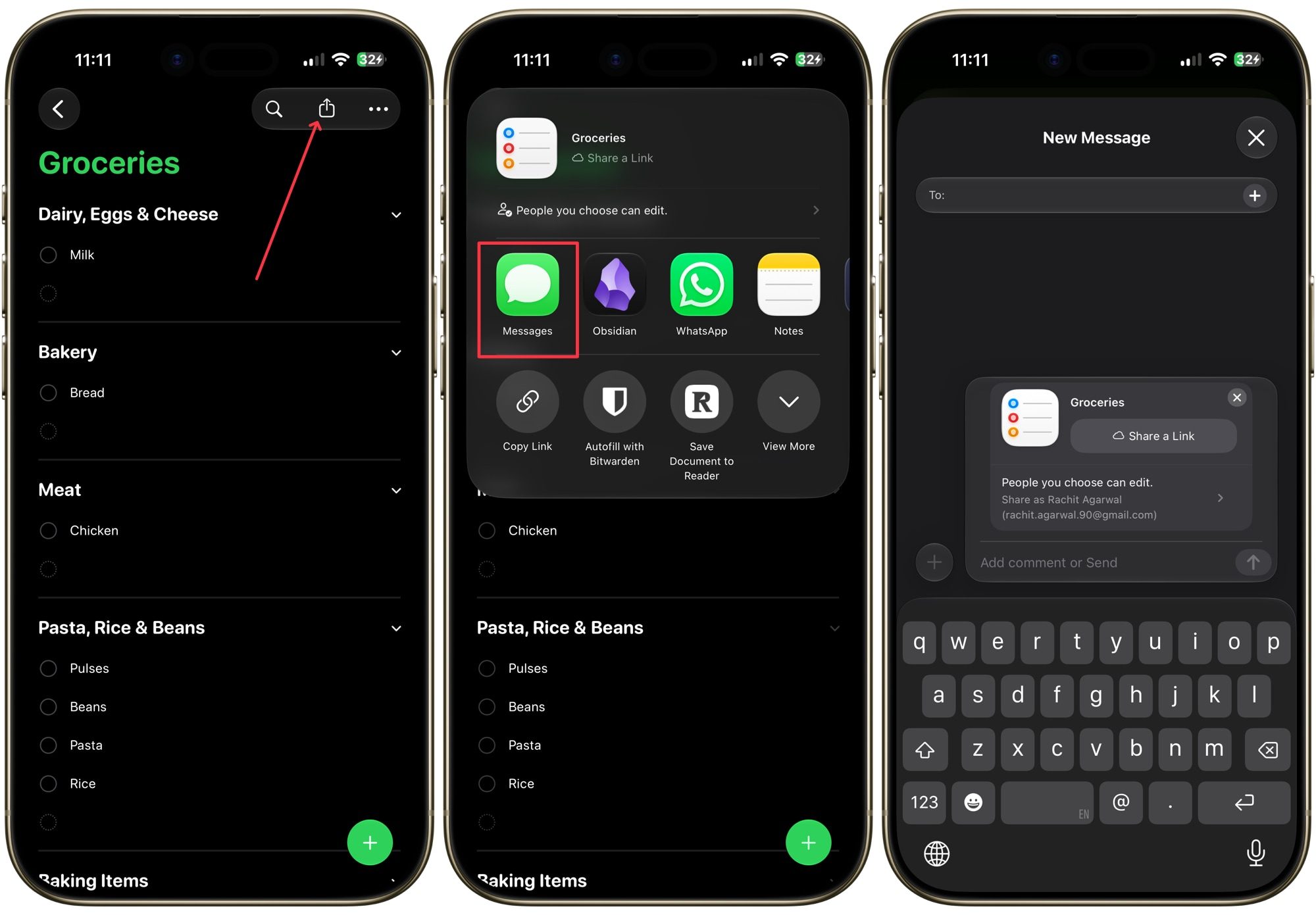
Now both of you can add items to the list and check them off when either of you purchases them. This way, you no longer have to call and check what you have to buy. I have also created similar shared lists for house chores and any other work that involves the two of us. Trust me, it will save you so much time and headache, and both of you will be happier for it.
Make sure important tasks never get buried
Our phones are inundated with notifications, so it’s easy to miss one or two of your task notifications, which might result in some things falling through the cracks. I don’t want that to happen with my important tasks, and Apple Reminders has a solution for that too.
With the iOS 26.2 update, Apple Reminders added an alarm-style reminder update, which ensures you never miss an important reminder again. You can add an alarm-style reminder by tapping the (i) button and turning on the toggle for “Urgent” reminder.
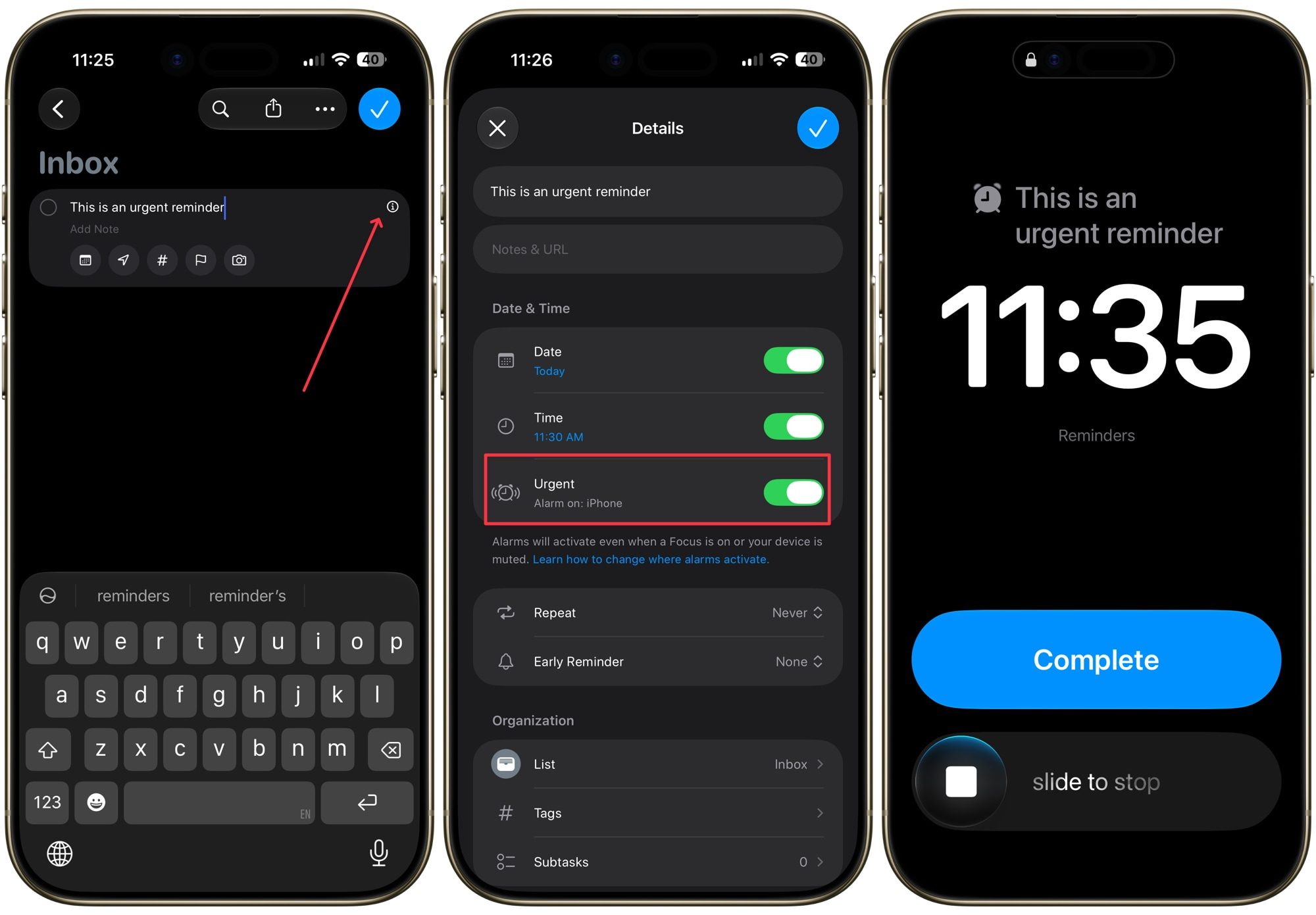
Now, instead of sending a soft notification, your reminder will take over your entire iPhone screen just like your daily alarm, so you never miss that urgent task again.
Deep integration with Notes, Safari, and Mail
Sometimes I come across an email I want to reply to later, a website I want to revisit, or a note I need to finish. Apple Reminders’ deep integration with Apple Notes, Safari, and Apple Mail ensures that I never forget these tasks.
With the email, note, or webpage open, I can simply ask Siri to remind me about it at a specific date and time, or drag and drop an email or note directly into the Reminders app. Apple Reminders will automatically create a reminder with a direct link back to the original email, note, or webpage, so I can pick up right where I left off.
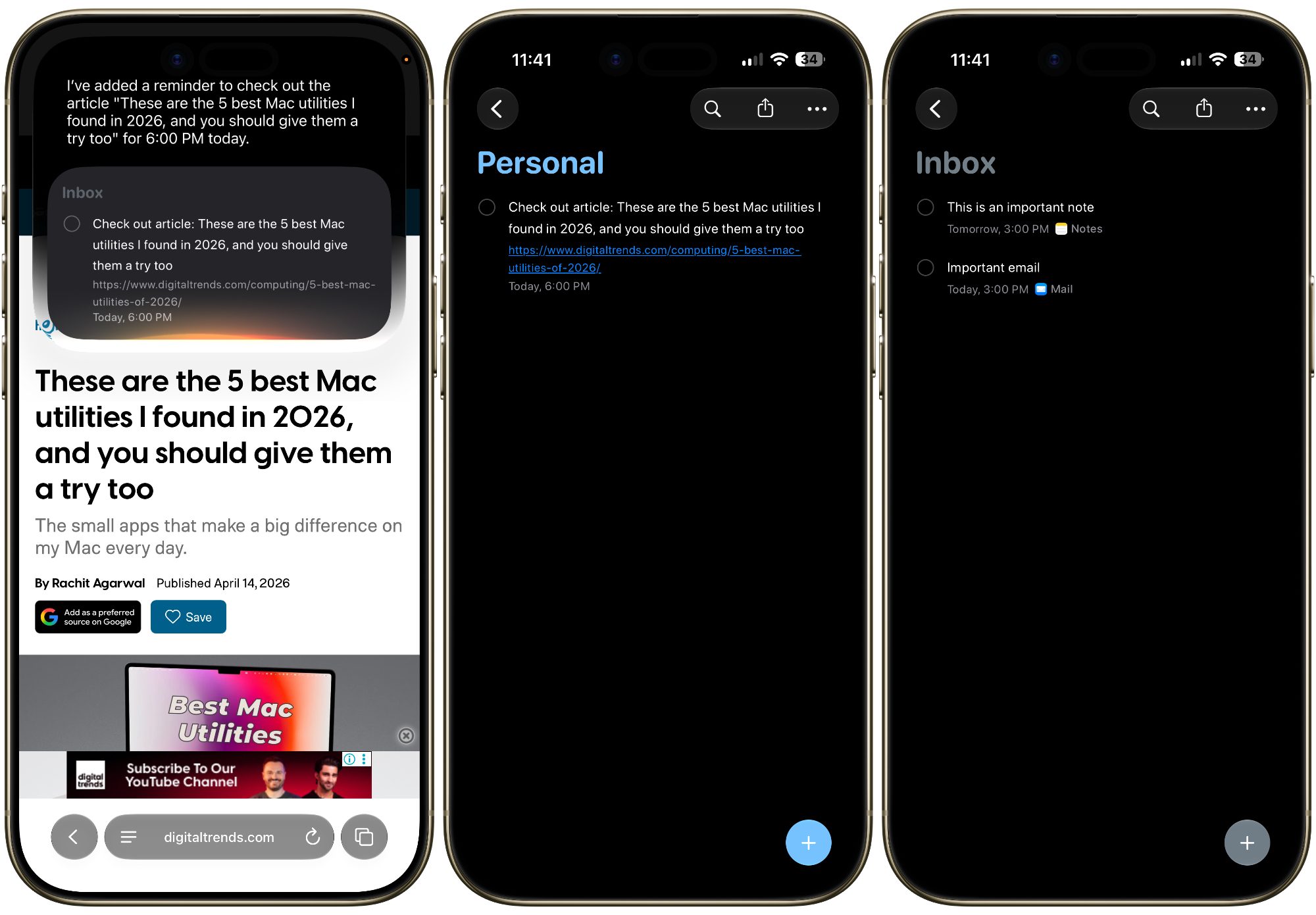
It means that I no longer have to search for that email or note or manually save a website link. My reminders already include a link back to the original content, saving me both time and effort.
Why I keep coming back to Apple Reminders
None of this means premium task managers aren’t worth your money. If you need serious project management, OmniFocus is still my pick for that job, and I don’t see myself giving it up.
But for the everyday stuff, the quick capture, the smart reminders, the shared lists, Apple Reminders simply gets out of my way and lets me get on with my day. It’s free, it’s baked into every Apple device I own, and Apple keeps making it better with every update.
If you wrote off Apple Reminders years ago as too basic, I’d encourage you to give it another shot. Between the Siri improvements, shared lists, urgent alerts, and the deep app integration, it has quietly become one of the most capable task managers on your iPhone.