
For years, Phone Link has felt like that one app everyone knows exists but rarely remembers to open. Microsoft apparently wants to change that. According to a report from Windows Central, the company is working on a major overhaul of how smartphones integrate with Windows 11, making phones feel like a native part of the operating system instead of something users access through a separate app.
Phone Link is coming out of hiding
One of the biggest changes reportedly involves the Phone Companion panel in the Start menu. Instead of simply showing basic device information, Microsoft is said to be expanding it to display recent phone activity that users can scroll through without opening Phone Link. Hovering over these activities could even reveal additional details, such as an entire message or photo preview.
Microsoft is also testing a brand-new smartphone flyout in the Windows 11 system tray. Whenever a connected phone is nearby, a dedicated phone icon will appear next to the Wi-Fi and battery indicators. Clicking it would open quick controls for features such as Do Not Disturb, vibrate mode, and find phone settings, while also showing battery level and connection status. Perhaps the neatest addition is support for dragging files directly onto the phone icon, instantly transferring them to the connected device.
Clipboard history, messages, and a more connected PC
Microsoft isn’t stopping there. The company is also exploring clipboard history syncing between Windows 11 and smartphones using the native Windows Clipboard feature. While clipboard sync already exists today, it only remembers the last copied item. The new approach would reportedly synchronize an entire clipboard history, allowing users to access a synced list of previously copied text and content across both devices.
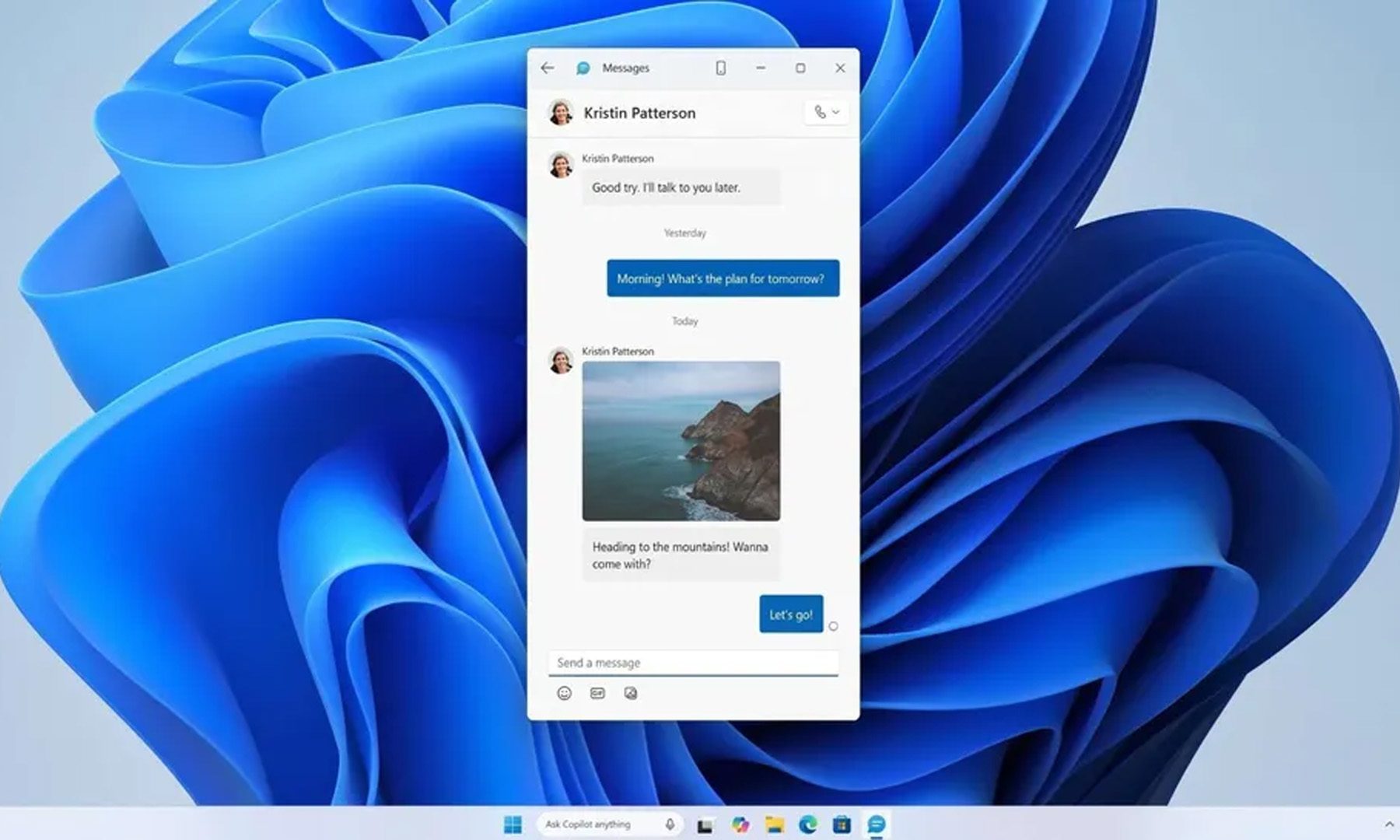
Another interesting addition is a dedicated Messages app for Windows 11. Rather than living inside Phone Link, SMS conversations would get their own standalone application that can be pinned to and launched from the Start menu, making texting from a PC feel much more like using a native Windows experience.
According to the report, all of these features are currently being explored and prototyped internally, meaning there’s no guarantee they’ll all ship as described. Microsoft is expected to gather feedback from Windows Insiders before committing to shipping anything concrete into future Windows 11 updates.
Windows is finally embracing the smartphone era
If all of this sounds familiar, that’s because Microsoft has been moving in this direction for a while. Windows 11 already lets users browse their phone’s storage directly from File Explorer and even use supported smartphones as wireless webcams. The reported changes build on that foundation by making smartphone features feel less like an add-on and more like they’re baked directly into the Windows UX shell.
The funny thing is, Microsoft spent years trying to convince people to buy Windows Phones. That obviously didn’t work out. Now, instead of fighting Android and the iPhone, it’s embracing them, and honestly, that might be the smarter strategy. If these features arrive as described, Windows 11 could finally make the jump between PC and phone feel almost invisible.