
MelGeek MADE84 Ultra V2 review
MSRP $219.00
“Built for enthusiasts, rewarding for gamers, and polished enough to replace my everyday keyboard.”
Pros
- Solid aluminum construction
- Smooth and responsive magnetic switches
- Excellent for long typing sessions
- Rapid Trigger is genuinely useful for competitive games
- Huge amount of RGB customization
- Hive works through a browser
- Compact 75% layout saves desk space
Cons
- Very heavy
- Transparent key legends can be difficult to read
- Pretty expensive
- Wired-only operation
- May require a wrist rest for longer sessions
Mechanical keyboards are one of those rabbit holes I’ve always been happy to fall into. I spend most of my day writing, then somehow end up using the same keyboard for several more hours once I start gaming. Naturally, how a keyboard responds and sounds are important to me. But more often than not, I found myself relying on this dusty old mechanical keyboard with brown switches. Something about the brown switches and construction always made it feel natural to me. All of this changed after I tried the MelGeek MADE84 Ultra V2 for a review.
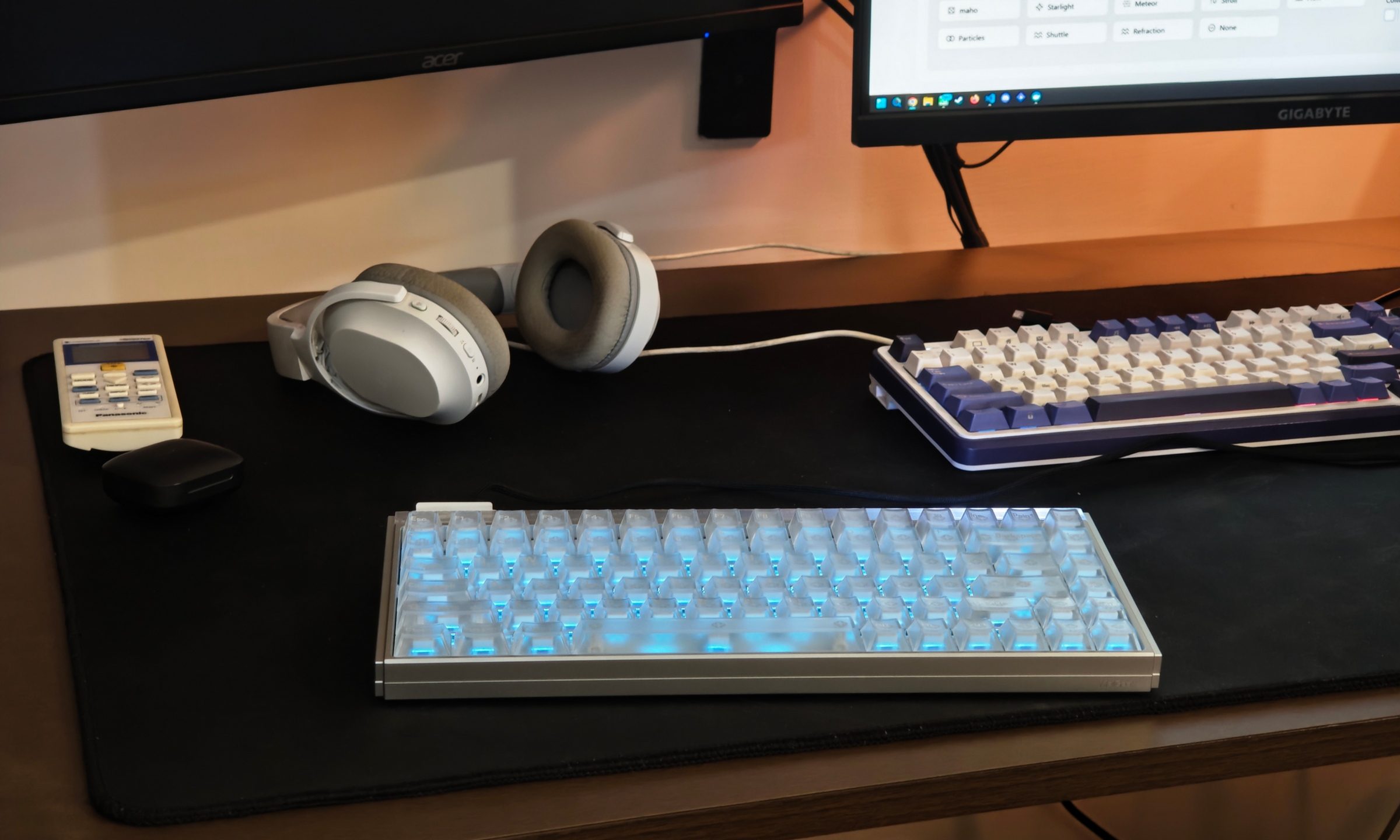
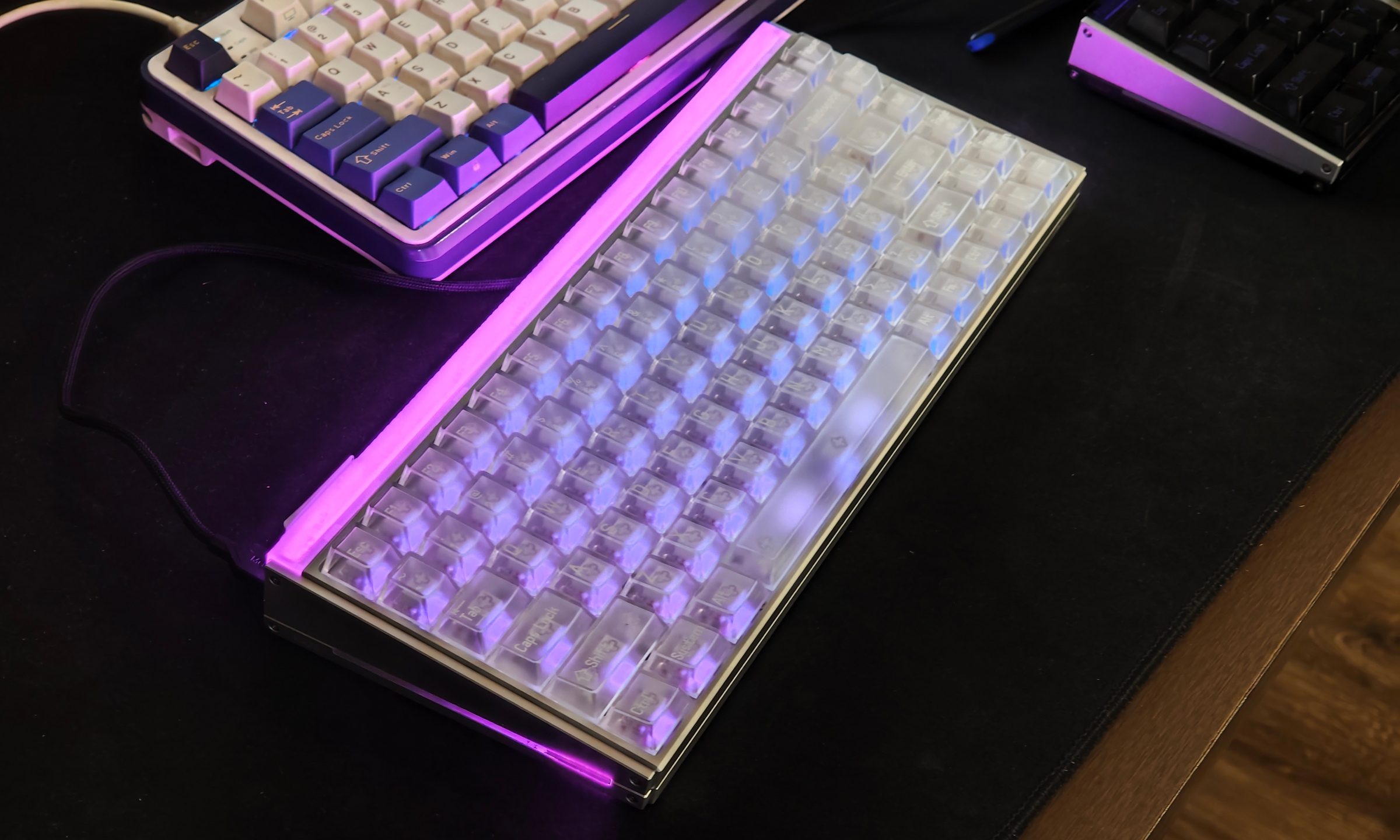
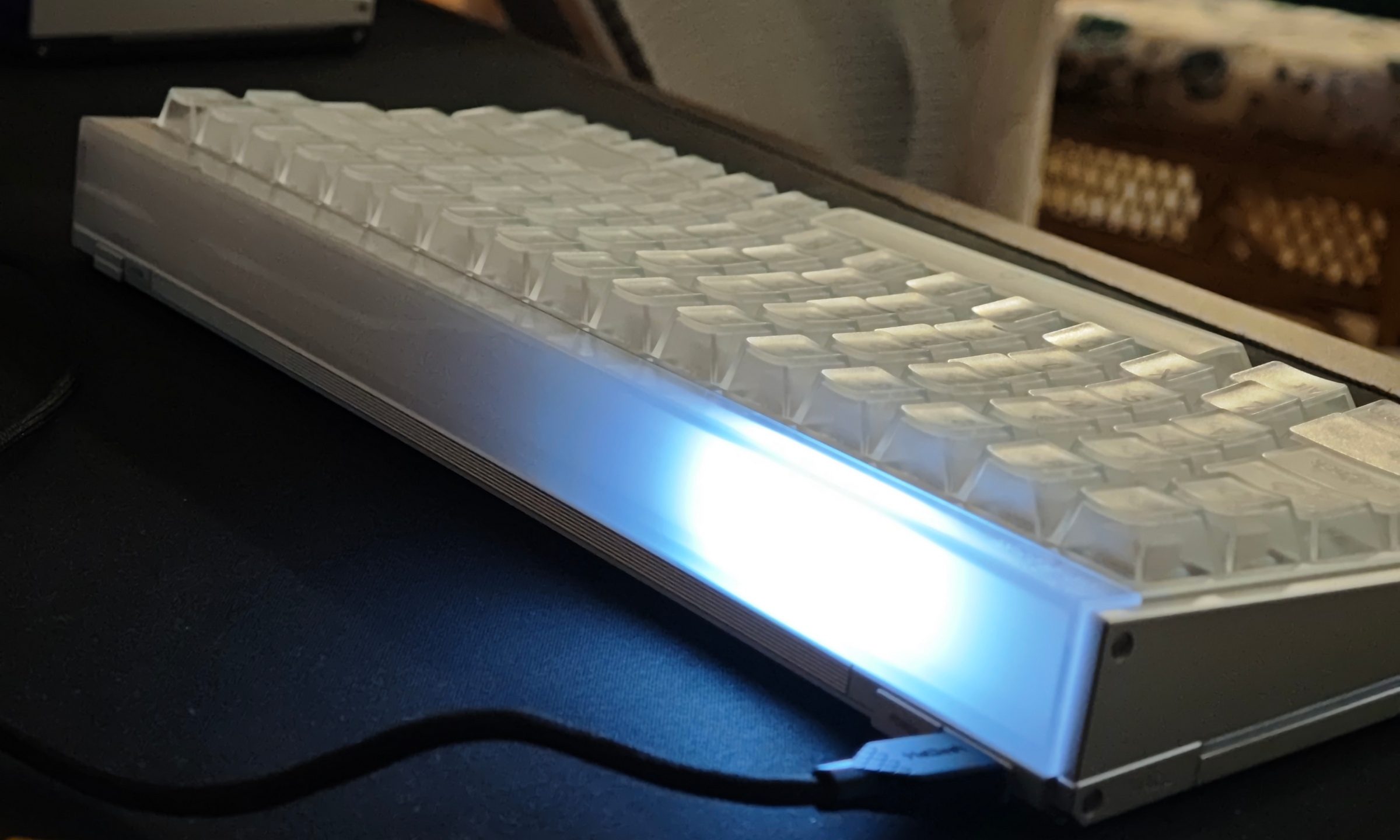
This keyboard instantly caught my attention with its transparent keycaps, massive light bar, aluminum body, and lighting running around almost every side, which immediately gives it away as a gaming keyboard. It’s not being subtle about it at all. After about two weeks of using it for work and games, the styling is just one of the things it has going for it.
I came from a full-size mechanical keyboard, and now, I see the hype behind magnetic keyboards. The MADE84 Ultra V2 has officially replaced it as my daily driver, and a lot of that comes down to how smooth the Flip King magnetic switches are and how the Hall Effect controls give competitive gamers plenty to play with. This is firmly an enthusiast keyboard, and you’re sorely reminded of that once you look at its $219 price tag. Thankfully, MelGeek gives you plenty in return for that money.
MelGeek MADE84 Ultra V2 specs
| MelGeek MADE84 Ultra V2 | Specifications |
|---|---|
| Layout | 84-key / 75% |
| Switches | Flip King Magnetic White Hall Effect switches |
| Connectivity | Wired USB-C |
| Polling rate | Up to 8,000Hz |
| Software | MelGeek Hive, web and desktop |
| Profiles | Four onboard profiles |
| Lighting | Per-key backlighting with front/rear and side illumination |
| NKRO | Supported |
| Dimensions | Approx. 320 x 134 x 42mm |
| Weight | Approx. 1,530g |
| Compatibility | Windows, macOS, Linux |
| Cable | Detachable braided USB-C to USB-A |
| Price | Around $219 |
Subtlety left the building
The first thing that struck me when I took the MADE84 Ultra V2 out of its box was how flashy it looked. The transparent design and lighter color palette immediately call for attention. Add the huge lighting section across the front, lights on the sides, and RGB glowing beneath every key, and you have a keyboard that is unapologetically gamer-y.
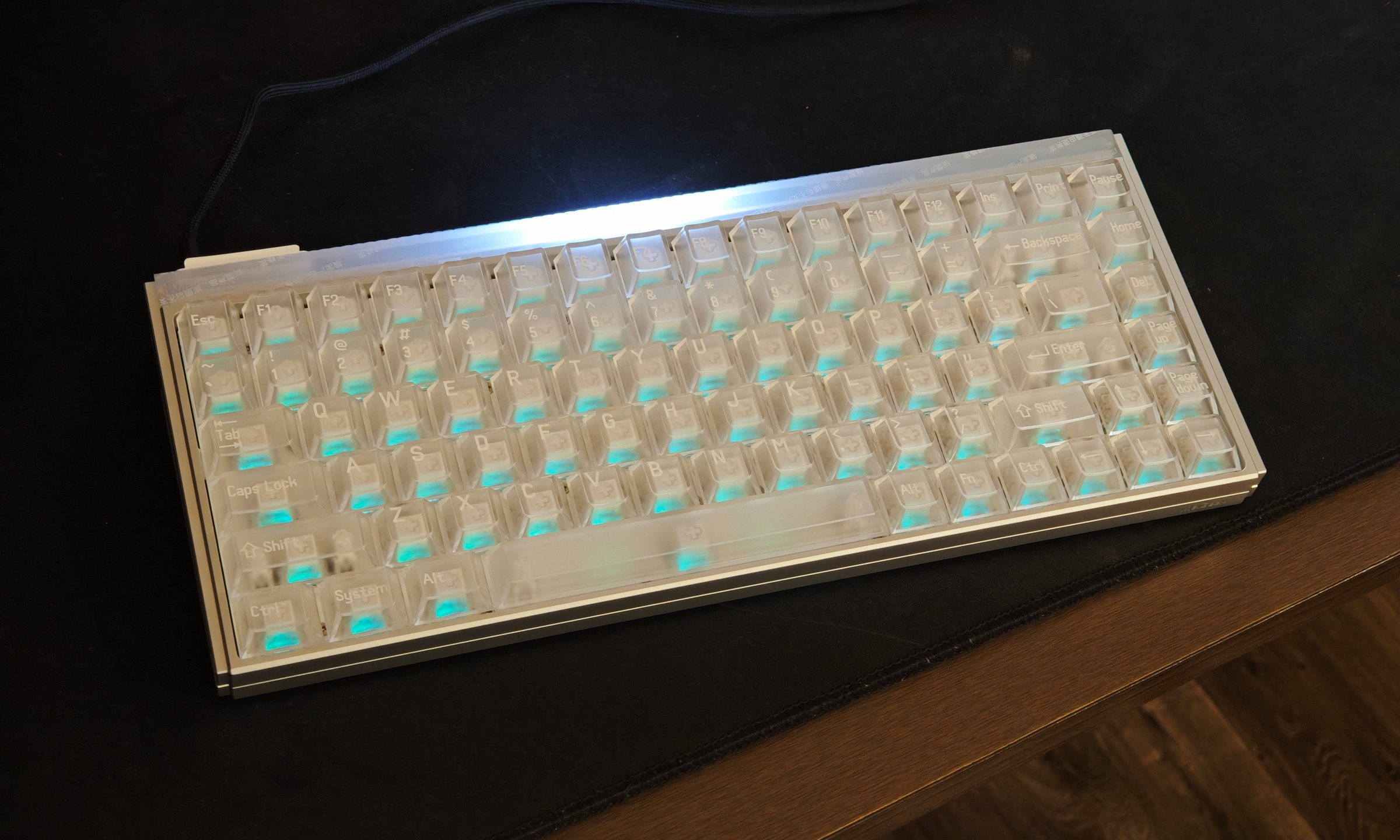
The metal housing brings an industrial edge to it as well. The aluminum chassis is incredibly robust, with exposed screws and metallic side panels that give the whole thing some serious heft.
And I mean serious heft.
Weighing roughly 1.53kg, this keyboard barely moves once it lands on your desk. The weight is reassuring, while the small rubber pads underneath keep it firmly planted during more aggressive gaming sessions. There was no flex or creaking during my time with it either. Build quality is easily one of the strongest parts of the keyboard.
This weight also makes the MADE84 Ultra V2 something I’d rather leave on my desk. A lot of users buy compact keyboards to carry them around for their mobile setup, and lugging around a 1.5kg keyboard regularly doesn’t sound particularly appealing.
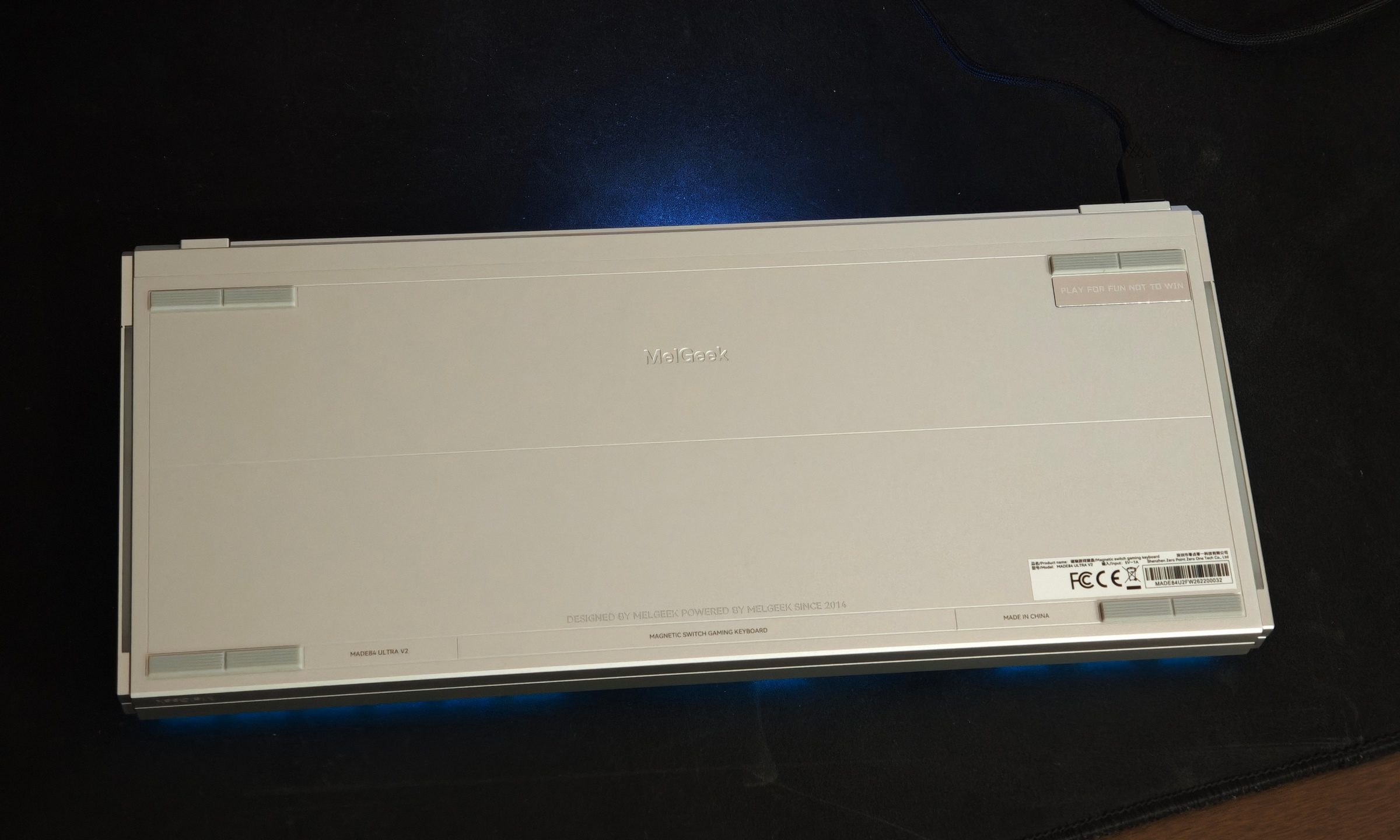
The 75% layout saves plenty of room compared to the full-size keyboard I was using earlier. There was an adjustment period. Keys sit closer together, the arrow cluster hangs right on the edge, and I initially missed having a wrist rest. But a few days later, the layout became second nature.
My bigger gripe concerns the transparent keycaps. They look terrific once the RGB comes alive, though the legends can be surprisingly difficult to read. The printing itself also comes across a little cheaper than the rest of the keyboard. Thankfully, I stopped paying much attention once muscle memory kicked in.
The RGB is absolutely bonkers
Lighting is usually the first gaming peripheral feature I turn down, but with the MADE84 Ultra V2, I was going through the customization options like a kid in a candy store. And yet, I feel like I’ve just scratched the surface with it.
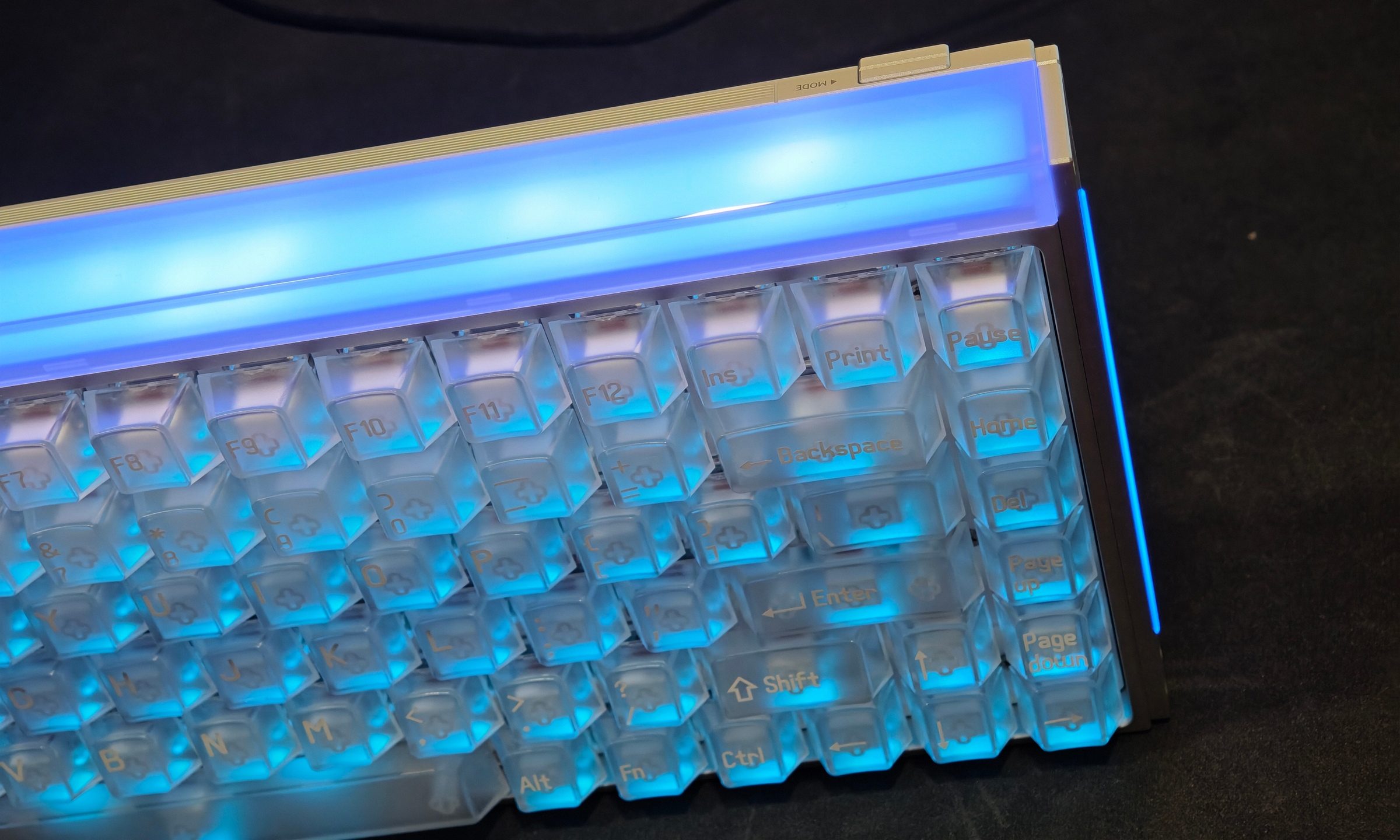
The transparent keycaps let plenty of light through, and diffusion across the keyboard is impressively even. There’s also that gigantic illuminated section running across the body, plus the side lighting that gives the board a futuristic appearance in a darker setup.
Brightness can get ridiculous. The main light bar was bright enough to throw light onto my monitor, so maximum brightness rarely made sense for my setup. Dynamic flashing patterns also gave me a headache pretty quickly. Static colors and slower effects worked far better for me.
Hive lets you customize the key backlighting separately from the rear and side illumination. Brightness, animation speed, colors, and plenty of effects can all be changed, making it easy to tone the board down or completely transform its appearance. I really appreciated some lighting effects as well, and even those could be tweaked to feel more active.
With everything switched off, the transparent keyboard looks strangely muted. This is one keyboard I genuinely think benefits from keeping at least some lighting enabled.
I didn’t expect typing to be this seamless
Coming from brown switches, the Flip King magnetic switches took some getting used to. I initially missed that tactile bump halfway through a keystroke. The MelGeek is much more linear in the way each key travels downward. Give it a few days, however, and that smoothness starts making a lot of sense.
The switches require little effort, rebound quickly, and show only minor wobble. Longer keys are excellent too. My spacebar had almost no noticeable wobble and produced a subdued sound, while Enter, Shift, and Backspace remained consistent even when I struck them near the edges.
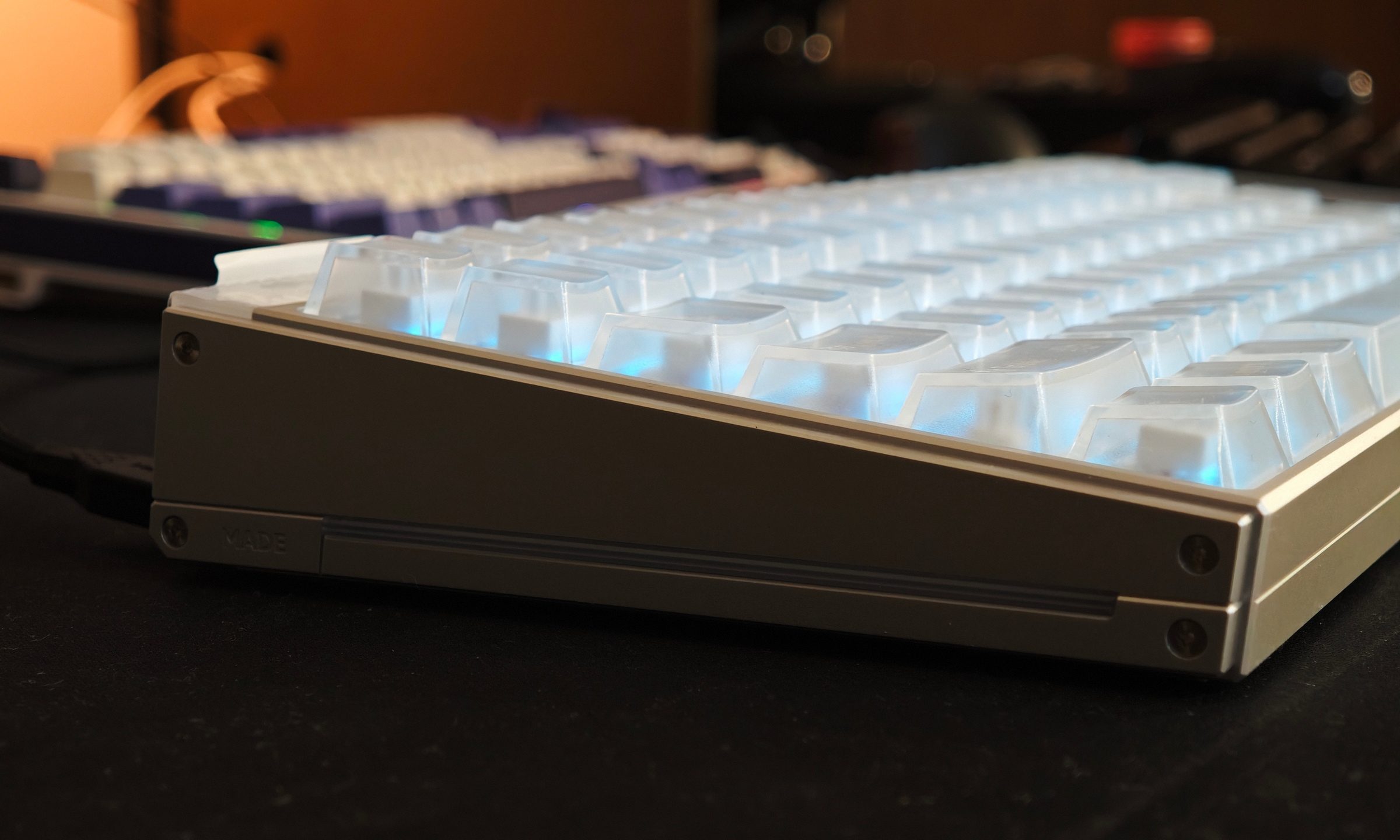
The sound surprised me as much as the switch response. There’s a slightly hollow character compared to my brown switches, and yet, it remains muted and soothing enough that I can type late at night without consciously slowing myself down.
The aluminum chassis also seems to keep much of the sound isolated rather than producing the annoying metallic resonance I was worried about. You could even say it adds a nice little “thump” to the sound. Most importantly, I actually write on this thing.
I spent far more time typing than gaming during my two weeks with the keyboard, including plenty of longer work sessions. Once I adapted to the tighter layout, mistakes became rare, and comfort remained excellent. I still see myself adding a wrist rest eventually, especially after several hours of work.
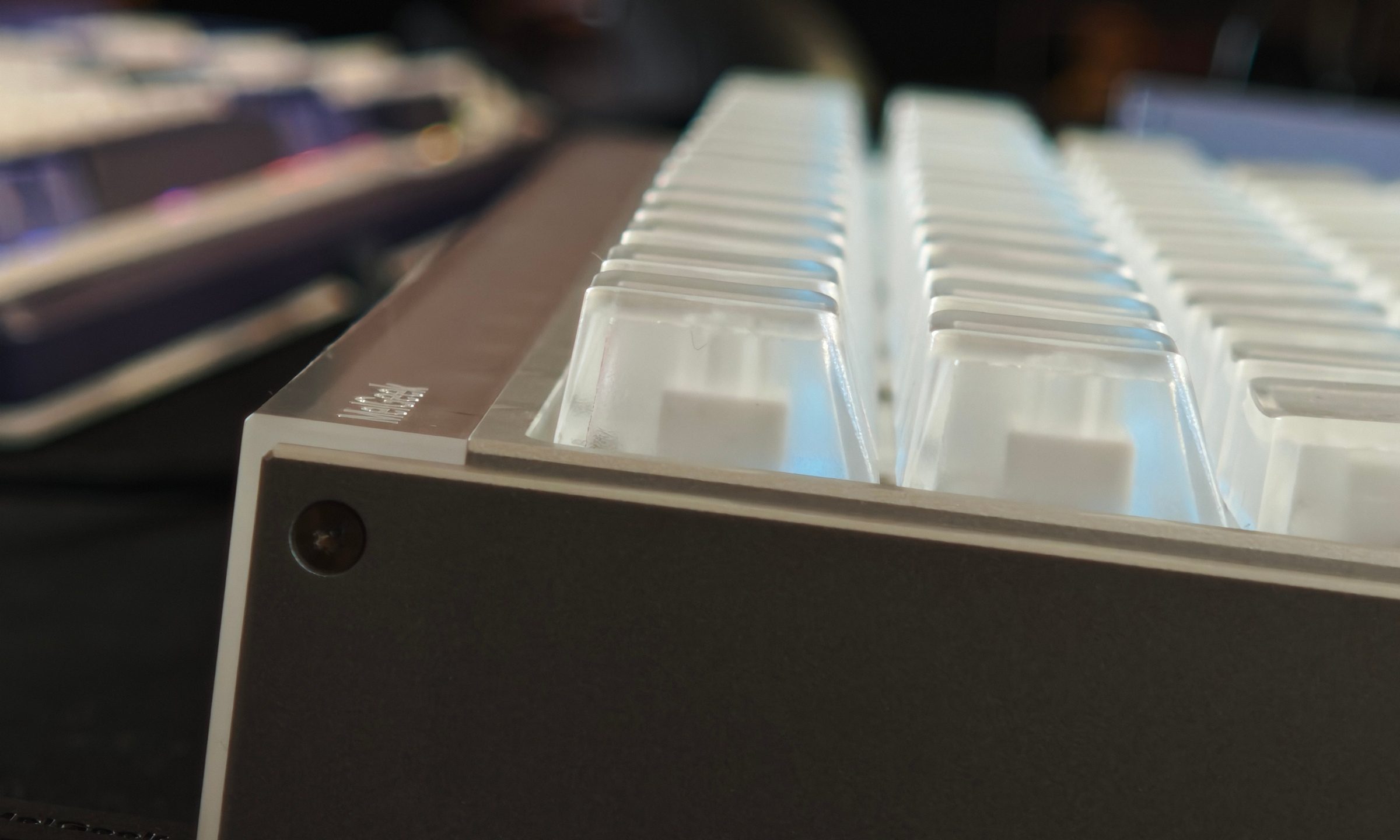
Hall Effect keyboards are usually sold with competitive gaming plastered all over the marketing. The MADE84 Ultra V2 is a great example of how these magnetic switches can make a pretty great everyday typing keyboard too–that’s if you’re willing to go for a more linear key experience.
Gaming is where Hall Effect really flexes its muscles
I tested the MADE84 Ultra V2 with Rainbow Six Siege, Overwatch 2, and Arc Raiders, and honestly, I have no complaints here.
The keyboard supports an 8,000Hz polling rate, which I kept enabled throughout testing. Most people are never going to notice 8,000Hz during regular use. I certainly couldn’t point to some dramatic improvement over a good gaming keyboard.
Still, I’ll happily take any competitive advantage available to me, especially when enabling it didn’t create strange behavior or noticeable CPU problems during my testing. Rapid Trigger had a far more obvious impact.
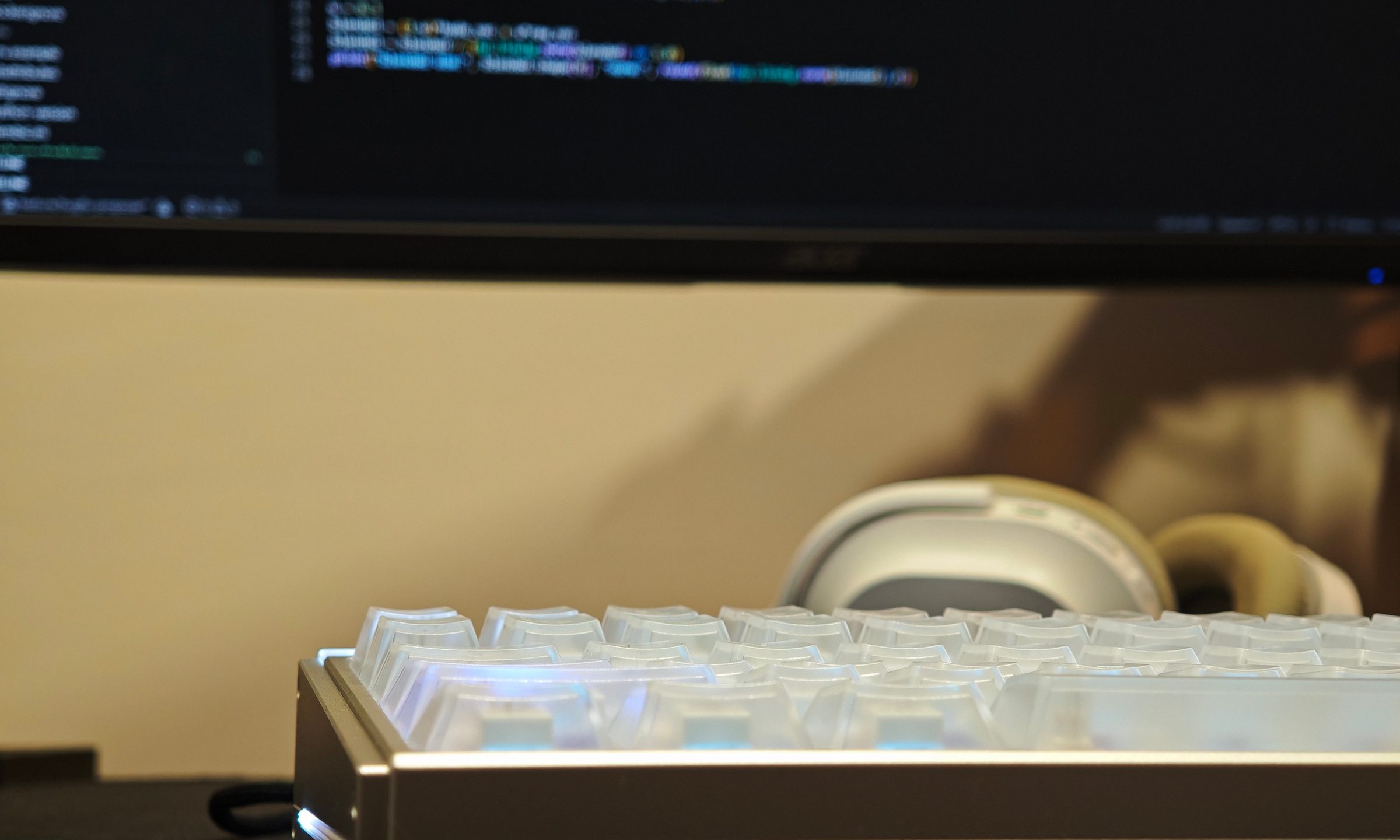
Being able to reset a key the moment you start lifting your finger makes directional inputs incredibly responsive. I noticed this most in Rainbow Six Siege. I’ve played Siege for years, so movement and quick leaning are practically muscle memory at this point. Rapid Trigger made those repeated leaning inputs especially snappy.
You can push the sensitivity aggressively through Hive, though going too far has consequences. I occasionally registered an input accidentally when my fingers got twitchy at very low actuation settings. Finding the right balance matters more than simply dragging everything to the fastest possible value. Once tuned properly to my own preference, I had no missed inputs, double presses, or consistency issues even across longer sessions.
Hive might be my favorite peripheral software in a while
Peripheral software has a remarkable ability to make simple things unnecessarily painful. MelGeek is aware of this, and that’s why Hive is such a pain-free experience.
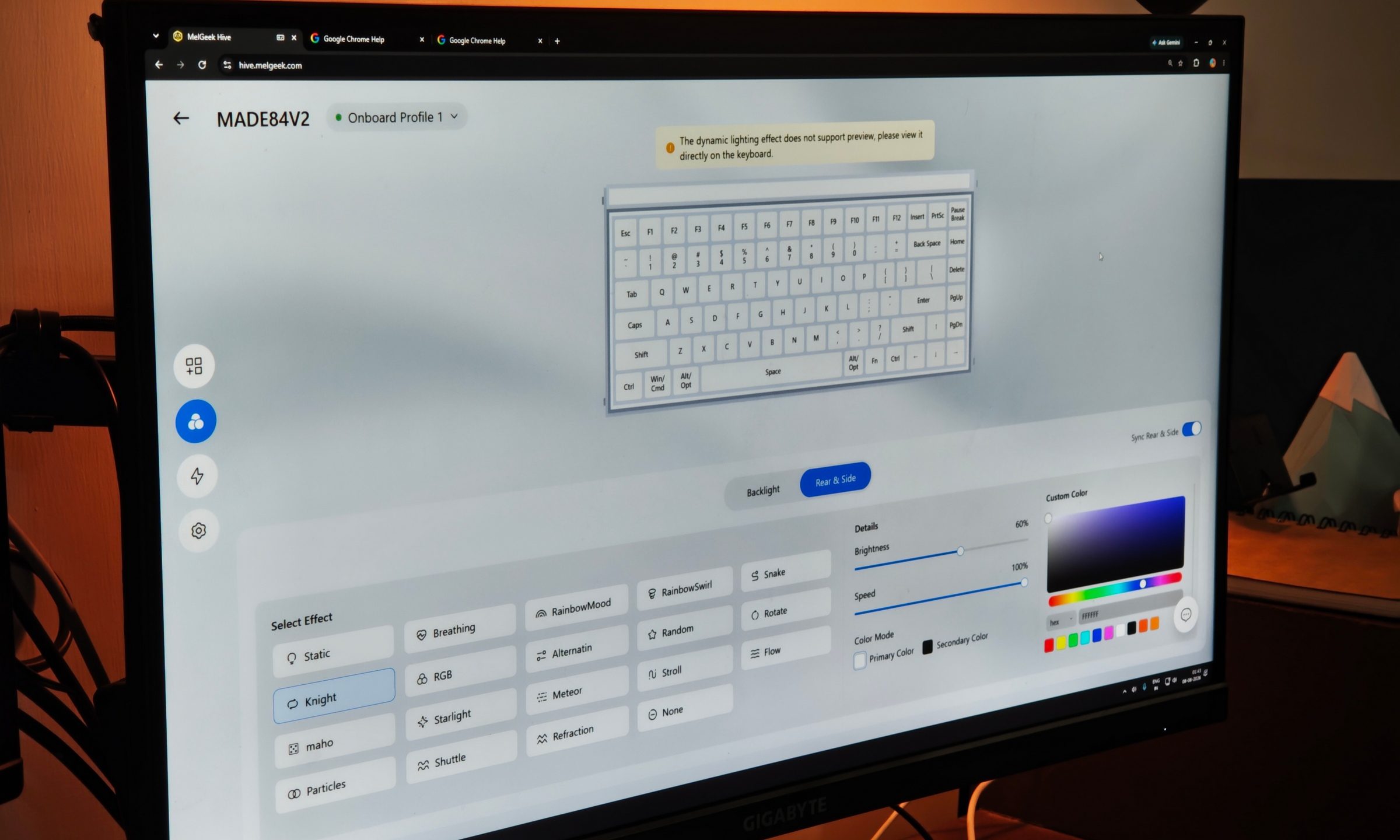
You can use either the desktop application or Hive directly through your browser. That second option is fantastic. I could connect the keyboard, open Hive, make my changes, and move on without installing another background application.
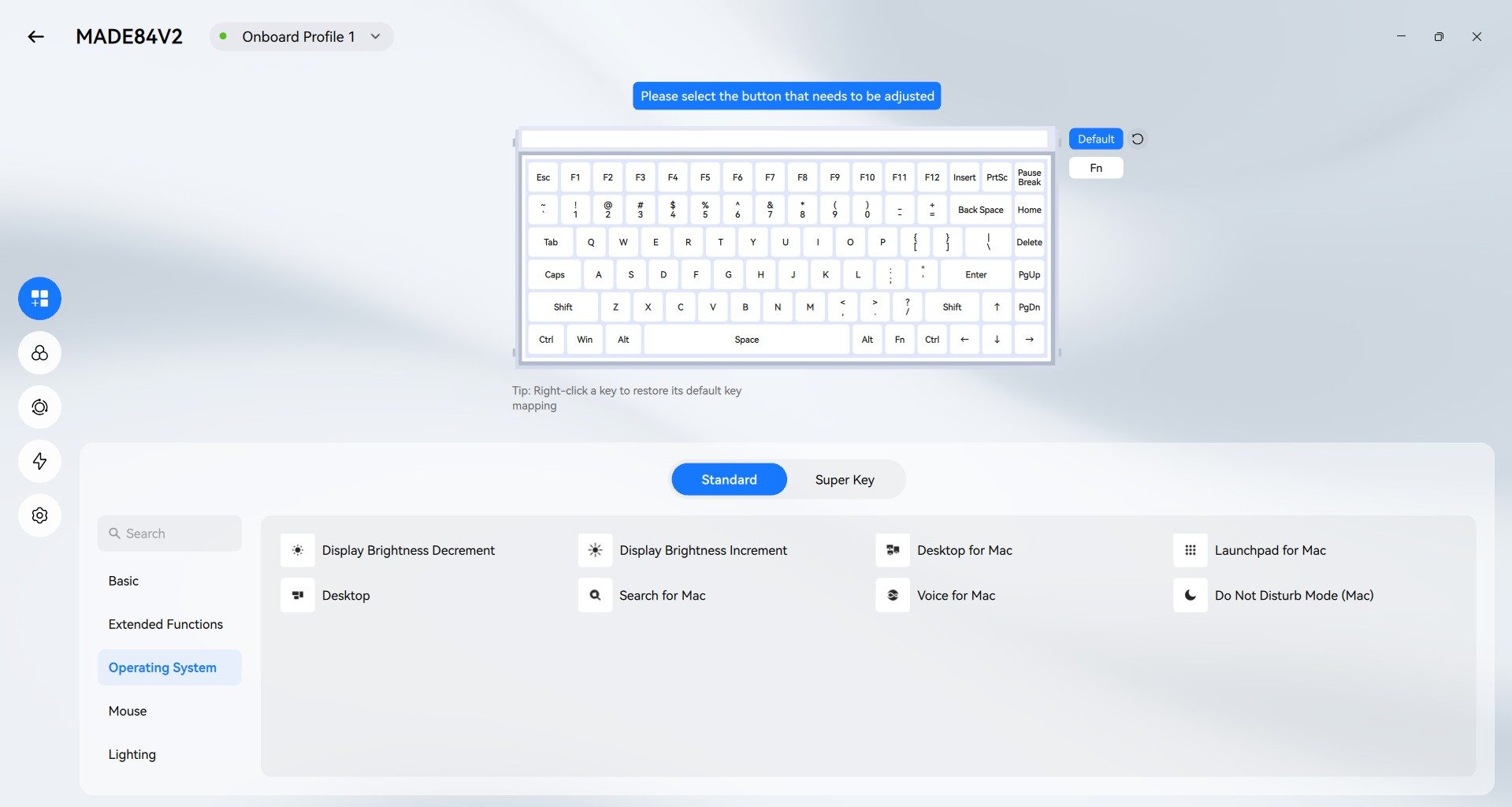
The interface itself is clean and easy to understand. Individual keys can be remapped, including OS controls and Fn functions. There are onboard profiles, switch calibration controls, NKRO, lighting settings, and firmware updates.
The switch page is surprisingly comprehensive too. My MADE84 V2 identifies every installed key as a T11 Flip King Magnetic White switch, while Hive also lists numerous other supported magnetic switch types.
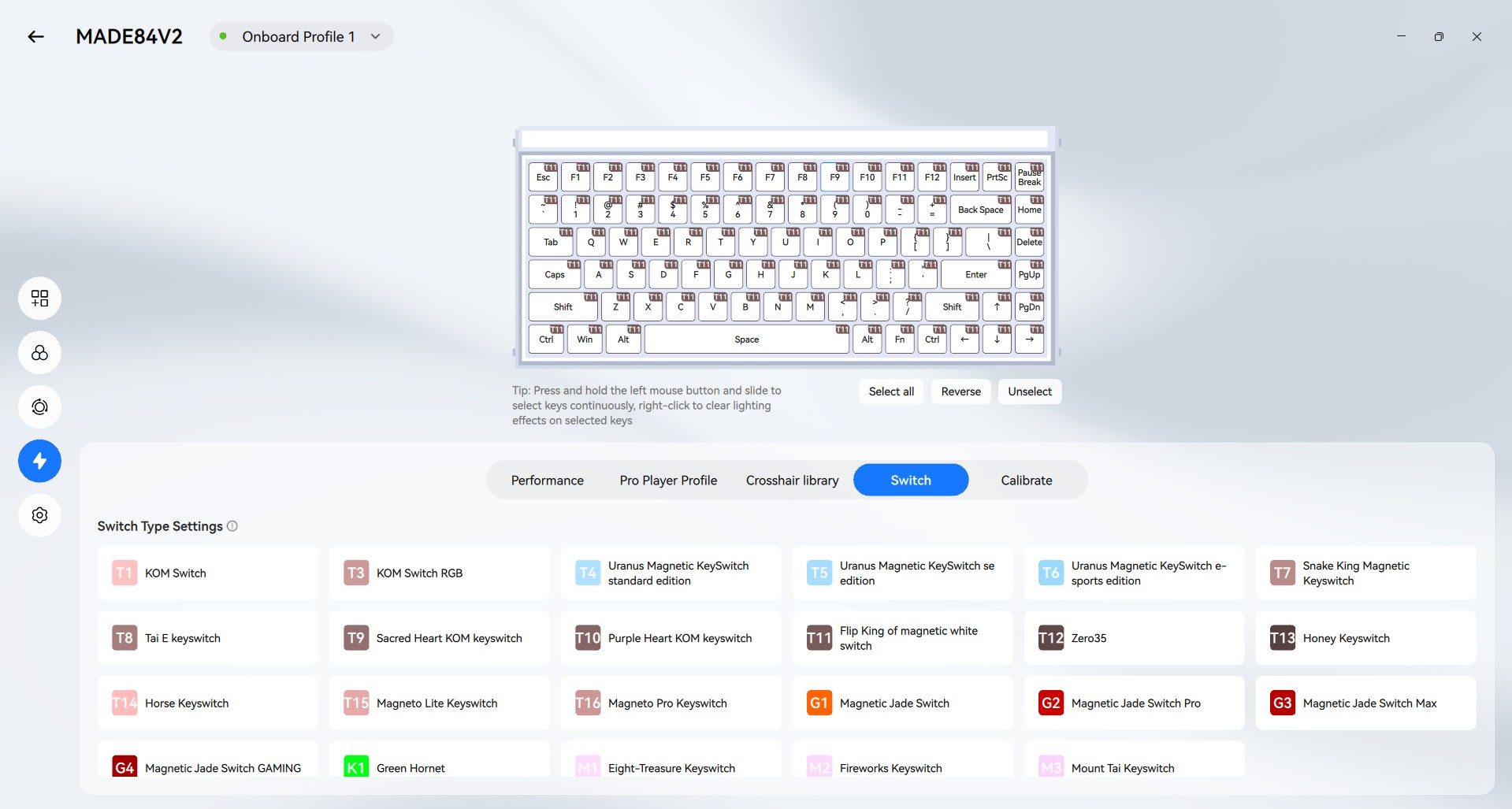
Settings remain stored after Hive closes, and an account isn’t required. I still kept the desktop app installed because having an offline option is useful whenever my internet decides to betray me.
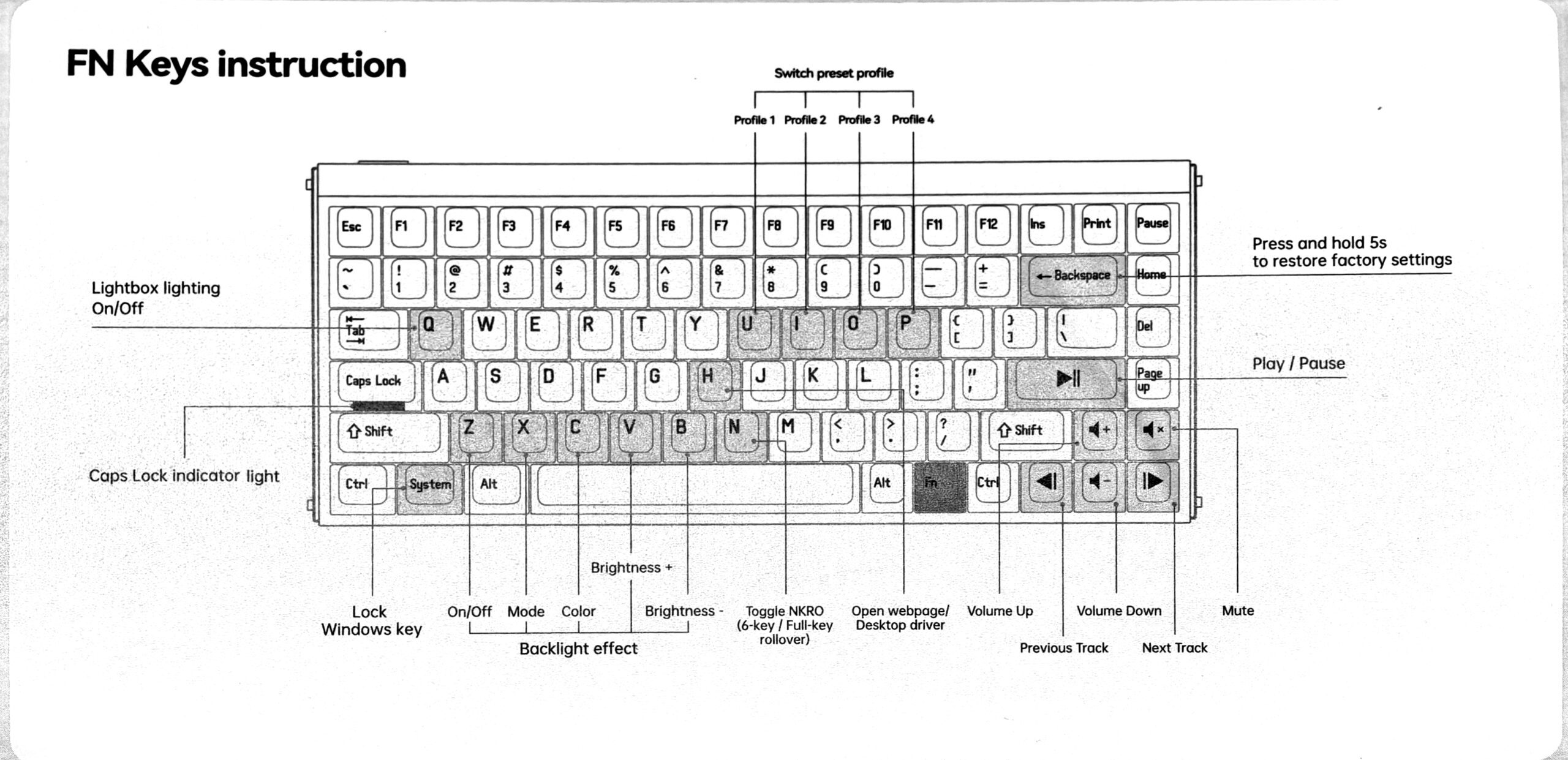
Profile switching is also available directly through Fn shortcuts, alongside media controls, lighting brightness, RGB modes, volume controls, Windows-key locking, and NKRO switching.
Wired-only suits it just fine
The MADE84 Ultra V2 is wired-only, and that never really bothered me. Its braided detachable cable is good quality, the USB-C connection remained secure, and the port placement on the left happened to work perfectly with my desk. For such a heavy keyboard, it already has very little interest in travelling anywhere anyway. A wireless option would obviously make the spec sheet longer. I wouldn’t sacrifice the straightforward wired experience just to have it here.
Should you buy the MelGeek MADE84 Ultra V2?
Being listed for around $219, the MADE84 Ultra V2 asks a lot for a keyboard. I still think the price makes sense for the audience MelGeek is targeting.
The aluminum construction is excellent, the lighting system gives you absurd amounts of customization, and Hive is one of the easiest peripheral-control experiences I’ve used recently. More importantly, the Flip King magnetic switches won me over for both gaming and everyday typing. The smooth response and quieter sound ended up being the biggest reasons this keyboard replaced my previous daily driver.
Its drawbacks are easy to identify. The keyboard is extremely heavy, the transparent legends are harder to read than I’d like, and $219 is well beyond what anyone simply looking for a reliable keyboard needs to spend. The understated crowd should probably keep looking too. This thing wants RGB on your desk and makes little effort to hide it.
Why not try the Lofree Flow 2?

The Lofree Flow 2 is a much better fit if you want something lighter, cleaner, and easier to travel with. Its 84-key version weighs about 745g, supports USB-C, Bluetooth 5.3, and 2.4GHz connectivity, and starts at $159. Its 1,000Hz polling rate and conventional mechanical switches put less emphasis on hardcore gaming, while the low-profile aluminum design makes far more sense for portability and productivity.
How we tested
I used the MelGeek MADE84 Ultra V2 for roughly two weeks before writing this review, eventually replacing my usual full-size brown-switch mechanical keyboard with it.
Most of my time was spent writing and handling regular productivity work, alongside gaming sessions in Rainbow Six Siege, Overwatch 2, and Arc Raiders. I tested the keyboard with its 8,000Hz polling mode enabled and experimented with Rapid Trigger, actuation sensitivity, lighting controls, remapping, onboard profiles, and both the desktop and browser versions of MelGeek Hive.