

Creating a group in Gmail takes all the pain out of needing to comb through page after page of contacts. Instead of manually adding addresses one at a time whenever you want to send a message to multiple users, a single Gmail group can be selected instead. The idea is to group similar contacts under one group. This saves a lot of time, which means you’ll have more minutes and energy to give to more important tasks.
How do I create a group email list in Gmail?
In order to send a group email, you first need to create an email group using the Labels feature in Google Contacts. Once you create a Label, adding the contacts in it to your email is fairly easy.
Step 1: Open Google Contacts on your preferred web browser and log in, if necessary.
Step 2: Hover your cursor over the first contact you wish to add to your email list and click on the checkbox that appears to the left of the contact’s name. Do this for every contact that you want to include in the group.
Step 3: Once you’re done selecting contacts, click the Manage Labels button at the top of the page. Shaped like a label, this button will be present next to the Send Email button.
Step 4: A dropdown menu will pop up when you click on Manage Labels. From the menu, click on the option that says Create Label.
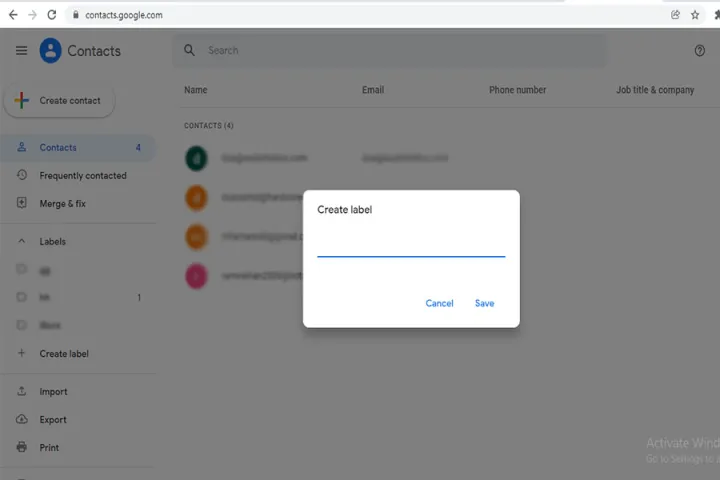
Step 5: Give your email group a name and click on Save.
How do I make a group email in Gmail without recipients?
If you need to send information to a group of people but wish to keep each recipient’s name hidden from all other recipients, using Gmail’s blind carbon copy method is a good idea. Using Bcc makes sure the recipients don’t find out who else the email has been sent to. Now that you’ve successfully created a group email list in Gmail, here’s how to send an email to the group while making sure the members are unable to see the email addresses of other group members.
Step 1: Click on Compose in your Gmail in order to start a new message.

Step 2: You need to have at least one email address in the To field. In order to fulfill the requirement, type Undisclosed Recipients followed by your own email address within angle brackets. It should look like: Undisclosed recipients ([email protected])

Step 3: The top right of your email box is going to say Cc and Bcc. Click on the latter and a Bcc field will pop up. You can also use Gmail shortcuts for adding the Bcc field. On a Windows PC, you’d need to click Ctrl+Shift+B, and if you’re on a Mac, it’ll be Command+Shift+B.
Step 4: Enter the name of your group email list in the Bcc field.
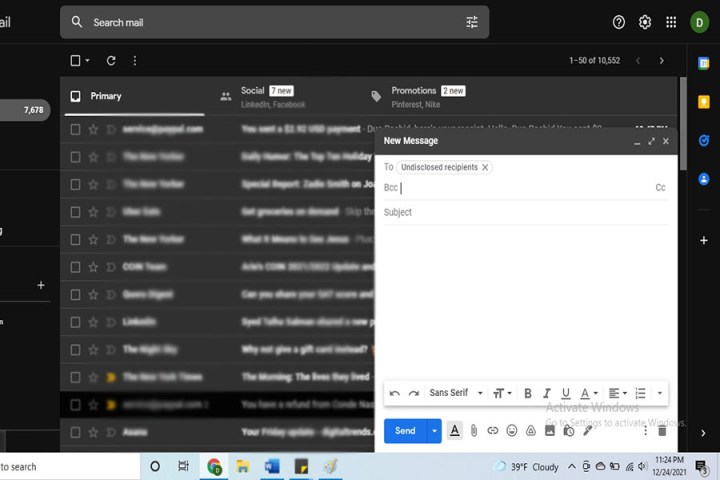
Step 5: Type the message of your email and enter a subject. Press Send and you’re all good to go!
Is Google Contacts free to use?
As the main program you’ll be using to generate Gmail groups, you may be wondering how much Google Contacts costs? Not only is the service completely free, but you’ll be able to use it alongside other popular Google applications, such as Google Calendar.
How do I share a group in Gmail?
While you won’t be able to share groups you’ve created in Gmail with other users, there’s a few ways you’ll be able to share your Gmail contacts with other Gmail accounts. One of the best methods is to install the Shared Contacts for Gmail plugin. For best results, your contacts should be sorted into contact labels. This helps to keep the sharing process organized and efficient.
Next, click on the Share icon in Gmail. Once you’ve selected the recipient of your shared contacts, you’ll be able to add permissions to the exchange (Can Write, Can Share, Read Only, etc.).
Editors’ Recommendations